
Anyone creating a recipe index on one computer
You want to read recipes and input fields side by side without constantly switching windows. Microsoft Support explains how to arrange windows on the same screen using Snap.


For a recipe index and source material on one computer, a single ultrawide monitor with two windows side by side is usually enough; you don’t need picture-by-picture (PBP). To display two computers at once, you’ll need a model with PBP and suitable inputs. Two separate monitors make sense if you need to position each screen independently. Also check that your computer can handle the resolution you want, and that the screen position and text size suit your workspace.
You want to read recipes and input fields side by side without constantly switching windows. Microsoft Support explains how to arrange windows on the same screen using Snap.
You prioritise readability and a workspace that’s set up to suit you. Arboportaal highlights small text, reflections and screen position as factors that can affect readability.
You may want to view two separate video sources at once and switch between input devices. If so, check that your chosen model has PBP and, if you want to share a keyboard and mouse, a suitable KVM function.
Suitable if: you want to see the recipe and index at the same time on one computer. Microsoft Support explains how to arrange windows using Snap.
Bear in mind: you’ll be working on one continuous screen, rather than two independently positioned displays. Check that your computer supports the resolution you want.
Suitable if: your recipes and index are on different computers and you want to display both at once. LG lists PBP for the 34WR50QK-B, while MSI lists PBP and KVM for the Modern MD342CQP.
Bear in mind: check the combination of inputs and how each model is operated. PBP and KVM are different functions.
Suitable if: you want to keep your source material and index on screens you can position separately. Microsoft Support explains how to arrange detected displays in Windows.
Bear in mind: your computer needs suitable video outputs. The combined size and resolution won’t necessarily match those of a single ultrawide.
| What to consider | What should you check? | Who is this most relevant to? |
|---|---|---|
| Two windows on one computer | Check the resolution and connection, and make sure both windows fit at a comfortable, readable size. | I want to read the recipe and index from the same computer at the same time, without constantly switching between windows. This is the main buying concern for around 31% of consumers. |
| Readability and screen position | Check the text size, reflections, height and tilt adjustment, and mounting options. | If I’m reading and entering text for long periods, I want to be able to adjust the screen position to suit me and read the text clearly. Around 25% of consumers say readability and workspace setup are their main concern. |
| Connecting a laptop | Check for video output via USB-C, the power delivery required, and the right port and cable. | I want to connect my laptop to the monitor using a suitable connection and charge it if needed. For around 19% of consumers, connecting a laptop is their main buying concern. |
| Two computers at once | Check for PBP, suitable video inputs and, if needed, a separately listed KVM function. | I want to see video from two computers at the same time and possibly use one keyboard and mouse. This is the main concern for around 13% of consumers. |
| Accessories you’ll need | Work out which cables, mounting equipment or perhaps a second screen you’ll need, and what you already have. | I want to know in advance which components I’ll need for my complete workspace, for example for mounting or connecting the monitor. Around 12% of consumers are mainly concerned about the components they’ll need. |
Arranging two windows side by side on one computer is different from displaying video from two computers at once. For that, the monitor needs the right function and inputs.
First decide how many computers need to provide video. Only if you’re using two sources, check specifically for PBP and make sure the available inputs are suitable.
According to LG, the stand supplied with the LG 34WR50QK-B offers tilt adjustment; Dell also lists height adjustment for the P3425WE. The options therefore vary by model.
Before buying, check the screen positions and adjustments available, and whether the mounting options suit your workspace.
A commercial guarantee doesn’t determine what you’re entitled to expect from a product under Dutch consumer law.
Keep your proof of purchase and the product specifications. If the product is faulty, contact the seller.
The LG 34WR50QK-B is worth considering if you’re looking for a high-resolution ultrawide with the option to display two video sources.
The Dell P3425WE is a 34.1-inch USB-C hub monitor for anyone who values connectivity and adjustability.
The Modern MD342CQP is worth considering if you want to connect two computers and need to share peripherals.
The Philips 346E2CUAE/00 is a 34-inch ultrawide with USB-C and MultiView, according to Philips.
The ViewFinity S6 S65UC (LS34C652UAUXEN) is an alternative with a curved 34-inch ultrawide screen.
This selection focuses on ultrawide monitors for viewing recipes and an index side by side; one model also lists PBP for two video sources. Check that each model’s connections and functions suit your computer.
 Image unavailable
Suited to anyone who wants to use several windows side by side on one computer; the product listing mentions multitasking.
34 inches; 3440 × 1440; 21:9; VA; curved 1800R screen; 120 Hz.
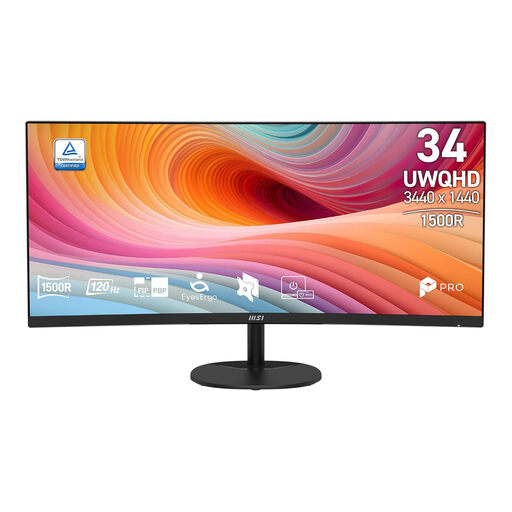 Image unavailable
Suited to anyone who wants to view recipes and an index side by side on one computer; the product listing mentions multiple windows.
34 inches; 3440 × 1440; 21:9; VA; curved screen; 120 Hz.
 Image unavailable
Suited to anyone who values an adjustable workspace and connections for multiple devices; the product listing mentions multitasking.
34.1 inches; 3440 × 1440; 21:9; curved IPS screen; USB-C hub; KVM; height, tilt, swivel and pivot adjustment; webcam; 100 Hz; 90 W Power Delivery.
 Image unavailable
Suited to anyone looking for an ultrawide for office work and multiple windows; the product listing mentions both uses.
3440 × 1440; 21:9; VA; 144 Hz; 1500R curvature.
 Image unavailable
Suited to anyone who wants to display two computers at once; the product listing mentions PBP and height and tilt adjustment.
34 inches; 3440 × 1440; WQHD; 144 Hz; curved VA screen; PBP; USB-C with 65 W Power Delivery; height and tilt adjustment.
No. Arrange the two application windows on the same desktop; Windows Snap lets you place windows side by side. PBP is for displaying video from separate sources at the same time.
Connect both screens to suitable video outputs, then arrange the detected displays in Windows display settings to match their physical positions.
Adjust the screen position and text size to suit you, and look out for distracting reflections. Arboportaal highlights small text, reflections and an unsuitable screen height as factors that can affect readability and strain; this doesn’t mean that a particular panel will prevent discomfort.
For a standard online purchase by a consumer, ACM ConsuWijzer says you’ll generally have a statutory 14-day cooling-off period from delivery, subject to exceptions. Your statutory guarantee depends on what you can reasonably expect from the product; if it’s faulty, the seller is responsible. A manufacturer’s guarantee doesn’t replace this right.
According to Arboportaal, employers have obligations concerning screen work and workplace setup. For more than two hours of screen work a day, the portal lists specific workspace requirements; these don’t automatically mean that someone making a recipe index at home has to buy a particular monitor.