
Photo book creator checking colours
Wants to assess colour differences before production and can use a properly set-up monitor and the profile for the chosen finish. Saal Digital and Adobe explain the importance of a suitable colour workflow.


For checking colours before printing, a properly set-up monitor and the right ICC profile matter more than a large quoted colour gamut alone; Saal Digital emphasises the importance of a well-adjusted, preferably calibrated monitor. For fine details, a 34-inch 5K2K screen may be an appealing alternative to 3440 × 1440 pixels, provided your computer and connection support the resolution you want. Docking features are most useful if you want to use your laptop, peripherals and spread together at your home desk. No single specification guarantees that a print will look exactly like it does on screen.
Wants to assess colour differences before production and can use a properly set-up monitor and the profile for the chosen finish. Saal Digital and Adobe explain the importance of a suitable colour workflow.
Wants to view both pages, captions and editing panels clearly, so screen space and resolution matter. The BenQ and LG models used here as examples have different quoted resolutions.
Wants to view a spread while connecting a laptop and peripherals. Whether USB-C power delivery, networking and hub features are useful depends on your laptop and how you want to set up your workspace.
Start with what you need most when reviewing your work: colour checking, space for fine details, a suitable laptop connection or an understanding of running costs.
| Consideration | What to look for when buying | Who is this important to? |
|---|---|---|
| Colour checking before printing | Compare documented colour modes and calibration. Check whether your photo book provider offers a suitable ICC profile and soft-proofing instructions. | I want to assess colours before production using the profile for the chosen finish. Around 31% of consumers rank colour checking before printing as their top buying priority. |
| Spreads and fine details | Compare resolutions and view your own captions at the intended screen settings; check that your computer supports the resolution. | I want to assess details in small captions without constantly zooming in. Around 31% of consumers give detail and an overview the highest priority. |
| Laptop and home desk | Check your laptop’s video output and charging requirements, the connections you need, and the dimensions of the monitor and stand. | I want to connect my laptop and peripherals to a practical home-working setup. Around 23% of consumers base their choice mainly on their connection needs. |
| Running costs and warranty | Compare the energy label for the exact model and read any additional warranty terms alongside your statutory rights. | I want to factor in energy use and understand what an extended warranty adds. Around 15% of consumers rank running costs and purchase terms as their top priority. The Government of the Netherlands distinguishes between statutory guarantees and additional warranties. |
Print colours also depend on the profile for the chosen product and finish, the monitor settings and viewing conditions.
Compare the colour claims for specific models, but follow your photo book provider’s instructions for soft proofing.
The 34-inch models reviewed have different quoted resolutions, including 3440 × 1440 and 5120 × 2160 pixels.
View your own spreads with small captions at the intended resolution and check that your computer and connection support it.
LG lists the 34WK95U as discontinued; it is a different model from the separately named 34WK95UP-W.
Before buying, check the full model number and key specifications on the product page.
A manufacturer’s warranty or paid extended warranty is not the same as a statutory guarantee. The Government of the Netherlands describes these as separate forms of protection.
First, check which statutory rights apply, then see what an additional warranty actually offers.
The PD3420Q is an example to consider when comparing quoted colour modes and an ultrawide workspace.
The ProArt PA34VCNV is an example for anyone looking to compare colour documentation and laptop connectivity in one monitor.
The 34WK95UP-W is an example of a 5K2K ultrawide for anyone looking to explore the benefits of extra resolution when checking details.
The UltraSharp U3425WE is an example for anyone looking to combine an ultrawide workspace with hub features.
The Business Monitor 34B2U5600C/00 is an example for anyone who views a spread alongside other work and wants to compare KVM or networking features.
The ultrawide monitors shown differ in resolution and workspace features. Compare each model with your needs for detail, screen space and connectivity; check colour suitability and soft-proofing options separately.
 No image available
The quoted 5120 × 2160 pixels may suit anyone who wants to view small captions and fine details; check that your computer and connection support this resolution.
40 inches; 5120 × 2160 pixels; IPS; 100 Hz; 65 W USB-C Power Delivery; PIP and PBP modes.
 No image available
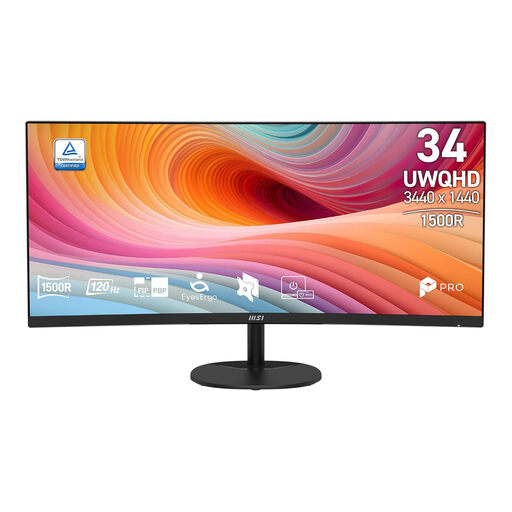
A 34-inch ultrawide may suit you if you want a wide view of your spread; check that the curved design and quoted resolution work for your workspace.
34 inches; UWQHD; 120 Hz; curved VA panel.
 No image available
The USB-C hub and webcam may be useful if you also use the monitor for working from home; check that the connections and features suit your laptop.
34.1 inches; curved WQHD IPS screen; 100 Hz; webcam; USB-C hub with 90 W Power Delivery.
 No image available
This model is described as a USB-C hub and meeting monitor; before buying, check the full model number and whether the stated features suit your home-working needs.
34 inches; USB-C hub; meeting features.
 No image available
The 39-inch size may give you room to view a spread across a wide screen; the gaming label alone does not indicate how suitable the colour display is for soft proofing.
39 inches; 21:9; 65 W USB-C Power Delivery; height, tilt and swivel adjustment.
No, that is not guaranteed. Set up your monitor properly and, if your provider offers one, use the ICC profile for your chosen photo product and finish. Saal Digital explains the importance of a well-adjusted, preferably calibrated monitor; the image on screen will still differ from the physical finished product.
Use the instructions and profile for the exact product and finish you have chosen. Saal Digital explains how to install profiles and provides separate steps for Lightroom Classic and Photoshop; these instructions do not automatically apply to another photo book product.
Compare the energy label for the exact monitor and check whether your colour workflow requires equipment or extra set-up time. Read any additional warranty terms alongside your statutory rights; the Government of the Netherlands distinguishes between these forms of protection.
For distance purchases, a 14-day cooling-off period applies in many cases; the Government of the Netherlands lists some exceptions. Check the terms that apply to your specific purchase, and do not confuse the cooling-off period with a statutory guarantee.
Yes. According to the European Commission, computer monitors are covered by energy labels for electronic displays. Compare the label for the exact model if energy use is a factor in your decision.