What should you look for?
First, consider how much room you need for your test windows. Then check the connections, adjustability and how you’ll test narrow screen layouts.
| What to consider |
What should you check? |
Who will find this most relevant? |
| Keeping an overview while testing |
Check that your computer can handle the stated 21:9 resolution and that the screen will fit on your desk. |
If I want to view the filter interface, results and notes at the same time, usable screen space is a major consideration. Around 36% of consumers give the overview of their test windows top priority. |
| Connecting and switching |
Check video, USB data, laptop charging and, if you’re connecting two computers, the connections needed for the KVM. |
If you want to switch between computers and peripherals at a shared desk, connections that work with both computers are especially useful. Around 29% of consumers put this first. |
| Adjustability and reflections |
Check the adjustment range of the stand or mounting option, and consider the screen’s position in relation to windows. |
If several people use the screen, I want to be able to adjust its position to suit the desk and the user. Around 21% of consumers prioritise adjustability and managing reflections. |
| Testing narrow layouts |
Set the relevant viewport widths and, if necessary, test important mobile behaviour on a real device too. |
If you want to check how the filter works on narrow screens, a wide monitor alone isn’t enough. Around 14% of consumers make this their top purchasing priority. |
Monitors at Joybuy
These monitors offer a wide workspace for test windows and shared use. Check the connections and features of each model to make sure they suit your computer and workspace.
 No image available
Dell Pro P3426WEV 34.1-inch curved WQHD IPS USB-C hub monitor with webcam, 100 Hz, 90 W Power Delivery
The USB-C hub could be useful for a shared laptop workspace. Check that your laptop and cable are compatible.
34.1 inches; WQHD; IPS; USB-C hub; webcam; 100 Hz; 90 W Power Delivery. USB-C charging requires a compatible laptop that supports USB Power Delivery and DisplayPort Alt Mode.
View at Joybuy
 No image available
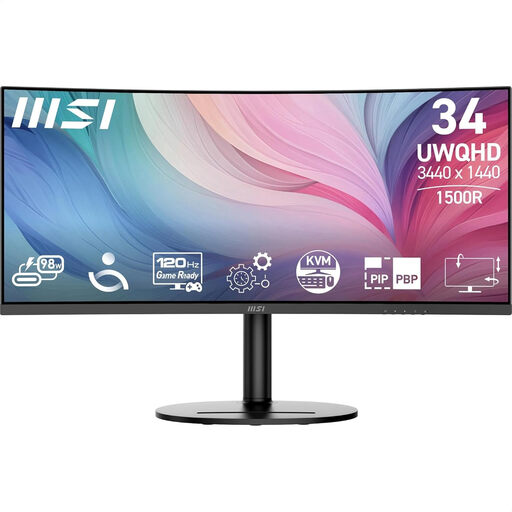
MSI Modern MD342CQP
The ultrawide format can make it easier to view test windows side by side. Check that your computer supports the stated resolution.
86.4 cm (34 inches); 3440 × 1440 pixels; LCD.
View at Joybuy
 No image available
Iiyama ProLite 34-inch UWQHD curved monitor with USB-C dock, LAN, KVM switch and 15 cm height-adjustable stand
The product description lists a USB-C dock and KVM for shared use. Check that the connections suit your computers.
34 inches; UWQHD; curved; USB-C dock; LAN; KVM; 15 cm height-adjustable stand.
View at Joybuy
 No image available
LG 34WR50QK-B
The 21:9 screen is an option for viewing test windows side by side. Check that your connected computer supports the resolution.
86.4 cm (34 inches); 3440 × 1440 pixels; Wide Quad HD.
View at Joybuy
 No image available
Philips E Line 346E2CUAE/00
The wide resolution is useful if you want to view test windows side by side. Check which connections your workspace needs.
86.4 cm (34 inches); 3440 × 1440 pixels; Wide Quad HD+.
View at Joybuy
Frequently asked questions
Can I test a narrow version of the search filter on an ultrawide monitor?
Yes. Set a narrow viewport using the developer tools. Microsoft Learn describes emulation as an approximation; for a more robust check, test important mobile behaviour on a real mobile device too.
What should I check if I want to connect two computers to the monitor?
Check the video inputs, USB peripheral connection and KVM controls for each model. A stated USB-C power output doesn’t, on its own, mean that every laptop will work with a single cable.
Which Dutch workplace health and safety rules apply to prolonged screen work?
Employers have obligations relating to safe screen work. Arboportaal states that requirements apply to employees who work with display screens for more than 2 hours a day. These include requirements for the workstation, such as adjustability and preventing reflections. The specific working environment matters, so assess the whole workspace rather than just the monitor.
What about warranties and returns when buying online?
For consumer purchases in the Netherlands, the statutory guarantee doesn’t have a fixed two-year term: the reasonable expected lifespan of the product is what counts, according to the Authority for Consumers and Markets. For online consumer purchases, a 14-day cooling-off period applies in many cases, with some exceptions, according to the Dutch government. Don’t assume the same rules apply to business orders.


