
Colour-critical image editor
You work with a defined sRGB, Rec.709 or P3 workflow and want to match your colour modes and profile management to it.


When two people review colour grading together, choose a monitor based on the colour space of your final output and how the image looks from both seating positions. An IPS panel with suitable colour modes could be a good choice, but colour coverage alone does not guarantee accurate display: profile management and viewing position also matter. Give priority to a built-in hub, KVM or higher contrast if it better suits your shared workspace.
You work with a defined sRGB, Rec.709 or P3 workflow and want to match your colour modes and profile management to it.
You look at images together on one screen and want to assess colour and brightness from both seating positions.
You switch between computers or users and, as well as image quality, consider connectivity, laptop charging and possibly a KVM switch.
Best for: P3 work where you also need sRGB and Rec.709 modes. BenQ lists 98% P3 and 100% sRGB and Rec.709 coverage for the PD3420Q.
Bear in mind: stated coverage and calibration are manufacturer specifications, not measurements of your individual monitor.
Best for: sRGB or Rec.709 work where you want to connect your laptop via USB-C. ASUS lists 100% sRGB/Rec.709 coverage and 96 W Power Delivery for the PA34VCNV.
Bear in mind: check that the connection and charging capacity suit your laptop, and that the curve works well for both viewers.
Best for: a desk where two computers share peripherals. Dell and RTINGS describe hub and KVM features on the U3425WE.
Bear in mind: check that the connections and switching between your devices suit the way you want to work.
Best for: a setup where contrast matters and you mainly view the screen from the centre. Philips lists a VA panel for the 34B2U5600C/00.
Bear in mind: RTINGS generally describes IPS panels as having wider viewing angles and VA panels as offering higher contrast, so consider your actual seating positions.
| What to consider | What should you check? | Who is this important for? |
|---|---|---|
| Colour for your final output | Check the stated coverage for each colour space, the available modes and how you manage the monitor profile. Adobe warns that an inaccurate profile can lead to unnecessary corrections. | I want the display to match the format I deliver images in. Colour reproduction is the top priority for around 36% of consumers. |
| Image quality from two seating positions | Compare independent viewing-angle information where available, and consider the planned seating positions, distance and screen curvature. | When we review an edit together, I want a useful impression from both seats. This is the top priority for around 29% of consumers. |
| Screen space and image detail | Compare the pixel dimensions and check that your software can display the images you want side by side. | I want to compare images side by side without losing sight of image detail. Screen space and detail are the top priority for around 21% of consumers. |
| Connections and switching | Check each laptop’s video connection, USB-C or Thunderbolt support, the required charging capacity and the KVM connections. | At a shared desk, I want to switch easily between computers. Convenient connectivity is the top priority for around 14% of consumers. |
Colour-space coverage, the selected colour mode and a good monitor profile are different things. Adobe points out that an inaccurate profile can lead to unnecessary corrections.
Choose a colour mode to match your final output and include profile management in your workflow.
The same image can look different from another viewing position. RTINGS generally describes IPS panels as having wider viewing angles and VA panels as offering higher contrast; this is not a measurement of every individual model.
Assess the screen from the seating positions you actually use and compare independent viewing-angle information.
A title or product category alone cannot confirm which model, panel or resolution you are looking at.
Compare those details with the manufacturer’s specifications before deciding whether a deal is suitable.
The Creative Pro PD3420Q is a 34-inch IPS model for workflows that include P3, sRGB and Rec.709.
According to ASUS, the ProArt PA34VCNV combines an IPS screen for sRGB/Rec.709 with USB-C docking.
The UltraSharp U3425WE is designed for a shared workspace, with hub and KVM features.
The curved Business Monitor 34B2U5600C/00 is a VA model with KVM and USB-C.
These Joybuy products are ultrawide monitors to compare for colour work and a shared workspace. For each model, consider colour coverage, screen layout and connectivity.
 No image available
For anyone looking for an ultrawide IPS screen with sRGB coverage and a KVM switch for a shared desk.
34.1 inches; 3440 × 1440; 99% sRGB; USB-C hub; KVM switch; webcam; 100 Hz; 90 W Power Delivery.
 No image available
For anyone looking to compare a wide screen with P3 coverage and Picture-by-Picture for working with multiple video sources.
3440 × 1440; 98,5% DCI-P3; Picture-by-Picture.
 No image available
For anyone who wants to use an extra-wide screen to display multiple windows side by side.
5120 × 1440; 32:9; 240 Hz; FreeSync Premium Pro.
The product description recommends avoiding prolonged display of static images due to the risk of image retention.
 No image available
For anyone looking for an sRGB ultrawide with a USB-C hub and KVM switch for two PCs.
3440 × 1440; 99% sRGB; curved IPS panel; USB-C hub; KVM switch.
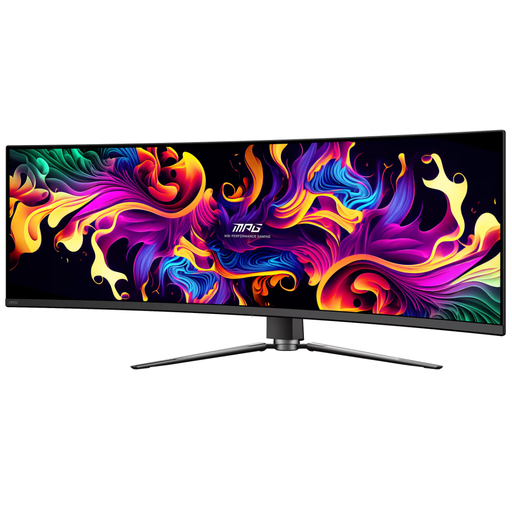 No image available
For anyone looking to compare a wide screen with stated DCI-P3 and Adobe RGB coverage for colour work.
5120 × 1440; 32:9; 99% DCI-P3; 98% Adobe RGB.
The product description recommends avoiding static images due to the risk of OLED burn-in.
Suitable profile management is important for colour-critical work. Adobe warns that an inaccurate monitor profile can lead to unnecessary corrections; you should also choose a colour mode that suits your final output.
View the image from both of the seating positions you actually use. RTINGS generally describes IPS panels as having wider viewing angles than VA panels, but individual models can vary.
No, it depends on the connections and capabilities of both devices. Check that your laptop supports the intended video connection and that the stated charging capacity is sufficient; BenQ lists 65 W for the PD3420Q and ASUS 96 W for the PA34VCNV.
No. According to the Dutch government, consumers are entitled to a product that is fit for purpose, and there is no fixed statutory guarantee period. A manufacturer’s or separately purchased warranty is additional; if a product is faulty, the retailer is your point of contact.
The European Commission states that computer monitors are covered by the rules for electronic displays and have an energy label on a scale from A to G. Check the label for the specific model.