
Club website builder who works with lots of windows
You switch between the website editor, browser preview, membership information and draft copy, and would like to see them side by side more often.


An ultrawide monitor can be useful if you want to view your website editor, browser preview and club information at the same time. As well as resolution, check your laptop’s connections and charging requirements, colour features if you review visual content, and the space available on your desk. A larger screen won’t automatically give you more pixels at the same resolution, and you’ll still need to check your website on narrower screens.
You switch between the website editor, browser preview, membership information and draft copy, and would like to see them side by side more often.
You want to connect your laptop easily, possibly charge it too, and are looking for an adjustable set-up for longer working sessions.
You review photos, logos and the club website’s design, and want to take colour settings and consistent display into account.
Start by thinking about what you want to see at the same time while building your website. Then check how it connects to your laptop, which colour features you need and how much space you have in your workspace.
| What to consider | What to look for when buying | Who is this important for? |
|---|---|---|
| Workspace for building and checking your site | Compare the resolution and check that your computer supports it through the connection you plan to use. | I want to keep the editor, preview and copy side by side without constantly switching between windows. Around 33% of consumers put work windows first. |
| Connecting a laptop and keeping your desk tidy | Check whether your laptop supports video over USB-C and whether the monitor provides enough power to charge it. | I want to use my laptop in my home workspace with as few separate connections as possible. Around 27% of consumers give laptop connectivity top priority. |
| Reviewing photos, logos and colours | Compare the stated colour gamut, colour modes and any factory calibration for the exact model. | I want to review club photos and logos carefully and take colour settings into account. Around 20% of consumers start with visual content and colour. |
| Making sure the screen fits your home workspace | Measure the available space and check the dimensions of the screen and stand, as well as its adjustability. | I want to position my screen comfortably for longer working sessions and make sure it fits on my desk. Around 20% of consumers give the fit with their workspace the greatest weight. |
A larger screen doesn’t automatically have more pixels. According to Philips, the Philips 40B1U5600/00 and the 34-inch models discussed have the same 3440 × 1440-pixel resolution.
Compare the resolution and physical dimensions, and measure how much space the screen and stand will take up.
A larger screen may need more desk space and a different set-up without offering any extra native pixels.
The monitor needs to support the required video function and provide enough power to charge your laptop, and your computer must support the connection too.
Check your computer and monitor specifications, and find out which cable you’ll need.
If the connection doesn’t meet your needs, you may need another video connection or a separate laptop power supply.
Viewing your website on an ultrawide monitor doesn’t mean you’ve checked it at other screen widths.
Test the club website in a narrow browser window too, and on a mobile device where possible.
The ViewFinity S65VC is a 34-inch ultrawide monitor with a webcam, USB-C and KVM for a work set-up.
The U34V5C/BK is a 34-inch VA work monitor with USB-C and Picture by Picture.
The PD3420Q is worth comparing if colour features for design work are important to you.
The UltraSharp U3425WE is designed for a set-up with Thunderbolt, peripherals and an integrated hub.
The 346E2CUAE/00 and the larger 40B1U5600/00 are different ultrawide options for working with multiple windows.
This selection of Joybuy products includes ultrawide monitors for working with windows side by side, laptop connections and a larger physical workspace. Compare the stated resolution, connections and features for each model.
 No image available
A 34-inch ultrawide for viewing your website editor and browser preview side by side.
3440 × 1440 pixels, 21:9 aspect ratio, 1800R curvature and 120 Hz.
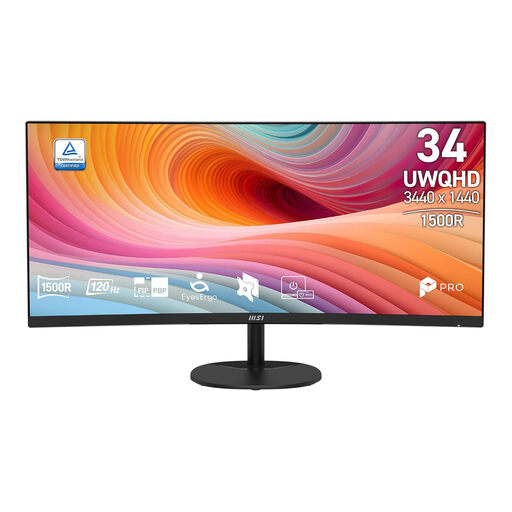 No image available
A 34-inch ultrawide for arranging a website editor and preview on the same screen.
UWQHD resolution of 3440 × 1440 pixels, 21:9 aspect ratio and 120 Hz.
 No image available
An ultrawide option if you also want to connect your laptop and peripherals at your workspace while working on your website.
34.1 inches, 3440 × 1440 pixels, 100 Hz, USB-C with DisplayPort Alt Mode and up to 90 W charging power. The description also mentions a USB hub, KVM, RJ45 connection and adjustable stand. A compatible laptop is required for USB-C charging.
 No image available
An ultrawide for combining several work windows and connecting peripherals to your monitor.
3440 × 1440 pixels and 21:9 aspect ratio. The description mentions a USB hub, KVM and RJ45 connection.
 No image available
A larger ultrawide option for anyone who wants more physical screen space for their work set-up.
3440 × 1440 pixels and 21:9 aspect ratio. The description mentions Picture-in-Picture, Picture-by-Picture and USB-C with up to 65 W charging power.
Not by viewing the page on the wide screen alone. Use a narrow, adjustable browser view and, where possible, check it on a mobile device too. Chrome DevTools supports simulating viewport dimensions.
No. Check whether your computer supports video through the USB-C connection you plan to use and whether the monitor provides enough charging power. AOC lists DisplayPort Alternate Mode and up to 65 W for the U34V5C/BK; Dell lists 90 W for the U3425WE.
Adjust the screen and your workspace to suit you, minimise distracting reflections and break up long periods of screen work. Arboportaal explains specific obligations for employers and employees; which rules apply depends on the working situation.
According to the Dutch government, applicable online consumer purchases generally come with a 14-day cooling-off period. If a product is faulty, you may be entitled to an appropriate solution; there is no fixed statutory guarantee period in the Netherlands. Check who the seller is and which terms apply to your purchase.