What should you look for when buying?
Start with your laptop’s connection and power requirements. Then work out how many windows you want to view at once, and whether colour information or using two computers matters for your work.
| What to consider |
What to check before buying |
Who is this important for? |
| Powering your laptop through the monitor |
Check for USB-C video, the power your laptop needs, the Power Delivery rating of the exact screen model and the cable. |
If I have limited power sockets, I want to know whether I can do without a separate laptop charger while I work. Around 36% of consumers in this situation put laptop power and connections first. |
| Work windows side by side |
Compare the aspect ratio, resolution and physical dimensions of the screen and desk. |
If I want to view the calendar, files and messages at the same time, I need enough usable width without the screen dominating my desk. For around 29% of consumers, seeing everything at once is the top priority. |
| Colour and detail |
Check the stated colour gamut and resolution of the exact model; separately consider the level of colour control your publishing work requires. |
If I also create images, I want to check whether the stated colour information suits my work. Around 21% of consumers prioritise visual control. |
| Using two computers |
Check which inputs, USB ports and features the model offers for your computers and input devices. |
If my design work and planning are on different computers, I want to know whether I can use them all at one workstation. Around 14% of consumers prioritise using two computers. |
Products at Joybuy
This selection includes 34-inch ultrawide monitors with USB-C power delivery and a 49-inch screen with Thunderbolt 4 docking. Compare the power output, workspace you need and connections with your own laptop and desk.
 No image available
Dell Pro P3426WEV 34.1-inch curved WQHD IPS USB-C hub monitor
Could suit you if you’re looking for a wide workspace and USB-C power delivery for a compatible laptop; check that the power output meets your laptop’s needs.
34.1 inches, 3440 × 1440, 21:9, integrated webcam, USB hub, KVM and RJ45. The product description lists USB-C video and up to 90 W Power Delivery.
The monitor itself needs to be connected to the mains.
Joybuy
 No image available
LG UltraWide 34U650A-B 34-inch monitor
Could suit you if you want to view your calendar and other work windows at the same time, and need USB-C power delivery for a compatible laptop.
21:9, 3440 × 1440, IPS and 99% sRGB according to the product description. USB-C Power Delivery up to 96 W; check that the power output meets your laptop’s needs.
The monitor itself needs to be connected to a power source.
Joybuy
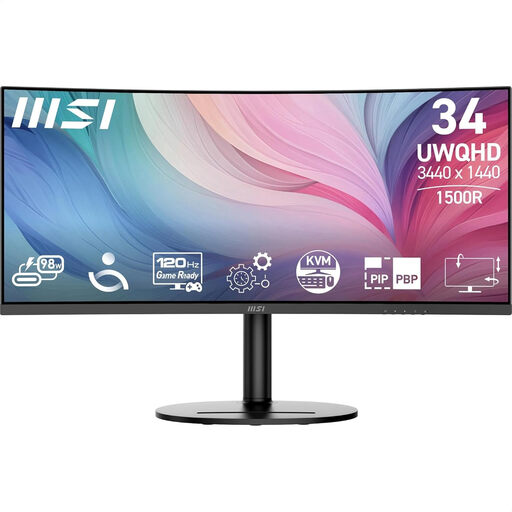 No image available
MSI Modern MD342CQP 34-inch ultrawide monitor
Could suit you if you’re looking for a 34-inch workspace and want to connect and power a compatible laptop via USB-C.
21:9 and 3440 × 1440. The product specifications list USB-C Power Delivery up to 98 W, HDMI, DisplayPort and an adjustable stand.
The monitor itself needs to be connected to a power source.
Joybuy
 No image available
Philips 49B2U6903CH/00 49-inch monitor
Could suit you if you want to work with lots of windows at once and have enough room for a wide screen; measure your desk first.
32:9 and 5120 × 1440. The product description lists Thunderbolt 4 with up to 100 W Power Delivery, a USB hub, webcam and SmartKVM.
The stated screen width is 1193 mm. The monitor itself needs to be connected to a suitable power source.
Joybuy
 No image available
iiyama ProLite 34-inch curved UWQHD monitor with USB-C dock
Could suit you if you need a wide workspace, USB-C power delivery for a compatible laptop and connections for multiple computers.
34 inches and 3440 × 1440. The product description lists USB-C Power Delivery up to 95 W, RJ45, KVM and 15 cm of height adjustment.
The monitor itself needs to be connected to a power source.
Joybuy
Frequently asked questions
Does a USB-C ultrawide monitor always save a power socket?
No, the monitor itself still needs to be connected to the mains. You may be able to do without a separate laptop charger if your laptop supports video over USB-C and the monitor supplies enough power for it.
How do I connect a screen for calendar work with multiple windows?
Use a video connection supported by both your computer and the monitor, then set your preferred resolution and extended desktop display on your computer. Check explicitly for USB-C video: not every USB-C port supports display output.
How can I use limited power sockets safely?
Avoid overloading sockets and leave appliances enough space to release heat. The Netherlands Fire Service advises plugging high-power appliances, such as an electric heater, directly into a socket rather than using an extension lead. This advice is not a specific ban on plugging a monitor into a suitable extension lead.
What information can help me compare the power costs of monitors?
For electronic displays covered by EU rules, the energy label gives an A to G rating and additional information for comparison. Compare the details on the label for the specific model rather than assuming all ultrawide monitors have the same power consumption.
How can I check whether CE marking is required for a monitor?
According to the European Union’s Your Europe website, CE marking is required only for products covered by harmonised EU rules that make the marking mandatory. Check the documentation for the specific model; a product listing alone does not show that the model meets the applicable requirements.


