
Testers who use several windows
If you want to see search results, filter settings and test notes at the same time, focus on usable screen space and legibility. LG and Dell describe 34-inch models with a resolution of 3440 × 1440 pixels.


For testing a search filter at home, a straightforward ultrawide monitor is a good fit if you mainly want to view the search page and test notes side by side, and your computer supports the resolution. Choose a model with a USB-C hub if you want to connect your laptop and peripherals through the monitor, and look for KVM if you need to switch between two computers. Also check that the connections, screen setup and available desk space suit your setup.
If you want to see search results, filter settings and test notes at the same time, focus on usable screen space and legibility. LG and Dell describe 34-inch models with a resolution of 3440 × 1440 pixels.
If you want to connect your screen, peripherals and possibly power neatly, check the laptop connection and the features you need. Dell and MSI list USB-C features for specific models; compatibility depends on your laptop.
If you use two computers, check whether a model has a suitable KVM or source-switching feature. Philips and MSI list these features on specific models.
Best for: anyone who mainly wants to view the search page and test notes at the same time and already has a suitable connection.
Keep in mind: screen width alone doesn’t tell you whether your computer supports the resolution you want or whether text will remain legible at your chosen scaling.
Best for: anyone who wants to connect a compatible laptop and peripherals through the monitor.
Keep in mind: check that your laptop supports video over USB-C and that the charging power is suitable; a stated maximum doesn’t guarantee compatibility with every computer.
Best for: anyone who switches between two computers and wants to share input devices; Philips lists Smart KVM for the 34B2U3600CH/00 and MSI lists KVM for the Modern MD342CQP.
Keep in mind: check which connections and cables you need for your computers on each model; the features listed don’t prove an independent productivity benefit.
Next, compare the screen layout, connections and setup based on what you actually use.
| What to consider | What should you check? | Who is this most important for? |
|---|---|---|
| Windows side by side | Check the native resolution and try your preferred window layout and text scaling. | I want to keep the search page and test notes legible at the same time, without constantly switching between windows. Around 36% of consumers prioritise screen space for this layout. |
| Laptop and peripherals | Check whether USB-C supports video, how much charging power you need, and whether the ports and cables are suitable. | I want to connect my laptop, power and peripherals in a way that suits my setup. For around 29% of consumers, easy connectivity is the top priority. |
| Legibility and setup | Check your desk space, screen height, reflections and text scaling. | I want to position the screen properly in my home workspace and find the text comfortable to read. Workspace comfort comes first for around 21% of consumers. |
| Features you’ll use | Make a note of whether you use one or two computers and which ports or switching features you need. | I want to choose features that I’ll actually use in my test setup, rather than paying attention to extras that go unused. Around 14% of consumers prioritise this practical approach. |
USB-C features and charging power vary by device. A stated figure such as 90 W or 98 W doesn’t guarantee that every laptop will work with a single cable.
Before choosing a one-cable setup, check your laptop port, the power required, the monitor port and the cable.
Legibility, screen height and reflections still need attention, even with an ultrawide monitor.
Measure the available space and check the screen position, light and text scaling for your test layout. The Arboportaal also offers advice on screen-based work, such as looking away regularly and taking short breaks.
A manufacturer’s warranty is not the same as your statutory rights. ACM ConsuWijzer explains that your legal rights may apply alongside a seller’s or manufacturer’s warranty.
Keep your purchase details and contact the seller if you think a product may be faulty.
LG lists a 34-inch IPS screen with a resolution of 3440 × 1440 pixels for the 34U650A-B.
Dell describes the P3425WE as a 34-inch screen with 3440 × 1440 pixels and USB-C hub features.
For the 34B2U3600CH/00, Philips lists a resolution of 3440 × 1440 pixels, USB-C, Smart KVM and a pop-up webcam.
For the Modern MD342CQP, MSI lists a resolution of 3440 × 1440 pixels, KVM, picture-by-picture and USB-C with DisplayPort Alt Mode.
This selection includes ultrawide monitors for working with windows side by side, from models without a hub to options with USB-C hub features.
 Image unavailable
For tests where you want to view a search page and notes side by side.
34 inches; WQHD; VA panel; 1800R curvature; 120 Hz.
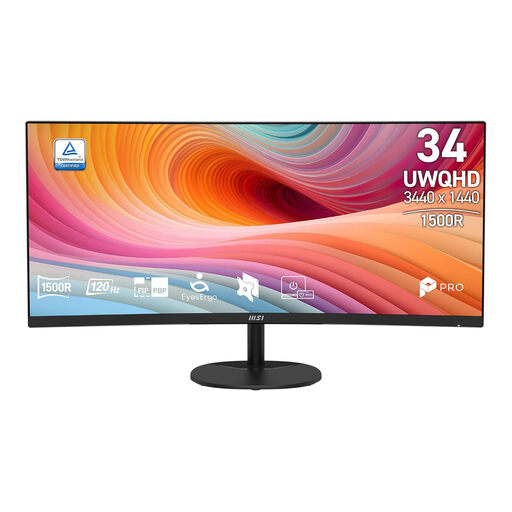 Image unavailable
For a test layout where you want to view several windows side by side.
34 inches; UWQHD; VA panel; curved; 120 Hz.
 Image unavailable
For anyone looking for an ultrawide screen with a USB-C hub for a laptop setup.
34.1 inches; WQHD; IPS panel; curved; USB-C hub; webcam; 100 Hz; 90 W Power Delivery.
 Image unavailable
For anyone looking for an ultrawide workspace with a USB-C hub and conferencing features.
34 inches; USB-C hub; conferencing monitor.
 Image unavailable
For anyone looking for a 34-inch ultrawide monitor for office work and gaming.
UWQHD 3440 × 1440; 21:9; 144 Hz; 1500R curvature; Fast VA panel; no speakers.
Only if the laptop supports the required video signal through that port and the charging power is suitable. MSI lists DisplayPort Alt Mode and 98 W Power Delivery for the Modern MD342CQP; Dell lists power delivery up to 90 W for the P3425WE. Also check that the cable is suitable.
Choose a text size that keeps the content legible and adjust the screen position to suit your workspace; also watch out for reflections. For screen-based work, the Arboportaal recommends varying your activities, looking away regularly and taking short breaks. This doesn’t prove that any particular monitor model prevents discomfort.
KVM may be a good fit if you want to share a keyboard and mouse between two computers. Philips and MSI list this feature on specific models; check which connections and cables you need for each model. If you only use one computer, KVM isn’t essential.
For a typical online purchase by a consumer, ACM ConsuWijzer says you generally have up to 14 days from delivery to change your mind, subject to legal exceptions. You also have statutory rights if the product doesn’t do what you could reasonably expect during normal use; the seller is your point of contact. A manufacturer’s warranty doesn’t automatically determine how long your statutory rights last.
The Arboportaal guidance consulted doesn’t specify a required ultrawide screen size or resolution. For employees, it does outline requirements for screen-based workstations and the employer’s responsibilities, including for home working. Whether a specific requirement applies to your situation depends, among other things, on the work you do.