
Album designer comparing spreads
You want to see two album pages and your editing panels at the same time. Pay attention to usable workspace, resolution and how your software arranges its windows.


Choose a monitor based on what you need to see while reviewing your work. A 34-inch ultrawide with a resolution of 3440 × 1440 gives you room for a double-page spread and work panels, while a 40-inch 5K2K screen with a resolution of 5120 × 2160 offers more vertical pixels for text and photo details. For print-focused review, colour management and a well-positioned screen are just as important as the stated colour coverage. Also check that your computer supports the resolution and connection you want.
You want to see two album pages and your editing panels at the same time. Pay attention to usable workspace, resolution and how your software arranges its windows.
You want to assess colour for a specific output. As well as a suitable screen, you’ll need a colour-managed soft-proofing workflow.
You switch between sitting and standing, and want to position the wide screen comfortably in both positions. The adjustment range and your setup are important considerations.
| What to consider | What should you check? | Who is this important for? |
|---|---|---|
| Viewing the spread | Compare the resolution and aspect ratio with your album software. Check that your preferred zoom level leaves room for work panels. | If I want to see two pages and my tool panels at the same time, I focus on the usable width. Around 29% of consumers put viewing the spread first. |
| Colour for your output | Check which colour modes are available and whether your software and print provider offer the colour profiles you need. A stated colour gamut doesn’t prove what a particular print will look like. | For an album going to a specific output, I want to assess colours using the right profile. Around 29% of consumers prioritise checking colour for their intended output. |
| Text and photo details | Compare the vertical resolution and check that your computer supports the resolution you want through your chosen connection. The 34-inch models mentioned have 1440 vertical pixels; the 40-inch 5K2K models mentioned have 2160. | If I want to inspect small text and image flaws without losing sight of the overall spread, I pay extra attention to vertical pixels. Around 24% of consumers put detail checking first. |
| Screen position | Check the height adjustment and any tilt and VESA options on the exact model. Compare the adjustment range with your desk and working position. | When I switch between sitting and standing, I want to position the screen properly in both positions. Around 18% of consumers prioritise how adjustable their workstation is. |
For soft-proofing a specific output, Adobe describes a colour-managed workflow using colour profiles. For critical print work, you may also want to assess a physical proof print.
Arboportaal advises positioning your screen directly in front of you, keeping the top just below eye level and tilting the screen so you’re looking straight at it. So don’t just check whether the stand is adjustable; make sure its range suits your workspace.
A gamut claim describes a screen characteristic. It doesn’t show how your album will look with a particular output and selected colour profile.
Check that the right output profile is available and use colour-managed soft-proofing. For critical prints, consider getting a physical proof.
Profiling and assessing a proof print add time to your workflow.
Even with a wide spread, you may still need to zoom in to check small text and image flaws. The 34-inch models mentioned have 1440 vertical pixels, compared with 2160 for the 40-inch 5K2K models mentioned.
Compare the vertical resolution and check the display scaling in your own software.
The adjustment range you need depends on your desk and working position. Simply stating that a stand is adjustable doesn’t tell you whether it can reach the position you want.
Compare the stated adjustment range and any VESA mounting options with your workspace before choosing a model.
If the screen won’t reach your preferred height, you may need a different setup or a monitor arm.
The PD3420Q is a 34-inch creative ultrawide for anyone looking for a wide spread and stated colour modes.
The ProArt PA348CGV combines a 34-inch ultrawide with stated colour modes and a specified height adjustment range.
The UltraSharp U4025QW is a 40-inch 5K2K option with an adjustable stand.
The Business Monitor 40B1U6903CH/00 is a 40-inch 5K2K option with Thunderbolt 4.
These ultrawide monitors are designed to give you a broad workspace for album spreads and work windows. Check each model’s resolution, colour information, connections and screen positioning to make sure they meet your workflow requirements.
 No image available
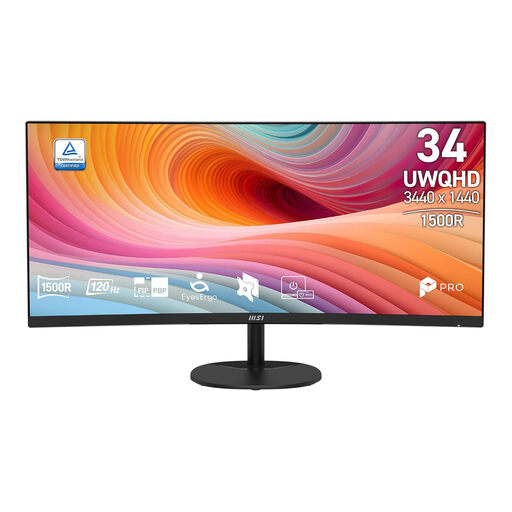
A 34-inch ultrawide option for anyone who wants to view a double-page spread alongside other work windows.
WQHD; VA panel; 120 Hz; curved design with 1800R curvature.
 No image available
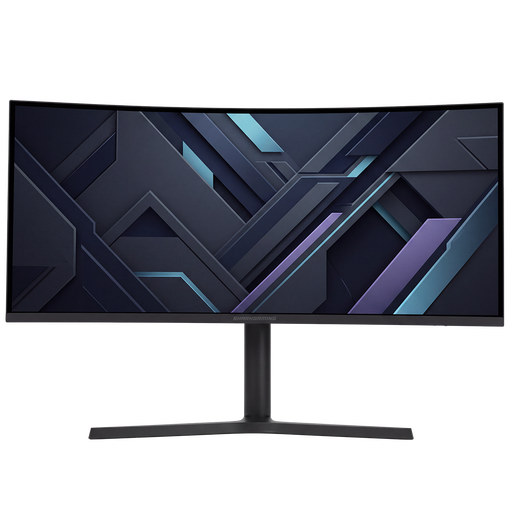
A 34-inch ultrawide option for anyone who wants to combine a wide album spread with other windows.
UWQHD; VA panel; curved design; 120 Hz.
 No image available
A 34-inch ultrawide option for anyone who wants to place album pages alongside work windows.
 No image available
A 34-inch ultrawide option for viewing a spread alongside creative work windows.
 No image available
A 49-inch model for anyone who wants an especially wide workspace. Check beforehand that its dimensions suit your desk and viewing position.
5120 × 1440; 32:9; 1500R; VA panel; 165 Hz; height-adjustable stand.
According to the product information, your desk or VESA mount must support at least 15 kg; installation with two people is recommended.
No. A colour gamut is a screen characteristic and doesn’t, by itself, show what a particular print will look like. To soft-proof a specific output, a colour-managed workflow uses the relevant colour profiles. So check which profile your print provider offers, too.
Adjust your screen and desk to suit your working position. Arboportaal advises placing the screen directly in front of you, with the top just below eye level, and tilting it so you’re looking straight at the screen.
According to Arboportaal, the workplace requirements mentioned apply to employees who spend more than 2 hours a day working with a screen. The portal states, among other things, that the screen must be height-adjustable and must not reflect light. This isn’t automatically a requirement for every private buyer.
According to ACM ConsuWijzer, online purchases generally come with a statutory cooling-off period of up to 14 days after delivery, subject to legal exceptions. If a product is faulty, the seller is responsible for the statutory guarantee; this is separate from any additional guarantee.