
Colour-critical album creator
You assess photos for a printed album and want to avoid mistaking screen colours for a reliable print proof.


An ultrawide monitor is a good fit for album work if you want to see two pages and your tools at the same time. You should also check the resolution, window layout and connection to your computer. For colour-critical print work, colour management and the right print profile matter more than extra screen width alone. In a quiet study, you should also consider the noise sources across your entire setup.
You assess photos for a printed album and want to avoid mistaking screen colours for a reliable print proof.
You want to see two facing pages and your design software’s tool panels at the same time.
You work for long periods at a shared desk and care about tidy connections and potential noise sources across your entire setup.
Start with your main task: do you mainly want to see the full spread, or do colour assessment and a quiet workspace matter too? Then check that the resolution, connection and screen setup are right for your desk and computer.
Choose this if: you also do colour-critical image work alongside your spreads and want to compare the stated colour gamut and calibration for each model.
Bear in mind: stated sRGB coverage or factory calibration alone does not prove that a print will match the screen.
Choose this if: you mainly want to see the full spread and panels at the same time, possibly connecting a compatible laptop with a single cable.
Bear in mind: check whether the USB-C port supports video output and provides enough power to charge your laptop.
Choose this if: fine detail and print preparation matter more than keeping the full spread and your tools side by side at all times.
Bear in mind: you’ll have less horizontal space for side-by-side windows; compare the vertical resolution you need too.
| Factor | What to look for | Who this matters most to |
|---|---|---|
| Colour control for print | Check the colour gamut and calibration options for the exact model; also consider colour management and the right print profile. | When I’m assessing photos for a printed album, I don’t want to mistake screen colour for a prediction of how paper and ink will look. Around 36% of consumers give colour control top priority. |
| Seeing the full spread | Compare the aspect ratio and resolution with the window layout of your album software. | When I want to see facing pages and tools at the same time, I check how much space my software actually leaves me. Around 29% of consumers give an overview of the spread top priority. |
| A quiet, comfortable workspace | Check the dimensions of the screen and stand, height adjustment and positioning in relation to light sources. | When I work for long periods at a shared desk, I want the monitor to fit well and the whole setup to stay quiet. Around 21% of consumers give a calm workspace top priority. |
| Connecting with fewer cables | Compare your laptop’s video capabilities and power requirements with the port specifications of the exact monitor model. | When I want to keep my laptop and peripherals neatly connected, I first check what my computer supports via USB-C. Around 14% of consumers give simple connectivity top priority. |
Viewing a spread on screen and assessing the colour of a print are two different tasks. A wide display won’t automatically predict how paper and ink will look.
Choose based on your main task. For print work, also check your colour management settings and the profile for the print you have in mind.
USB-C alone doesn’t confirm that a laptop can output video through that connection or receive enough power.
Compare the port specifications of your laptop and monitor, and check that the cable supports the functions you need.
The Joybuy listing for the Dell U3425WE gives both 3440 × 1440 and 3440 × 1400 pixels, while Dell specifies 3440 × 1440.
For this model, check the full model number and compare the specifications with Dell’s.
The ProArt PA34VCNV is a 34.1-inch ultrawide IPS model for those looking to combine space for spreads with colour-focused specifications.
The UltraSharp U3425WE is a 34.1-inch ultrawide IPS Black hub monitor for those looking to combine screen space and connectivity.
The E Line 346E2CUAE/00 is a 34-inch curved VA ultrawide, with an emphasis on screen space and connectivity.
The 34WQ75C-B is a 34-inch ultrawide IPS model with stated sRGB coverage and height adjustment.
These ultrawide monitors let you view album pages side by side. Colour management remains a separate consideration for colour-critical print work.
 Image unavailable
The 21:9 format and 34-inch curved design provide a wide workspace for an album spread.
WQHD, 3440 × 1440 pixels, VA panel, 1800R curvature and 120 Hz.
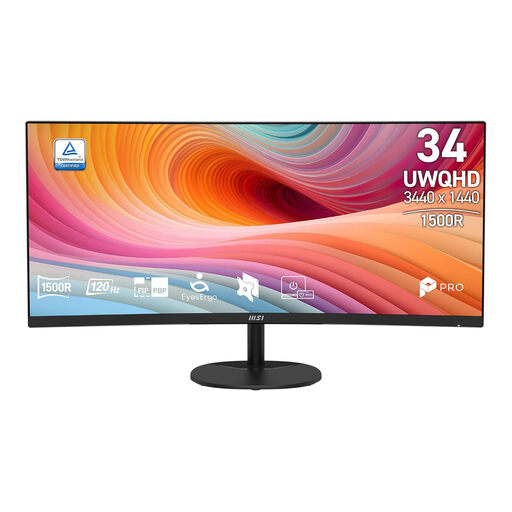 Image unavailable
The 34-inch ultrawide format is designed to show a spread across a wide screen.
21:9, 3440 × 1440 pixels, UWQHD, curved VA panel and 120 Hz.
 Image unavailable
This 21:9 IPS monitor with stated sRGB coverage is an option if you want to compare screen space and colour-focused features.
34.1 inches, 3440 × 1440 pixels, 99% sRGB and 100 Hz.
USB-C hub with up to 90 W Power Delivery; charging requires a compatible laptop with USB Power Delivery and DisplayPort Alt Mode. Charging power also depends on the connected device.
The product name mentions a webcam.
 Image unavailable
The 21:9 IPS format with stated sRGB coverage is worth considering if you want to view screen space and colour features together.
34 inches, 3440 × 1440 pixels, 99% sRGB, USB-C hub and KVM switch.
The description also mentions a webcam, microphone and speakers for video calls.
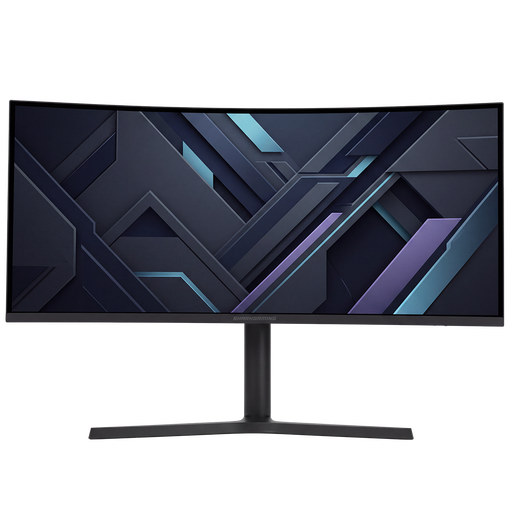 Image unavailable
The wide 21:9 format and 3440 × 1440 pixels provide space to view an album spread side by side.
The stand is adjustable for height, tilt, swivel and pivot.
The description lists two HDMI and two DisplayPort inputs.
No. A screen display doesn’t automatically predict how paper and ink will look. Calibrate and profile your screen for colour-critical assessment, and use the appropriate profile in your print workflow.
Check the dimensions of the screen and stand, and adjust the height to suit your workspace. If you want to use a single USB-C cable, check both video support and your laptop’s charging requirements. For a quiet workspace, consider the rest of your setup too.
No. According to ACM ConsuWijzer, statutory warranty in the Netherlands has no fixed duration: it depends on what you could reasonably expect from the product with normal use. A commercial or manufacturer’s warranty does not take away those statutory rights.
For a distance purchase from a business, you’ll usually have a 14-day cooling-off period. According to Your Europe, this period for goods starts on the day of delivery; there are exceptions to the rules.