
Vandaag of morgen in huis

Kwaliteit gegarandeerd

Welkomstaanbiedingen ontgrendelen: GRATIS bezorging | Tot 80% korting | Gratis 30 dagen JoyPlus-proefperiode
Download de app
An ultrawide gaming monitor gives you more screen space for gaming, work and entertainment. However, a wide screen isn’t automatically the right choice. A high refresh rate, for example, may offer little benefit if your PC can’t produce enough frames. Terms such as HDR, 1 ms and Adaptive Sync don’t always tell the whole story either.
This buying guide helps you compare the key features of a 34-inch gaming monitor, a larger 45-inch screen or an ultrawide monitor for PC. The selection below is based on verifiable product specifications, such as resolution, connections, panel type and refresh rate.
A 200Hz or 240Hz gaming monitor can make fast movement look smoother. However, your PC also needs to deliver enough frames per second. With a graphically demanding game at 3440 x 1440, a mid-range graphics card may struggle to reach 200 or 240 frames per second.
So check:
HDR Ready, HDR10 and DisplayHDR 400 are different designations. An HDR gaming monitor with a basic HDR mode may not offer the same brightness or black levels as a screen with DisplayHDR True Black 400. Always check the brightness, contrast and exact certification.
Some models list colour coverage or HDR performance based on the brand’s own measurements. Treat these figures as manufacturer specifications, rather than independently verified results.
A stated response time of 0.5 ms or 1 ms may be based on a specific overdrive or MPRT mode. Real-world performance can vary depending on the setting. So also consider the panel type, refresh rate and user reviews.
A VA gaming monitor typically offers high static contrast. An OLED gaming monitor uses self-lit pixels, which can produce deep blacks, but you should take extra care with prolonged static images and follow the manufacturer’s usage guidance.
For a 34-inch ultrawide screen, 3440 x 1440 is the standard UWQHD or WQHD resolution. The 21:9 aspect ratio gives you more horizontal space than a standard 16:9 monitor. That’s useful for racing games, simulations, films and working with several windows side by side.
A bigger screen isn’t always sharper. A 45-inch monitor with the same 3440 x 1440 resolution has a lower pixel density than a 34-inch model. So, for word processing and image editing, a 34-inch 3440 x 1440 monitor may be a more practical compromise. A 49-inch model with 5120 x 1440 takes up even more desk space and needs a sturdy desk or a suitable monitor arm.
FreeSync synchronises the display with compatible AMD hardware. For G-SYNC Compatible, check whether Nvidia has officially certified the model. If that certification isn’t listed, the feature may sometimes work when enabled manually, but this isn’t guaranteed.
A VA panel, as found in various MSI, ASUS and Alienware models, prioritises contrast. OLED prioritises pixel response and black levels. The right choice depends on the games you play, your room lighting and how you use the monitor for productivity.
A 1500R or 1800R curve can feel comfortable on a wide screen. With a more pronounced 800R curve, as found on some 45-inch OLED models, check that it suits your viewing distance and desk.
Also check:
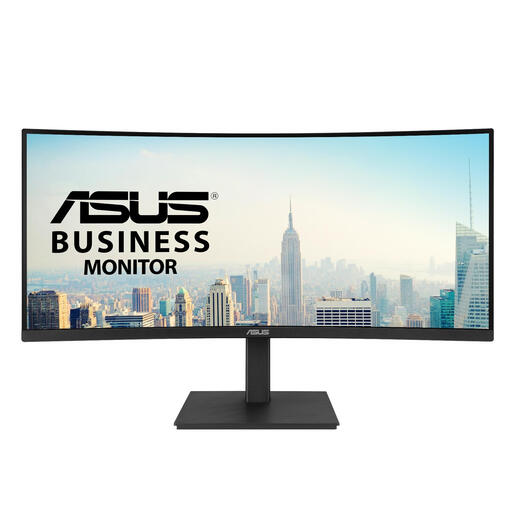
Why it suits this user: This 34-inch model combines 3440 x 1440, a 1500R curve and 100Hz with built-in speakers, a USB hub and an adjustable stand. It’s well suited to gaming, working from home and entertainment, without focusing solely on maximum speed.
The specifications clearly state 100Hz, rather than implying a higher figure. FreeSync is supported; according to the product information, G-SYNC is not officially certified.
3440 x 1440, 100Hz, USB-C with up to 96W Power Delivery and height adjustment.
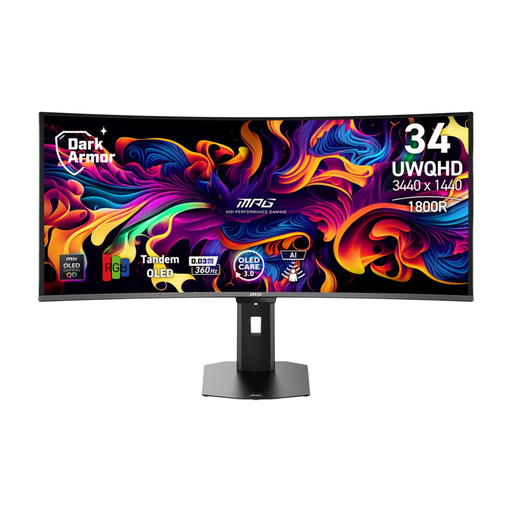
Why it suits this user: This QD-OLED model is designed for users looking for high speed and strong contrast for gaming and entertainment. The 21:9 aspect ratio also gives you room to multitask.
The product information specifies 360Hz, 0,03 ms GtG, DisplayHDR 500 True Black and FreeSync Premium Pro. When using OLED, it’s still advisable to use the recommended screen features to help manage prolonged static images.
QD-OLED panel, 3440 x 1440, 360Hz, USB-C with up to 98W Power Delivery and KVM functionality.
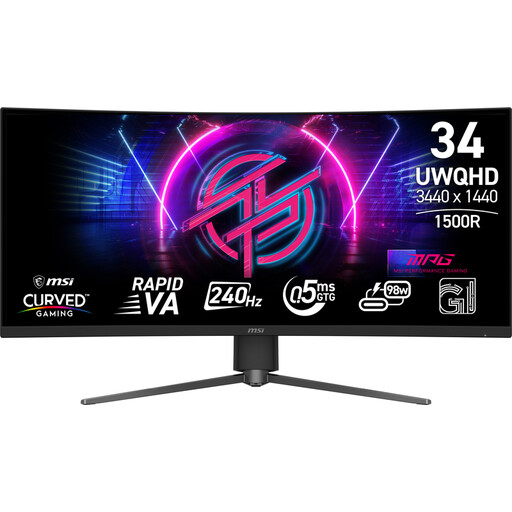
Why it suits this user: For competitive PC gaming, the combination of UWQHD, 240Hz and Adaptive-Sync is designed for fast-moving images. The adjustable stand helps you find the right viewing position.
The product specifications distinguish between 0,5 ms GtG and 1 ms MPRT. The Adaptive-Sync range of 48 to 240Hz and DisplayHDR 400 are also listed separately.
240Hz, 3440 x 1440, Rapid VA panel, DisplayHDR 400 and HDMI 2.1 ports.
We’ve put together a complete, up-to-date list of products that meet these strict selection criteria and the applicable European safety regulations.
Yes, 3440 x 1440 gives you a wide 21:9 display with more horizontal space than 2560 x 1440. However, this resolution puts more demands on your graphics card. Check your hardware’s performance and whether your graphics card can make the most of the refresh rate you want.
Lifespan depends on usage, heat, settings and transport. Place the screen on a stable surface, keep the vents clear and use the recommended cables. With an OLED gaming monitor, it’s a good idea to use the screen’s pixel maintenance features and limit prolonged static images. The statutory EU guarantee applies in accordance with the purchase terms and applicable consumer law.
Power consumption varies depending on panel type, brightness, HDR mode and screen size. A larger or brighter screen generally uses more energy. Check the stated SDR and HDR power consumption, switch HDR off when you don’t need it and use your PC’s sleep mode.
