
Panorama editor who checks the details
You stitch images together and check joins, edges and retouching. In that case, visible detail matters more than extra width on your desk. Adobe describes stitching panoramas as an editing task in Photoshop.


A 27-inch 4K monitor is a better fit for checking joins, masks and fine details; an ultrawide screen is more appealing if you want to see the panorama and editing panels at the same time. ASUS, BenQ and EIZO specify a resolution of 3840 × 2160 pixels for the 27-inch models mentioned here; Dell lists 3440 × 1440 pixels for the 34.1-inch U3425WE. If you’re preparing images for print, consider colour gamut, calibration and the lighting at your workstation too. A wide Adobe RGB gamut isn’t automatically necessary for online publishing.
You stitch images together and check joins, edges and retouching. In that case, visible detail matters more than extra width on your desk. Adobe describes stitching panoramas as an editing task in Photoshop.
You assess colours with the intended print result in mind. Colour profiles, calibration and consistent ambient lighting all play a part in this workflow, as Adobe explains.
You want to see the panorama alongside libraries and tools, and you also consider connectivity and how adjustable your workstation is. The Dutch Arboportaal highlights height adjustment as something to consider when working with screens.
A good fit if: you check joins, masks and fine details, or prepare panoramas for print.
Bear in mind: the screen is less wide than the ultrawide model reviewed; the stated colour gamut alone doesn’t tell you how accurate your individual monitor is.
A good fit if: you mainly want to keep the long panorama and editing panels in view side by side.
Bear in mind: the Dell mentioned here has fewer vertical pixels than the 4K models; consider whether the curved screen suits your image-editing work too.
| What to consider | What should you check? | Who should pay particular attention? |
|---|---|---|
| Detail in joins and edges | Compare the full resolution, especially the number of vertical pixels, and check which resolution your computer can output through the connection you plan to use. | If I want to check joins, masks and retouching accurately, visible detail comes first. Around 31% of consumers say checking detail is their top priority. |
| Colour for print | Compare Adobe RGB coverage and calibration options, then check the monitor profile and use soft proofing if needed. | If I want to compare colours with a print, I consider the entire colour workflow and the lighting in the room. Around 31% of consumers say print colour is their top priority. |
| Wide workspace | Compare the aspect ratio, physical width and vertical resolution; check that the screen and stand will fit on your desk too. | If I want to see the panorama and tools at the same time, the workspace layout matters a lot. Around 23% of consumers say screen width is their top priority. |
| Connectivity and setup | Check video support over USB-C, the power delivery required, the cables and the height adjustment. | If I use my laptop at a permanent home workstation, I want to know whether the display, power and positioning will work with my setup. Around 15% of consumers prioritise connectivity and workstation setup. |
Photos are stitched together in image-editing software. Choosing between a wider workspace and more vertical pixels is about how you arrange your editing workspace, not about the panorama feature itself.
First decide whether you mainly want to see the photo and panels side by side, or check details and assess prints. Then compare the full resolution and colour features.
Colour management also involves monitor, document and output profiles, and depends on the lighting at your workstation.
Assess your entire colour workflow and decide whether print or online publishing is your main goal. Profiling and soft proofing can take extra time.
Model information and availability can vary between product listings. The Joybuy listing reviewed for the Dell U3425WE gives conflicting resolutions and says the product is unavailable.
Before buying, check the current product page, exact model name and key specifications.
The ProArt PA279CRV is a 27-inch 4K IPS model for detailed work, with a wide stated colour gamut.
The PhotoVue SW272U is aimed at photographers looking for a 27-inch 4K screen with print-focused features.
The ColorEdge CS2740 is a 27-inch 4K option for anyone who puts a strong emphasis on screen calibration and photo editing.
The UltraSharp U3425WE represents the ultrawide option, giving you a long image with work panels alongside it.
The 27E1N8900/00 is a 27-inch 4K photography monitor with an OLED panel.
These product picks focus on 27-inch 4K monitors for checking detail at a permanent home workstation.
 No image available
The 27-inch size and 4K resolution are well suited to checking detail at a desk.
3840 × 2160 pixels, 60 Hz, 4 ms, HDMI and DisplayPort. The description lists an anti-glare screen and height-adjustable stand.
 No image available
The 27-inch 4K resolution is well suited to checking panoramic detail.
3840 × 2160 pixels. The product description lists factory calibration, 94% Adobe RGB, 98 W USB-C and PIP/PBP.
 No image available
This 27-inch 4K model is an option for checking joins and retouching at a desk.
3840 × 2160 pixels and 120 Hz. The description lists 99% Adobe RGB, DeltaE < 1, PIP/PBP, 90 W USB-C and a height-adjustable stand.
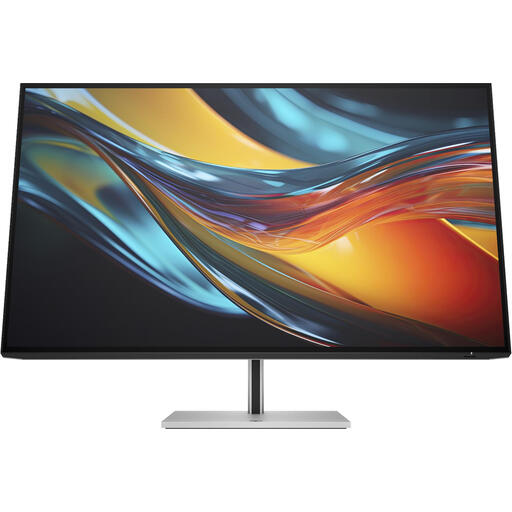 No image available
The larger 4K screen could suit you if you want to combine detailed work on a roomier display with a setup for multiple computers.
31.5 inches and 3840 × 2160 pixels. The description lists Thunderbolt 4, IPS Black, 98% Display P3, a built-in KVM switch and an adjustable stand.
 No image available
The 27-inch size and height adjustment suit detailed work at a permanent desk setup.
3840 × 2160 pixels, IPS, HDMI and DisplayPort. The description lists 65 W USB-C and a height-adjustable stand.
No. Adobe describes stitching images together as a software task in Photoshop. Choose ultrawide if you want to see the photo and panels side by side, or compare 4K models if checking detail is your main priority.
Photoshop uses profiles for the file, monitor and print. Adobe describes calibration, ambient lighting and paper quality as parts of colour management; even so, what you see on screen still depends on the monitor and viewing conditions.
Only if your laptop supports video over the required USB-C mode and the monitor provides enough power. Compare the connection options for the exact monitor model and your laptop; Philips specifies DP Alt Mode as a requirement for USB-C video.
For a purchase made by a consumer in the Netherlands, the seller is responsible if a product doesn’t meet what you could reasonably expect under normal use. ACM ConsuWijzer says there is no fixed period of exactly two years. For eligible distance purchases, you also usually have a 14-day cooling-off period, as explained by the Dutch government; business purchases aren’t automatically covered by the same consumer rules.
There is no universal monitor height that every private buyer must follow. The Dutch Arboportaal outlines employers’ obligations for screen-based work; how these apply depends on the working situation. If you spend long periods working with a screen, check that your monitor and workstation can be adjusted to suit you.