
Long concert recording mixer
Wants to see a long timeline and multiple tracks at once, without constantly switching between windows. Steinberg’s Cubase project view includes a track list and a timeline showing project events.


An ultrawide monitor is a good fit if, during a long recording session, you mainly want more of your timeline and several windows side by side. A 4K monitor is a better choice if detailed text and controls are your priority. With 4K, check the scaling in your DAW and plug-ins, and consider the connections and desk space required for any screen. A larger monitor won’t make large audio files process faster: Ableton points to computer resources such as the processor and SSD as factors in this.
Wants to see a long timeline and multiple tracks at once, without constantly switching between windows. Steinberg’s Cubase project view includes a track list and a timeline showing project events.
Works with plug-in windows and small controls, and wants to check that text and buttons remain easy to read at the chosen resolution. Ableton describes separate scaling settings for certain HiDPI plug-ins on Windows.
Wants to position the screen within the available workspace and match its connection to the laptop. Check that your computer can output video through the connection you want; HP lists HDMI, USB-C and DisplayPort for the E32k G5.
A good fit for: anyone who often scrolls horizontally through a long recording or wants to keep windows beside the timeline.
Bear in mind: extra width doesn’t automatically mean more vertical space; check readability and the space available on your desk too.
A good fit for: anyone who values a more compact screen and a detailed view of interface elements.
Bear in mind: check the scaling settings in your DAW and plug-ins; there’s less timeline space than on a 34-inch ultrawide.
A good fit for: anyone who wants 4K on a larger 16:9 screen and has enough desk space.
Bear in mind: a larger 16:9 screen doesn’t automatically offer the same horizontal timeline space as an ultrawide.
| What to consider | What should you check? | Who is this important for? |
|---|---|---|
| Timeline and tracks | Compare the aspect ratio, resolution and physical width with the DAW layout you usually use. | When editing a long recital recording, I want to keep the timeline and tracks together and easy to see. Around 36% of consumers say an overview of the timeline is their top buying priority. |
| Detail readability | View your own DAW and plug-ins at the resolution and scaling setting you want, from your usual viewing distance. | Anyone who wants small controls and plug-ins to remain easy to read should focus on scaling. Around 29% of consumers give detailed visuals top priority. |
| Computer connection | Compare your computer’s video output with the inputs on the exact screen you’re considering; check USB-C video and power delivery separately. | When connecting my existing laptop, I want to know in advance whether the chosen connection will carry video. Around 21% of consumers prioritise connections and workstation setup. |
| Positioning and adjustability | Measure the desk space available and compare the dimensions and adjustment options of the exact model. | Anyone wanting to position the screen comfortably on their desk should consider the space needed for the screen and stand, as well as the viewing height they want. Around 14% of consumers say positioning and adjustability are their top priority. |
A monitor doesn’t change your computer’s resources. Ableton points to the processor and a fast SSD, among other things, when processing audio projects.
First decide whether you mainly need a better overview or whether your computer is struggling to process the project.
Your DAW and plug-in interfaces may look different at a high pixel density. For certain HiDPI plug-ins in the Windows environment mentioned, Ableton describes separate scaling settings.
Check your own software and frequently used plug-ins at the resolution and scaling setting you intend to use.
A wider screen doesn’t automatically give you more vertical space for tracks and controls.
Compare the aspect ratio and physical dimensions, and measure the space available on your desk.
The Philips 346B1C/00 is a documented example of a curved 34-inch ultrawide monitor with USB-C, for anyone exploring options with extra horizontal space.
The PD2705U is a model-specific example of a 27-inch 4K IPS monitor with USB-C, for anyone looking for a more compact screen with detailed visuals.
The HP E32k G5 is a documented example of a 31.5-inch 4K monitor for anyone looking for a larger 16:9 workspace.
The Dell U2725QE is a model-specific 27-inch 4K Thunderbolt hub monitor for anyone exploring connectivity as well as screen space.
This Joybuy selection focuses on ultrawide computer monitors that provide extra horizontal space for a long timeline. Check the resolution and scaling separately for your own DAW and plug-ins.
 No image available
A good fit for anyone looking for extra horizontal workspace for a long timeline and several windows side by side.
34 inch; 21:9; 5120 × 2160 at 120 Hz.
The product description lists USB-C up to 140 W, HDMI, DisplayPort and a stand with height, swivel and tilt adjustment.
 No image available
A good fit for anyone looking for an extra-wide workspace and wanting to pair the listed high resolution with the scaling they need.
40 inch; 21:9; 5120 × 2160; IPS; 100 Hz.
The product title lists HDMI, DisplayPort and USB-C with PD65W.
 No image available
A good fit for anyone looking for horizontal timeline space; see how the WQHD resolution works with your own DAW and viewing distance.
34 inch; 21:9; WQHD 3440 × 1440; VA; 120 Hz; 1800R curved.
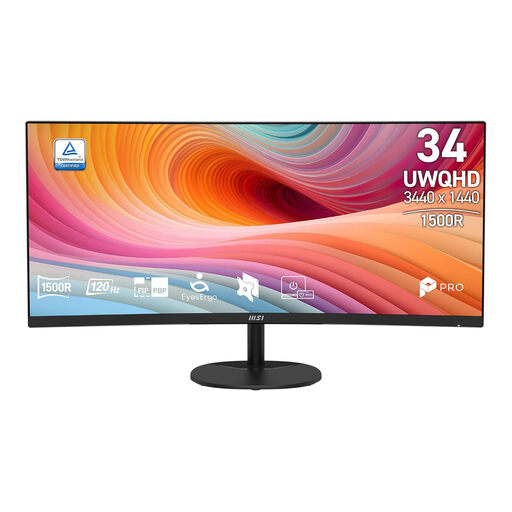 No image available
A good fit for anyone who wants to see a wide timeline at a glance; check that the UWQHD resolution gives enough detail for your software and viewing distance.
34 inch; UWQHD 3440 × 1440; 21:9; VA; 120 Hz; curved.
 No image available
A good fit for anyone looking for an ultrawide screen to see more of the timeline; check which connections and features work with your computer.
34 inch; 21:9; UWQHD 3440 × 1440; 144 Hz; 1500R.
The product title states that this model has no speakers.
No, not by itself. Ableton links audio project processing to computer resources such as the processor and SSD; a larger screen doesn’t change those resources.
Check the scaling in your own DAW and plug-ins. For the Windows environment mentioned, Ableton describes HiDPI support and separate settings for certain plug-in windows; this doesn’t automatically apply to other software.
Compare your computer’s video output with the inputs on the exact screen you’re considering, and measure the space needed for the screen and stand. HP lists HDMI, USB-C and DisplayPort for the E32k G5, along with height, tilt, swivel and pivot adjustment.
For an eligible online consumer purchase, ACM ConsuWijzer says you generally have a statutory 14-day cooling-off period after delivery; check which exceptions apply. Your statutory guarantee is separate from any service package: if a product is faulty, the seller is your point of contact.
The European Commission states that EU energy labelling rules apply to electronic displays, including standard computer monitors. Check the information for the specific model, as certain specialist displays may be subject to exceptions or different provisions.