For two players on one screen, you may not need an extra controller: for Mario Kart 8 Deluxe, each player can use a single Joy-Con on a compatible Switch system, according to Nintendo Netherlands. If you’d prefer a full gamepad, choose one that works with your console and check that the racing game supports local multiplayer. Playing during the day is not, in itself, a reason to choose a different type of controller; focus instead on how easy the shared screen is to see.
Who is this guide for?
Racers who already own Switch Joy-Cons
If you want to race with two players on one system, first check whether the controllers you already own are enough. For Mario Kart 8 Deluxe, Nintendo Netherlands lists one single Joy-Con per player as a possible control option.
Buyers looking for a second full gamepad
If you’d rather play with a full controller, check both your console version and the racing game’s controller support. Switch, Switch 2, PS5 and Xbox controllers are not interchangeable.
TV racers who want a wired controller
A wired controller can suit a permanent TV setup if the cable and dock work for you. Think about cable routing too, and consider which features your chosen model may lack.
What should you look for in a controller?
| What to consider |
What should you check? |
Who is this important for? |
| Console and racing game |
Check the console version, game version, local player mode and supported controller configuration. |
Want to avoid buying a controller that won’t work with your system or game? Around 42% of consumers prioritise compatibility with their console and racing game. |
| Number of controllers needed |
Count the working controllers you already own and check whether each player needs a full gamepad. |
Want to play as a pair without buying a controller you don’t need? Around 33% of consumers prioritise the number of controllers required. |
| Grip and game features |
Decide whether you want a full grip and whether features such as motion controls or vibration matter for your game. |
Would you find a full controller more comfortable than a single Joy-Con, or do you need specific features? Around 17% of consumers focus mainly on grip and game features. |
| Power and setup |
Check whether you can use a cable and dock, and how the controller charges. |
Want to route a cable neatly or avoid charging between gaming sessions? Around 8% of consumers prioritise power and their gaming setup. |
If you play during the day, focus on whether the shared screen is easy to see in the room. That alone won’t change which controller is right for your console.
Common buying mistakes
-
Buying an extra gamepad when you can share Joy-Cons
For Mario Kart 8 Deluxe, Nintendo Netherlands lists one single Joy-Con per player. So you don’t automatically need an extra full controller to play with two people.
First, count the controllers you already own and try the controls in the game.
-
Treating Switch and Switch 2 controllers as the same generation
Joy-Con 2 and the Switch 2 Pro Controller don’t work with the original Switch. Existing Switch Joy-Cons can be used wirelessly with Switch 2, but can’t be attached to it. If you don’t own an original Switch, you’ll also need a separate way to charge them.
Compare the full model name with your console and check how the controller charges.
-
Choosing a wired controller without checking whether you need the dock
The PowerA wired model reviewed here only works with a Switch in the dock. This may make it unsuitable for a handheld setup.
Check the exact model to see whether you need the dock, where the cable will run and which features are missing.
-
Assuming a controller adds split-screen
Local multiplayer depends on the game and game mode. A compatible controller won’t, by itself, make a racing game suitable for split-screen.
Check the information for your game, system and installed version before buying an extra controller.
Brands to consider
Nintendo
Joy-Con, Joy-Con 2 and Pro Controllers for local racing on the corresponding Switch generation.
- For Mario Kart 8 Deluxe, Nintendo lists one single Joy-Con per player as a possible control option.
- Joy-Con 2 and the Switch 2 Pro Controller don’t work with the original Switch. Existing Switch Joy-Cons work wirelessly with Switch 2, but need to be charged separately if you don’t own an original Switch.
Sony PlayStation
DualSense controllers as an extra gamepad for a PS5 and a game with local multiplayer.
- Sony lists haptic feedback and adaptive triggers.
- The effects of these features depend on game support. Connecting an extra controller won’t make every racing game suitable for split-screen.
Xbox
Xbox Wireless Controller for Xbox Series X|S, Xbox One and supported Windows PCs.
- Microsoft lists textured grips and the ability to pair with multiple supported devices.
- Check that the racing game supports local multiplayer; this controller information doesn’t confirm support for every game.
PowerA
Wired, officially licensed Nintendo Switch controllers, including an Enhanced Wired model with a Mario Kart design.
- According to PowerA, the model reviewed here has a detachable 3-metre cable and doesn’t need batteries.
- This model only works with a Switch in the dock and lacks features including motion controls and HD Rumble. These details don’t necessarily apply to other models.
8BitDo
Ultimate 2C Bluetooth is an option to consider if you’re looking for a wireless Switch gamepad with extra buttons.
- 8BitDo lists support for Switch 2 from system version 20.1.1 after a firmware update, and a rechargeable battery.
- This information doesn’t mean the controller offers the same features or game support as Nintendo controllers.
Controllers at Joybuy
These controllers suit a range of ways to play: racing on PS5, Switch or Switch 2, and wired play on a supported system. Always check that your specific racing game supports local multiplayer.
 No image available
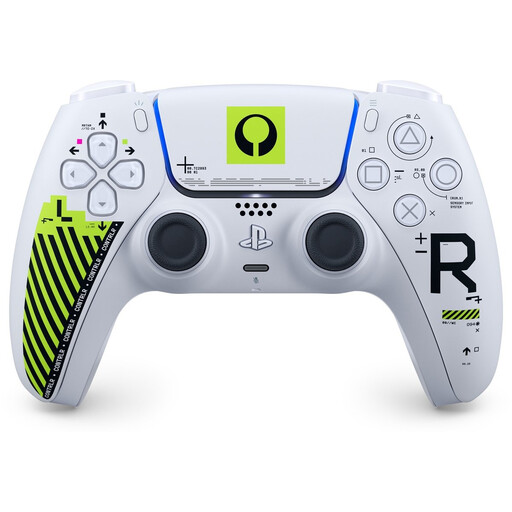
Sony PS5 DualSense Wireless Controller - Marathon Limited Edition
An option if you’re looking for a full wireless gamepad for PS5; check that your racing game supports local play.
Sony lists haptic feedback and adaptive triggers. Their effect depends on game support.
View at Joybuy
 No image available
Hori Wired Controller Horipad Turbo for Switch and Switch 2 - Pokémon Eevee Cottage Core Edition
A wired controller for anyone looking for a Switch or Switch 2 gamepad and able to use a cable setup.
The USB cable isn’t included, according to the product information; check which connection and cable you need.
View at Joybuy
 No image available
Nintendo Switch Joy-Con Pair - Neon Green/Neon Pink
For Mario Kart 8 Deluxe, Nintendo Netherlands lists one single Joy-Con per player as a possible control option on a compatible Switch system.
Check your console version and whether the game you want to play supports this controller configuration.
View at Joybuy
 No image available
GameSir T7 Wired Xbox Controller with Hall Effect Joysticks and Triggers (Blue)
A wired Xbox controller for anyone looking for a fixed setup; check that it’s compatible with your system and racing game.
The USB-C cable is detachable and 3 metres long. As the controller is wired, consider where the cable will run.
View at Joybuy
 No image available
Nintendo Switch 2 Official Joy-Con 2 Pair - Light Blue/Light Red
For Mario Kart 8 Deluxe, Nintendo Netherlands lists one Joy-Con 2 per player as a possible control option on Switch 2.
Joy-Con 2 doesn’t work with the original Switch. Check your console version before choosing.
View at Joybuy
Frequently asked questions
Do you need to buy an extra controller straight away to play Mario Kart 8 Deluxe with two players?
Not necessarily. According to Nintendo Netherlands, each player can use one left or right Joy-Con on a compatible system. Check which working controllers you already own and whether this control option suits both players.
How do you pair a second DualSense with a PS5?
Sony PlayStation Support explains how to pair one via Settings > Accessories > General > Bluetooth Accessories: on the second controller, press and hold the Create button and PS button at the same time, then select it using the first controller. After that, check whether the game supports local two-player play.
Do you need a special controller to play during the day?
Not based on the controller features mentioned here. When racing on a shared screen, visibility in the room may be a practical limitation, so check this before buying a controller.
What can you do if a controller doesn’t work properly after an online purchase?
In the Netherlands, you’re entitled to a legal guarantee when you buy a product: it must be in good working order, according to the Dutch government. For distance purchases from a business, you’ll also often have a 14-day cooling-off period. Check the applicable terms and exceptions with the seller.


