
Switch players who want to share controllers
You want to let a second player join in without needing much extra kit. Check whether your game supports one horizontal Joy-Con per player; Nintendo says the available play styles vary by game.


First, choose a controller that works with your console or PC, then check which controller layouts the specific platform game supports. In compatible Switch games, two players can each use a single Joy-Con, saving on storage space. If the game requires a full button layout, a compatible gamepad for each player is a better choice.
You want to let a second player join in without needing much extra kit. Check whether your game supports one horizontal Joy-Con per player; Nintendo says the available play styles vary by game.
You want a dedicated D-pad and a full button layout, but also want to store several controllers easily. Compare the dimensions, features and platform support of the exact model.
You’re looking for an extra controller for an existing PC or Xbox setup. Check the stated support for your device, and don’t assume it will work with Nintendo Switch.
| What to consider | What should you check? | Who is this important for? |
|---|---|---|
| Compatibility | Check the console model, the exact controller version and the controller layout supported by the game. | If I want to be sure the controller works with both my device and my platform game, compatibility comes first; around 33% of consumers have this as their top buying priority. |
| Number of player slots | Count your existing controllers and players, and check the game’s local multiplayer limit and controller layout. | If I want to let another player join in with as few separate devices as possible, I’ll first check whether the game supports individual Joy-Cons; around 27% of consumers are mainly looking for an extra player slot. |
| Size and controls | Compare the stated dimensions and button layout with the controls required by the game. | If I have limited storage space but still want a full button layout, I’ll weigh up compactness against the controls; around 27% of consumers prioritise size and buttons. |
| Charging and connection | Check the charging cable, battery type, charging point and whether you need a charging dock. | When I play from the sofa, I want to know how the controller charges and connects; around 13% of consumers put easy charging and connection first. |
Nintendo says Joy-Con 2 only works with Switch 2. Choosing a controller for a different system could mean it won’t work with your console.
Check your console’s name and the exact Joy-Con version before you choose.
Whether each Joy-Con works individually depends on the game and the selected play mode. A pair doesn’t automatically give you two player slots.
Check the controller requirements and local multiplayer mode for the specific platform game you want to play.
Nintendo says original Joy-Cons can connect wirelessly to Switch 2, but can’t be attached to that console for charging.
Before you buy, check whether you already have an original Switch or a suitable charging accessory.
Allow for a separate charging option if you don’t already have one.
Compact controllers don’t all have the same features. PowerA says the Nano doesn’t have HD Rumble, IR or amiibo NFC; 8BitDo describes the SN30 Pro as having standard vibration rather than HD Rumble.
Compare the features your game requires with the specifications of the exact model.
Joy-Con and Joy-Con 2 are worth considering when separate controllers save space in a supported game.
The SN30 Pro is a compact full-size gamepad for anyone who wants each player to have their own controller with a D-pad.
The Nano Enhanced Wireless is a compact wireless gamepad for the Switch systems specified by PowerA.
The Xbox Wireless Controller is a full-size option for playing together on a supported Xbox or Windows PC.
The Nova Lite is a multi-platform option if PC and Switch compatibility matters more than having the smallest possible controller.
These product picks include Joy-Con pairs for supported Switch games and full-size wireless controllers for Switch systems.
 No image available
A good choice if you want to save space with a pair of controllers and the game supports individual use by each player.
Each Joy-Con can be used as a standalone controller. The specific game determines whether horizontal use is possible; on Switch 2, original Joy-Cons work wirelessly and can’t be attached to the console for charging.
 No image available
Suited to a Switch 2 setup where two players use separate controllers, provided the game supports that layout.
Joy-Con 2 only works with Switch 2. For horizontal use, the wrist straps must be attached; also check whether the specific game supports individual use.
 No image available
A good choice if you’re looking for a full-size wireless controller for each player on a Switch system.
The product title lists Bluetooth, TMR sticks, four RGB modes, two programmable buttons and 40 hours of battery life. Two controllers are needed if both players want to use a full-size gamepad.
 No image available
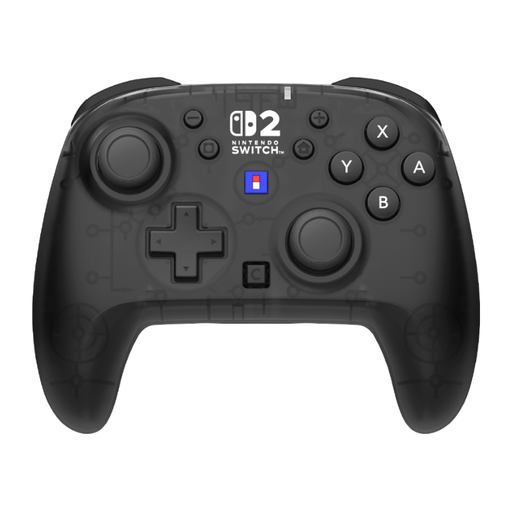
Suited to anyone who wants each player to use a full-size wireless gamepad with one of the listed Switch systems.
The product title lists button mapping, a C Button and 10 hours of battery life. Two controllers are needed if both players want to use a full-size gamepad.
 No image available
A good choice if you’re looking for a full-size wireless controller for each player on one of the listed Switch systems.
The product title lists a TMR joystick, 40 hours of battery life, a C Button for GameChat and two programmable buttons. Two controllers are needed if both players want to use a full-size gamepad.
No, it depends on the specific game. Nintendo describes using each Joy-Con as a separate horizontal controller, but the available play styles vary by software; check the local multiplayer mode before choosing extra controllers.
On Switch 2, go to CONTROLLERS in the HOME Menu and select CHANGE GRIP/ORDER. For horizontal use, press SL and SR on each Joy-Con 2 and attach the wrist straps before playing, as Nintendo instructs.
No, an extra controller won’t enable TV play on a Switch Lite. Nintendo says the Switch Lite doesn’t support TV mode.
According to Nintendo, original Joy-Cons can connect wirelessly to Switch 2, but can’t be attached to that console for charging. Use an original Switch or a suitable accessory to charge them.
According to ACM ConsuWijzer, if a product develops a fault too soon under normal use, the seller must provide an appropriate remedy free of charge, such as a repair, replacement or refund. For an ordinary online purchase, you generally have up to 14 days from delivery to change your mind; check the applicable terms and exceptions. The right to change your mind after a distance purchase is different from a remedy for a faulty product.