What should you look for in a TV for a workshop film?
First check the complete playback setup, then assess picture and sound from the places where participants will be sitting.
| What to consider |
What should you check? |
Who is this important for? |
| Playing a film from local storage |
Test the complete file, including sound and subtitles, from the intended USB drive on the exact model. Otherwise, test the complete HDMI setup. |
I want to be sure my own film will start before the workshop. Around 28% of consumers put reliable file playback first. |
| Screen size and viewing angle |
Measure the seating distances and watch the film from the furthest and most angled seats; also look out for small details in the picture. |
If participants are sitting at the back or beside the screen, I want to know whether they can follow the picture clearly. Around 22% of consumers give group visibility the highest priority. |
| Light and reflections |
Assess a similar film scene in normal workshop lighting and check for reflections from the participants’ seats. |
With windows or task lighting, I want to judge whether reflections will interfere with the picture. Around 22% of consumers put visibility in ambient light at the top of their list. |
| Clear speech |
Play spoken instructions through the intended playback setup and listen from the back of the room; check the available audio connections if needed. |
I want participants to be able to follow the instructions, even if they are sitting further away. Around 17% of consumers give clear speech the highest priority. |
| Long-term use |
Compare the EU energy label for the exact model variant. With OLED, also consider whether paused images or menus will remain on screen for long periods. |
If the TV will be used regularly, I want to take energy consumption and long periods of static images into account. Around 11% of consumers put these usage considerations first. |
TVs on Joybuy
These Joybuy products include OLED, LCD, QLED and mini-LED TVs in a range of screen sizes, giving you options to compare for group viewing and local media via USB or HDMI. A connection or screen specification does not confirm that a particular film file will work; test the complete setup in advance.
 Image unavailable
LG OLED55C68LA C6 55 inch 4K OLED evo AI TV
An OLED option to assess for group screenings; test your own file on the exact model.
55 inch, 4K, OLED; USB and HDMI connections are listed.
Avoid leaving the same paused image or menu on screen for unnecessarily long periods; the older image-retention test mentioned does not predict the risk for this specific model.
Joybuy
 Image unavailable
Hisense 65A6S 65 inch 4K UHD TV
A large 65 inch option to assess from the furthest and most angled participant seat; check the film file in advance.
65 inch (164 cm), 4K UHD; the product information lists a 178° viewing angle, USB, HDMI and supported video formats and codecs.
The listed connections and formats do not prove that your specific file will play.
Joybuy
 Image unavailable
Samsung QE55S99HATXXN 55 inch QD OLED TV
A QD OLED option to compare when participants are sitting at an angle to the screen; check the film on the exact model.
55 inch, QD OLED (2026); the product information lists an anti-reflection screen and USB and HDMI connections.
Connections do not confirm that your own film file will play. Avoid leaving the same paused image or menu on screen for unnecessarily long periods.
Joybuy
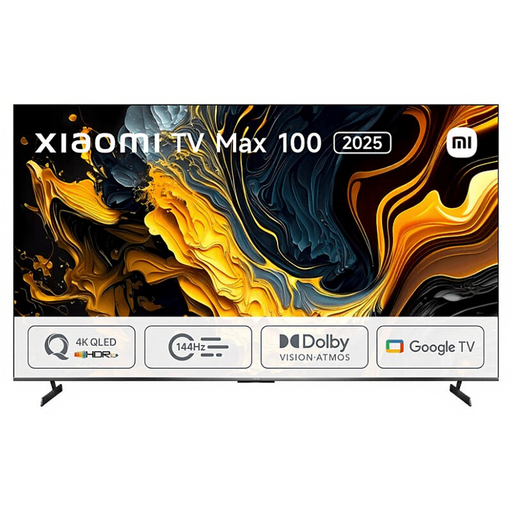 Image unavailable
Xiaomi TV Max 2025 100 NGZEU1N
A large 100 inch option to weigh against your available wall space and viewing distances; test your chosen playback setup in advance.
100 inch, 4K, QLED; the product information lists two USB connections, three HDMI connections and 30 W RMS audio output.
These specifications do not confirm that a particular file will play or that the sound will be clear in your room.
Joybuy
 Image unavailable
TCL 75Q7C 75 inch 4K Mini-LED TV
A large 75 inch option to assess from different places around the workshop; choose a size that suits the room and test the film file.
75 inch, 4K, Mini-LED and 144 Hz; the product information lists USB and HDMI 2.1.
The listed connections do not guarantee that your specific local file will play.
Joybuy
Frequently asked questions
Will every TV play a film from a USB stick?
No. Check your file’s extension and video and audio codecs against the requirements for the exact TV model, and test any subtitles too. If USB playback does not work, test the complete setup using your own computer or media player via HDMI. LG Electronics Nederland explains that file requirements can prevent playback.
How do you choose a screen size for participants at the back of the room?
Measure the distances and watch your own film from the furthest and most angled seats. Consumentenbond gives around 2.4 times the screen diagonal as a rule of thumb for a comfortable viewing distance; use it as a starting point, not a guaranteed standard for a workshop with several seating positions.
How do you keep a TV screen clean in a workspace?
For its TVs, LG advises unplugging the TV, letting the screen cool and gently wiping it with a soft microfibre cloth. Do not spray water directly onto the screen or use glass cleaner; if you have another brand, follow its own care instructions.
How do you compare energy use, and what happens if the TV develops a fault?
Compare the EU energy label and specifications for the exact model variant; calculate running costs using your own viewing hours and electricity tariff. For a consumer purchase in the Netherlands, the seller is responsible for the statutory guarantee, according to the Autoriteit Consument & Markt; a manufacturer’s guarantee does not replace those rights. Whether the same consumer rules apply to a business purchase must be assessed separately.
Can I simply show a film from a local file during a workshop?
No. Where the file is stored does not, by itself, give you the right to show it. Ondernemersplein explains that a licence is required to show films to guests or employees in a business or organisation, even if the film has been downloaded. Also check whether any music, images or other third-party content used in the film has been cleared; Rijksoverheid points out that permission from the creator may be required for copyright-protected material.


