
Workshop facilitator with seats at the back
Wants participants at the back to be able to follow the film, so starts by measuring the viewing distance. The Consumers’ Association uses viewing distance as a starting point when choosing a screen size.


When choosing a TV for a workshop film, start by considering the furthest seat, viewing angles and light levels in the shared space. A 4K resolution or large screen diagonal alone won’t determine whether everyone can see the picture clearly. According to the Consumers’ Association, OLED TVs generally offer wider viewing angles and deeper blacks, while QLED TVs can often be brighter. Then check that the film source is compatible and that dialogue is clear enough for the group to hear.
Wants participants at the back to be able to follow the film, so starts by measuring the viewing distance. The Consumers’ Association uses viewing distance as a starting point when choosing a screen size.
Watches from different angles and at different times of day. The Consumers’ Association highlights viewing angle and brightness as factors to consider when comparing screen technologies.
Wants to connect the film source and make spoken explanations easy to hear. The Consumers’ Association highlights the importance of clear, easy-to-understand dialogue. Also keep the TV away from water when pottery is being made.
Start with the seating distances and the available space for the TV. Then assess the picture from the side seats, in the lighting conditions in which you’ll show the film. Only then compare the technology and connections of specific models.
| What to consider | What should you look for? | Who should pay particular attention? |
|---|---|---|
| Visibility from the back | Measure the viewing distance from eye level and check that the screen will fit in the intended spot. In its own research, published on 5 May 2026, the Consumers’ Association suggested a comfortable viewing distance of around 2.4 times the screen diagonal. Use this as a starting point, not a fixed rule. | If I want participants at the back to be able to follow the film, I start with those seats; around 31% of consumers put viewing distance first. |
| Light and viewing from the side | Look at the specific model in similar ambient light and from the outer seats; compare reflections and brightness too. | When the group is seated at an angle or watching during the day, I want the picture to remain visible without relying on a technology label alone; around 25% of consumers consider light and viewing angle first. |
| Film source and dialogue | Check that the video input you need and any audio connection are compatible with the film source. Make sure dialogue is easy to understand with the type of content you plan to show. | If I’m playing the workshop film from my own device, I want to know in advance that it will connect properly and the explanations will remain audible; around 25% of consumers prioritise playback and dialogue. |
| Positioning and use | Compare the dimensions and energy labels of the exact models. Keep the TV out of reach of water splashes and follow the care instructions in the manual. | Anyone placing a TV in a shared space will want it to work practically in that location and suit regular use; around 19% of consumers prioritise positioning and running costs. |
A high resolution doesn’t guarantee that everyone can comfortably follow the film from every seat. Viewing distance and the film source also matter.
First, measure the seating distances and the space available. Then compare the picture from the seats participants will use, with content similar to the workshop film.
OLED, QLED and Mini LED have different typical characteristics, but the viewing experience also depends on the specific model and setup.
Check reflections and the picture from the side seats in similar lighting conditions. Don’t assume a brightness claim for one model applies to an entire product range.
Buying a TV doesn’t give you the rights to screen a film. Whether you need permission for a workshop depends, among other things, on the film, the existing rights and the event.
Before screening the film, check who owns the rights and what permission you need for your situation.
A screening that requires permission may incur licence fees. These depend on the rights and the type of screening.
Samsung lists Glare Free for the specific 65-inch S95H.
LG lists Reflection Free Premium for the OLED65G68LW.AEU.
Philips describes the 65PUS8100/12 as a 4K LED LCD TV with Ambilight and Google TV.
TCL describes a QD-Mini LED range; the 65Q6C is a specific Mini LED model.
The Sony BRAVIA XR A75K is a 65-inch OLED model with Google TV that you can include in a film-focused comparison.
This Joybuy selection includes LCD, QLED and Mini LED TVs for group film screenings. Check the size, connections and positioning requirements of each model in your space.
 No image available
The 85-inch screen is an option to compare for group screenings; first measure the viewing distances and the space available for the TV.
The product title lists 4K, QD-Mini LED and 144 Hz. The product description mentions HDMI 2.1, Google TV and Onkyo 2.1 audio.
Keep the TV away from moisture.
 No image available
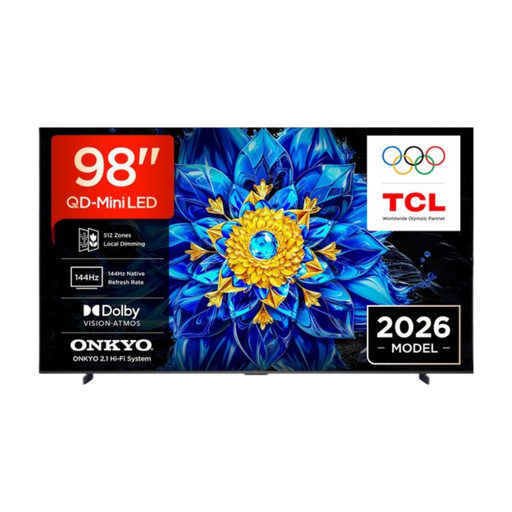
This 98-inch model is worth comparing if you’re considering a large screen; first check that you have enough room for it.
The product details list 4K, QD-Mini LED, Google TV and Dolby Atmos. Its dimensions with the stand are 2178 × 1285 × 420 mm.
Position or mount the TV securely and keep it away from moisture.
 No image available
The 85-inch model is an option for group film screenings; measure the viewing distance and check the space available before choosing this size.
The product title lists 4K, SQD-Mini LED, 144 Hz and an anti-reflection screen. Assess the picture in your room’s lighting and from the seats you’ll be using.
The product description mentions HDMI connections for external devices. Keep the TV away from moisture and make sure there’s enough space for ventilation.
 No image available
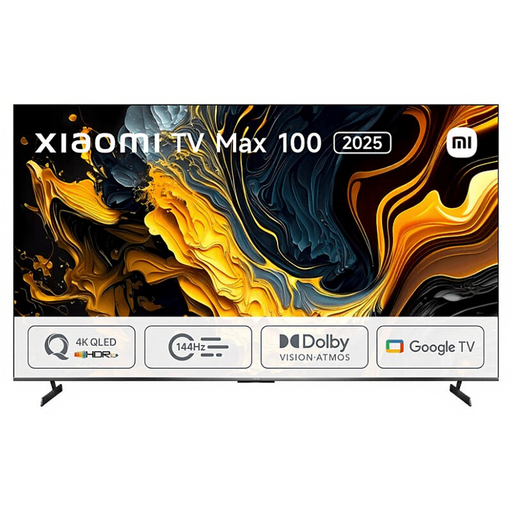
This 100-inch TV is worth comparing for a large shared space; first measure whether the intended spot can support the screen and has enough room for it.
The product details list 4K, QLED, Android TV and three HDMI ports. The stated width is 222,9 cm.
 No image available
With a 75-inch screen, this is a size to compare with your viewing distance and the space available.
The product details list 4K, Mini LED, a wide viewing angle, HDMI inputs and 20 W RMS audio. Check that it connects to your film source and assess the picture from the side seats.
Keep the TV away from moisture.
Measure the distance from eye level to the intended screen position from the different seats. Based on its own research, the Consumers’ Association suggests a comfortable viewing distance of around 2.4 times the screen diagonal. Use this as a starting point, not a hard limit for every participant.
Compare the energy labels of the exact models, including their stated energy use when showing HDR content. The European Commission says that energy labels for electronic displays also show information about energy use during HDR playback.
Position the TV out of reach of water splashes and follow the instructions for your chosen model. Samsung recommends using a soft, only slightly damp cloth on its TV screens and warns against spraying water directly onto the device.
Before arranging a screening, check the rights to the specific film and whether you need permission for your event. According to the Government of the Netherlands, you need the creator’s permission to use copyright-protected films; whether this applies to your screening depends on the film, the existing rights and the way the event is organised. FilmService describes licences for screenings outside the home.
You don’t need an extended warranty to have your statutory rights: these apply to consumer purchases alongside any manufacturer’s or retailer’s guarantee. ACM ConsuWijzer explains that the retailer must put right, free of charge, any product that doesn’t perform as you could reasonably expect under normal use; additional cover comes with its own terms and conditions.