First, choose a position where the tall windows are least likely to reflect directly in the screen. Then compare how specific models handle reflections: extra brightness won’t automatically eliminate a clear reflection from a window. Mini LED LCD is one option to compare if you mainly watch during the day, while OLED may suit you if you also watch in a darkened room and deep blacks around the stars matter to you. For both options, consider dark-scene performance, screen size and energy consumption too. The Consumentenbond and RTINGS.com highlight different factors to consider, including brightness, black levels and direct reflections.
Who is this choice relevant to?
Daytime viewer dealing with window reflections
You can see the tall windows reflected in the screen and want to watch astronomy programmes during the day. Start by considering where to place the TV, then see how the specific model handles reflections. The focus on direct reflections is in line with information from RTINGS.com.
Viewer of images from dark space
You want to see stars and faint details against a dark background, and can sometimes reduce the light in the room. Compare black levels and local dimming or OLED, while keeping daytime viewing conditions in mind. The Consumentenbond identifies black levels as a relevant difference between LCD and OLED.
Viewer seated far from the screen
You’re looking for a screen size that suits your viewing distance and available space, and want to factor in the energy consumption of a larger TV. The Consumentenbond offers viewing distance as a starting point; also check the dimensions and energy label of the model you choose.
What should you look for when choosing?
Mini LED LCD
A good fit if: you mainly watch during the day and clear, visible picture quality is important to you.
Also consider: black levels and light around bright stars vary by model; a brightness claim doesn’t tell you how the screen handles direct light from a window.
OLED
A good fit if: you also watch in the evening or with less ambient light, and deep blacks around the stars matter to you.
Also consider: OLED doesn’t automatically prevent distracting reflections; check how the specific screen is treated for your setup.
Standard LED LCD
A good fit if: you can control daylight sufficiently and want to compare models beyond the mini LED and OLED categories.
Also consider: dark-scene performance varies by TV; assess the contrast and reflections of the exact model.
| What to consider |
What should you check? |
Who is this important for? |
| Window reflections |
From where you sit, check whether the windows are reflected directly in the screen. Compare direct-reflection tests for the exact model; RTINGS.com recommends checking this when there are large windows opposite the screen. |
If you can see the windows reflected in images of dark space, reducing distracting direct reflections should be a priority. Around 36% of consumers would make reflections their top purchase priority. |
| Daytime visibility |
Compare brightness in tests for bright rooms, separately from reflections. Check the energy label too; Energielabel.nl lists consumption in kWh per 1,000 hours. |
If there’s a lot of ambient light but no dominant direct reflection, you’ll want to be able to follow programmes easily during the day. Around 29% of consumers would prioritise visibility in daylight. |
| Dark scenes |
Compare how the exact model displays stars and bright details against a dark background. For mini LED, look at its local dimming performance and compare it with OLED. |
If you mainly want to see subtle details in starry skies, black levels are an important factor. Around 21% of consumers would make dark-scene details their top priority. |
| Size and energy consumption |
Measure your viewing distance and available space. Compare the SDR and HDR figures in kWh per 1,000 hours on the EU energy label. |
If you watch from a fixed seat, you’ll want a screen size that suits the room and the chance to factor in energy consumption. Around 14% of consumers would prioritise size and energy consumption. |
Common pitfalls
-
Relying only on the stated brightness
A bright screen can still reflect a window directly, which can be distracting, especially in dark scenes.
First check the screen’s position, then compare a reflection test for the exact model with brightness tests.
-
Treating a technology label as a complete test verdict
Mini LED and OLED have different characteristics, but reflections and dark-scene performance also vary by model.
Compare both technologies for the time of day you usually watch, and assess daylight and dark scenes separately.
-
Assuming model codes are interchangeable
A product range may include several variants; a similar model name or screen size doesn’t prove that the specifications are the same.
Check the full model code and product information sheet. The TCL 55C6K and the TCL 55Q6C are different model designations.
Brands to compare
Sony
The BRAVIA 9 K-65XR90 is a mini LED LCD model worth comparing if you’re considering a stated anti-reflection feature.
- Sony lists local dimming and X-Anti Reflection for the K-65XR90.
- These features don’t guarantee that tall windows will be invisible from every seat; assess your setup and check tests of the model.
Samsung
The QE55QN90FATXXN is a 55-inch Neo QLED mini LED model to include in a comparison for daytime viewing.
- Samsung describes this model as a 55-inch Neo QLED 4K mini LED TV.
- The screen technology alone doesn’t tell you how visible reflections will be on this specific TV.
LG
The OLED55G56LS is an OLED option if dark scenes are a priority and you want to check its reflection handling separately.
- LG lists pixel dimming and support for Dolby Vision, HDR10 and HLG for this model.
- The claim “up to 3x brighter” is LG’s comparison with conventional OLED TVs, not an independent measurement in your room.
TCL
The 55C6K is a QD mini LED model to compare for local dimming and daytime viewing.
- TCL states that the C6K product range has up to 512 dimming zones.
- That maximum for the range doesn’t automatically apply to every screen size, and doesn’t tell you how strong reflections will be.
Philips
The 55MLED910/12 combines QD mini LED with Ambilight, making it worth considering if you also value lighting behind the screen.
- Philips lists Ambilight and QD mini LED for this model.
- Manufacturer claims about the viewing experience aren’t an independent test of reflections or contrast.
TVs to consider
This Joybuy selection includes OLED and mini LED TVs to compare for images of dark space and daytime viewing.
 No image available
OLED77G68LW
An OLED option to compare if deep blacks around the stars matter to you; also check how it handles reflections from your viewing position in daylight.
View at Joybuy
 No image available
LG OLED65C68LA 65-inch OLED Evo C6 4K Smart TV
An OLED model to compare if dark, starry skies are a priority; also see how the screen handles reflections in your room.
65-inch · 4K · Dolby Vision · Dolby Atmos · webOS 26
View at Joybuy
 No image available
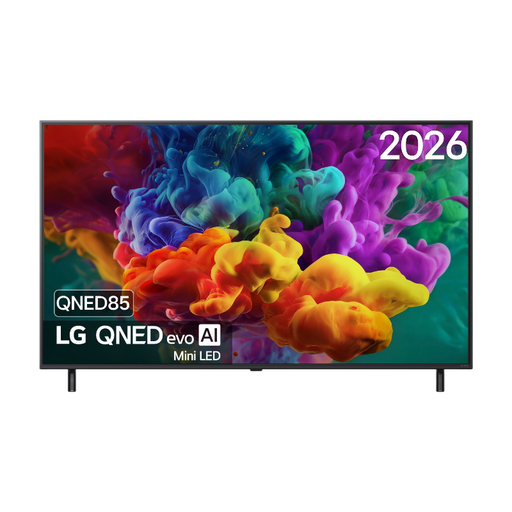
LG 55QNED85B6B 55-inch QNED Evo Mini LED 4K Smart TV
A mini LED option to compare if you watch during the day and also want to consider dark-scene performance.
55-inch · 4K · Dolby Vision · VRR up to 144 Hz
View at Joybuy
 No image available
TCL 85Q7D PRO 85-inch 4K SQD-Mini LED TV
A mini LED model to compare if both daylight and dark images matter to you; check that the size suits your viewing distance and available space.
85-inch · 4K · Anti-Reflection · Dolby Vision IQ
View at Joybuy
 No image available
TCL 55T8D 55-inch QLED with QD-Mini LED dimming, 4K HDR TV
A 55-inch QD mini LED option to compare if you’re looking for a fixed screen size for daytime viewing and astronomy programmes.
55-inch · 4K HDR · Dolby Vision · HDR10+ · 144 Hz VRR
View at Joybuy
Frequently asked questions
Is the brightest TV automatically the best solution for a window reflected in the screen?
No. Brightness and direct reflections are different properties. First, check the angle of the window from where you sit, then compare reflection tests and brightness figures for the exact model.
How do you choose the right screen size for your seating position?
Measure the distance from your eyes to where the TV will go. The Consumentenbond suggests around 2.4 times the screen diagonal as a starting point for a comfortable viewing distance; also check that the TV will physically fit.
How do you compare power consumption for SDR and HDR?
Compare the separate SDR and HDR figures in kWh per 1,000 hours on the model’s EU energy label. To estimate your own costs, you’ll also need your viewing hours for each mode and your electricity tariff.
What rights do you have when buying a TV online in the Netherlands?
For a standard online purchase of a new TV, you’ll generally have a statutory cooling-off period of up to 14 days after delivery. Your statutory guarantee is separate from any manufacturer’s warranty: if the TV doesn’t perform as you could reasonably expect under normal use, the retailer is responsible for providing a suitable solution. ACM ConsuWijzer explains these rights.
What information can you find on a TV’s energy label?
The EU energy label includes the energy class and information about energy consumption for SDR and HDR. Compare the label for the exact model; the European Commission explains the relevant EU rules for electronic displays.


