First, measure the distance from each seat and check that lecture text remains readable without reflections getting in the way. Then choose a playback method that works with your laptop or app, and check whether you can listen through headphones. If the TV will be shared, factor in the energy label and warranty terms too. A higher resolution or more expensive screen alone doesn’t prove that lectures will be easier to follow.
Who is this choice relevant to?
Housemates who watch together
You watch from different spots in the shared living room and want text and images to remain easy to follow, even when you’re sitting at an angle to the screen. Consumentenbond lists viewing angle and reflections as factors to compare when choosing a TV.
Students who want to listen quietly
You’re watching a lecture while other people are at home and want to know in advance whether you can connect headphones to the TV.
Students who play lectures from a laptop
You want to show lecture materials from your own device on the TV, so you’ll need a suitable connection or an available app.
What should you look for?
The main things to weigh up are readability from your seats, being able to listen quietly, a playback method that works and the cost of regular use.
| What to consider |
What should you look for? |
Who is this important for? |
| Readability from your seats |
Measure the distance to the screen and check small text from the furthest seat you’d normally use. Consumentenbond suggests around 2.4 times the screen’s diagonal as a starting point for comfortable viewing; this doesn’t guarantee that small lecture text will be readable. |
If I need to read slides or subtitles from the furthest seat, I want to check that it’s possible beforehand. Around 33% of consumers say readability is their main concern when buying. |
| Listening quietly |
Check whether the exact model has a suitable headphone socket or Bluetooth audio. If you want to listen through the TV speakers at the same time, check that this combination is supported too. |
If my housemates are at home, I want to follow a lecture without the TV sound disturbing them. Around 25% of consumers give quiet listening their highest priority. |
| Playing lectures |
Check whether you can connect your laptop or media player to an HDMI input, whether the app you want is available on the exact model, and whether you’ll need to keep an input free for it. |
If I want to show a lecture from my laptop, the connection needs to be suitable. If I’m not using a laptop, I want to know whether the required app is available. Around 25% of consumers say playback compatibility is their main concern. |
| Purchase and running costs |
Compare the EU energy labels of the specific models you’re considering, and take your own viewing hours and electricity tariff into account. A larger screen will generally use more electricity. |
If I use the TV often, I want to consider both the purchase price and electricity use. Around 17% of consumers put overall costs first. |
Pitfalls to avoid when buying
-
Choosing based on the 4K label alone
Consumentenbond points out that not every ultra-HD TV has good picture quality. For watching lectures, viewing distance, viewing angle and reflections matter too.
Check small text and subtitles from the seats your housemates will actually use, and compare measurements for the exact model where possible.
-
Assuming a smart TV will always support your lecture app
The range of apps varies between smart TVs, and apps can be removed. This means the service you want may no longer be available directly on the TV in future.
Check whether the app is available on the exact TV platform, and whether you can use a spare HDMI input as an alternative.
-
Confusing an extended warranty with your statutory rights
Your statutory guarantee rights apply alongside any additional retailer’s warranty. What you can expect from a product depends, among other things, on the product and the circumstances.
Read the information from ACM ConsuWijzer about statutory guarantees, then compare what an additional agreement actually offers.
Brands to compare
These models are examples of different 43-inch smart TVs. The brands mentioned don’t, by themselves, indicate availability or suitability for your seating arrangements.
Samsung
The UE43U8000HUXXN is a 43-inch Crystal UHD model that can serve as a compact option when comparing screens.
- Samsung lists a 4K screen for this model.
- Samsung gives it an F energy rating. That doesn’t tell you whether small lecture text will be readable from your seats.
Philips
According to Philips product information, the 43PUS9000/12 is a 43-inch 4K QLED TV with Ambilight.
- This model is worth including in a comparison if you’ll use the TV for things other than watching lectures too.
- Ambilight doesn’t prove that lecture slides will be easier to read. Check the apps and connections you need, along with the viewing angle, for the exact model.
LG
According to LG, the 43NU900B6LA is a 43-inch 4K smart TV with webOS.
- The built-in smart TV platform is relevant if you want to use apps directly on the TV.
- The picture enhancements mentioned by LG don’t prove that a particular lecture app will remain available or that the screen will be easy to read from every seat.
TVs for watching lectures
These Joybuy TVs are relevant when choosing a screen size and a way to play lecture materials, for example from an external device.
 No image available
Philips 43PUS8001/12 43-inch F 4K TV
A 43-inch model to compare if you want to show lecture materials from an external device and listen privately.
The specifications list 4K, three HDMI ports, Bluetooth 5.2 and a headphone output. The product name lists an F energy rating.
View at Joybuy
 No image available
Hisense 55A6S 55-inch 4K smart TV
A 55-inch screen to compare if you watch together from different seats.
The specifications list 4K, VIDAA Smart OS, a 178° viewing angle, three HDMI connections and Bluetooth. Energy class E is listed for SDR viewing. App availability may vary by country, region and software version.
View at Joybuy
 No image available
METZ 43MQF7500Z 43-inch QLED 4K UHD Google TV
A 43-inch model to compare if you want to play lecture materials from an external device.
The product name lists QLED, 4K UHD, Google TV and HDMI 2.1.
View at Joybuy
 No image available
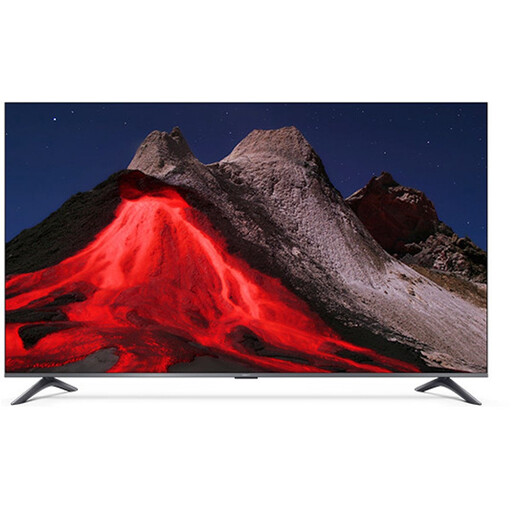
Xiaomi TV A Pro 2026 65-inch 4K QLED Google TV
A 65-inch model to compare if your housemates watch from seats spread around the room.
The specifications list 4K, QLED, Google TV, a 178° viewing angle and three HDMI connections.
View at Joybuy
 No image available
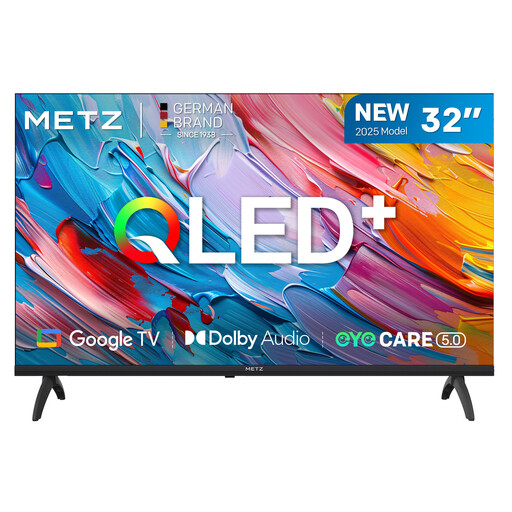
METZ 32MQF7000Z 32-inch QLED HD Google TV
A 32-inch model to compare if you’re looking for a smaller screen for the shared space.
The product name lists QLED, HD and Google TV. The specifications list three HDMI ports.
View at Joybuy
Frequently asked questions
How do I connect a laptop to show a lecture?
You can connect a suitable external device to the TV via HDMI. Check which output your laptop has and which cable or adapter you’ll need. If you want to play lectures without a laptop, check separately whether the app you need is available.
Can housemates listen through the TV and headphones at the same time?
It varies by TV. Some models can play sound through the speakers and headphones at the same time; check this feature for the exact model.
What does a TV’s energy label tell you?
TVs have an EU energy label with efficiency classes from A to G. The European Commission describes this scale for electronic displays; compare the labels of the models you’re considering.
How do I clean the TV screen?
Consumentenbond recommends switching off the TV, letting it cool down and cleaning the screen with a slightly damp microfibre cloth.
What should I check about the warranty and cooling-off period?
ACM ConsuWijzer covers statutory guarantees and cooling-off periods as separate topics. Check the information that applies to your purchase, and distinguish your statutory rights from any additional retailer’s warranty.


