Start by measuring the distance from your bed and checking the space available. Then check whether you can watch the race using your current TV receiver or a suitable app. Next, compare the motion handling of specific models: a higher quoted refresh rate doesn’t guarantee a better picture for sport. A compact LCD TV may be enough; OLED is worth considering if you mainly watch with the lights dimmed or often sit at an angle to the screen.
Who is this buying guide for?
Cycling fans who want to follow the action
You want to keep track of the riders and camera movements. So compare the motion handling of specific TV models rather than looking only at the hertz figure on the box. The Consumentenbond highlights smooth motion as something to consider when watching sport.
Viewers with limited bedroom space
You’re looking for a screen that’s comfortable to watch from your spot in bed and fits on your furniture or wall. The Consumentenbond suggests around 2.4 times the screen diagonal as a starting point for a comfortable viewing distance.
Viewers using an app or TV receiver
You want to be able to watch the race on your second TV. Check which app, connection or receiver you’ll need; the Consumentenbond notes that apps can disappear from smart TVs over time.
What should you look for when choosing?
First, measure your viewing distance and check how you’ll receive the broadcast. Then compare the motion handling and screen technology of models that fit in your bedroom.
| What to consider |
What should you check? |
Who is this important for? |
| Motion handling |
Check what the quoted panel frequency refers to and, where possible, look for an independent review of the motion handling on the exact model. Image processing can make movement look smoother, but it can also cause picture artefacts. |
If I want to follow the riders and camera movements clearly, I look beyond the hertz figure on the box. Around 25% of consumers prioritise motion handling. |
| Size and placement |
Measure the viewing distance from your usual spot in bed and check the TV’s width, including the stand, or the mounting specifications for the exact model. |
I want a screen that’s comfortable to watch from bed and fits in the intended space. Around 25% of consumers prioritise size and placement. |
| Access to the race |
Check which provider is showing the race and whether its app works on the TV. If not, see whether you can connect your existing receiver or a suitable media player via HDMI. |
I want to be able to watch using my existing source or a suitable app. Around 20% of consumers prioritise access to the race. |
| Light and viewing angle |
Consider daylight and reflections, and check whether you’ll be looking straight at the screen or from an angle while in bed. Compare brightness, black levels and viewing angles for each model. |
If the screen is opposite a window or I’ll be watching from an angle, I want to know how the picture looks in that setup. Around 15% of consumers give the most thought to light and viewing angle. |
| The overall picture |
Compare the energy label for the exact model and check whether your existing viewing source is enough or whether you’ll also need a receiver, media player or another setup. |
I want to know in advance what costs and running expenses come with my TV setup. Around 15% of consumers prioritise the overall cost. |
Pitfalls to avoid when choosing
-
Assuming a higher hertz figure means a better picture for cycling
A higher quoted refresh rate doesn’t guarantee a better picture when watching a cycling race. Image processing can make smooth movement look more fluid, but it can also cause picture artefacts when movement is irregular.
Compare the motion handling of the exact model and check what the quoted frequency refers to.
-
Choosing based only on screen size
Viewing distance and physical dimensions are two separate things to consider. A TV needs to be comfortable to watch from your bed and fit on your furniture or in the intended space on the wall.
Measure both the distance and the available width. For wall mounting, check the specifications for the exact model.
-
Assuming a built-in app will always give you access
Apps can disappear from smart TVs over time. If that happens, you may no longer be able to watch the race you want through that app.
Check which provider is showing the race and whether its app works on the TV. A suitable standalone media player connected via HDMI could be an alternative.
Brands to compare
TCL
The TCL 43C61B is a documented 43-inch LCD model from 2024, making it useful for comparing size and connections.
- The Consumentenbond lists Google TV, three HDMI inputs and Bluetooth headphone connectivity for the 43C61B.
- These details apply to this model and don’t indicate how other TCL TVs perform or which versions are currently available.
Sony
The BRAVIA 3 II is a 43-inch 4K option with Google TV to compare with compact LCD models.
- Sony describes the picture processing and motion features available on this series.
- These are the manufacturer’s descriptions, not an independent sports test of the 43-inch version. Also check the specifications and mounting details for the exact model.
Philips
According to Philips, the 42OLED811/12 combines a compact OLED screen with Ambilight.
- Philips lists 4K OLED and Ambilight for this model.
- The quoted frequency of up to 165 Hz doesn’t prove how well it displays a cycling broadcast. Ambilight is a product experience described by Philips.
LG
The Dutch OLED42C67LA is a 42-inch OLED option with webOS.
- For this version, LG lists 4K and a frequency of up to 165 Hz for gaming.
- The gaming specification isn’t an independent measurement of sports performance. Compare the energy information for the exact model.
Samsung
According to Samsung, its Dutch 43-inch range includes Crystal UHD and Neo QLED models.
- You can compare different LCD versions in the same screen size.
- Brightness, motion handling and connections can vary by model, so compare the full model number.
TVs at Joybuy
These 42- and 43-inch TVs are options to compare for watching cycling from bed. Check the exact size, available viewing source and motion handling before making your choice.
 No image available
LG OLED42C68LA 42-inch 4K OLED Smart TV
A compact OLED option if you’re considering this screen type. Check whether the size and viewing position suit your bedroom.
42 inch, 4K Ultra HD, OLED, webOS and HDMI 2.1.
Joybuy
 No image available
iFFALCON U65A 43-inch 4K LED Smart TV
A 43-inch option to compare if this size works in your bedroom. Assess the motion handling of this model separately.
4K LED and 50 Hz.
Joybuy
 No image available
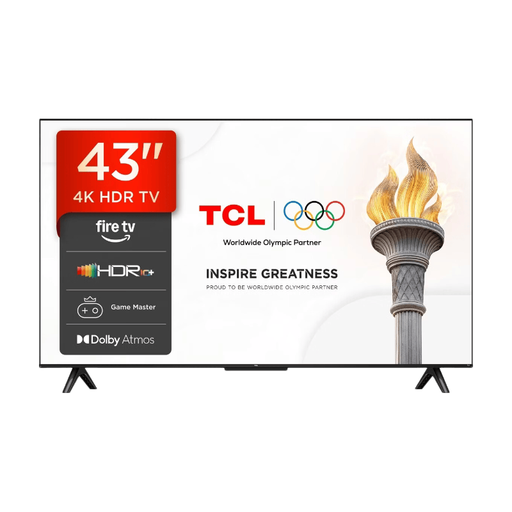
TCL 43V6D 43-inch FHD LED Smart TV
Compare this 43-inch TV with your viewing distance and the broadcast you want to watch. A quoted frequency alone doesn’t predict how it will display sport.
FHD LED and 120 Hz.
Joybuy
 No image available
Hisense 43E7S 43-inch 4K UHD QLED Smart TV
A 43-inch QLED option to compare with other screen technologies. Check in advance that you can access the race you want to watch through an available viewing source.
4K UHD, Vidaa and three HDMI 2.1 connections.
Joybuy
 No image available
CHiQ U43QM10E 43-inch 4K QLED Smart TV
A 43-inch model to consider if you’re looking for a compact TV with a QLED screen. Check which connection works with your viewing source.
4K Ultra HD, Google TV, VRR and HDMI 2.1.
Joybuy
Frequently asked questions
How do you choose the right TV size for watching from bed?
Measure the distance from your usual viewing spot. The Consumentenbond suggests around 2.4 times the screen diagonal as a comfortable starting point; also check the TV’s actual width and the stand. This isn’t a fixed rule.
Does a TV for sport have to be 100 or 120 Hz?
No. A higher panel frequency alone doesn’t determine how well a cycling race is displayed. Image processing can help make smooth movement look more fluid, but it can also cause artefacts when movement is irregular. Where possible, compare the motion handling of the specific model.
What if the app for your race stops working on the TV?
According to the Consumentenbond, apps can disappear from smart TVs. A suitable standalone media player connected via HDMI could be an alternative; check in advance that your race provider’s service works on it.
What should you consider when wall-mounting a TV in the bedroom?
Check the compatible bracket, screw holes and mounting instructions for the exact TV model. Sony warns of the risk of injury with its BRAVIA models and recommends having them installed by an authorised professional. This is the manufacturer’s advice for those models, not a general legal requirement.
Do TVs have to have an energy label?
Yes. According to the Dutch government, TVs must have an energy label. The European Union says that applicable labels must also be clearly displayed in online shops; compare the label for the exact model.


