
Vandaag of morgen in huis

Kwaliteit gegarandeerd

Welkomstaanbiedingen ontgrendelen: GRATIS bezorging | Tot 80% korting | Gratis 30 dagen JoyPlus-proefperiode
Download de app
A TV wall mount saves space and gives your television a neat place on the wall. But choosing one involves more than just screen size. The wrong VESA size, insufficient weight capacity or an unsuitable wall can leave your screen crooked, damage cables or cause the mount to come loose.
The product specifications below are based on the available product information. Before buying, always check your television’s manual and the manufacturer’s installation instructions too.
A 65-inch TV wall mount or 75-inch TV wall mount will not automatically fit every television of that size. Manufacturers use different VESA patterns, and televisions with the same screen size may have different mounting points.
For example, a 65-inch screen may have a 400 × 400 mm VESA pattern, while another model uses 600 × 400 mm. So always check:
An ultra-slim TV wall mount keeps the screen close to the wall. It looks neat, but leaves less room for HDMI cables, power plugs and connections at the back.
A fixed mount is suitable if you watch the screen from directly in front. For a corner setup or a room with several seating areas, a tilting TV wall mount or swivelling TV wall mount is more practical. A full-motion TV mount can also pull away from the wall, but needs more space and requires extra care when routing cables.
The TV mount’s weight capacity is not the same as your wall’s load-bearing capacity. Concrete and solid brick are generally different mounting surfaces from plasterboard, lightweight partition walls or hollow walls. Use fixings that are suitable for the wall, and when fitting it to a wooden wall, secure the mount to the studs.
For large screens, such as an 86-inch TV or larger, it’s sensible to have two people carry out the installation. Professional installation may be needed for business use in schools, shops, hospitality venues and public spaces.
VESA refers to the distance between the mounting holes on the back of the screen. Common patterns include 100 × 100, 200 × 200, 400 × 400 and 600 × 400 mm. A VESA wall mount must support your screen’s pattern.
Some product pages list a broad VESA range, while others specify only certain patterns. If in doubt, check your television’s technical drawing rather than relying on the screen size alone.
Use the weight of the TV without its stand as your starting point. The mount’s maximum weight capacity must be higher than this. Models with a capacity of 100, 125 or even 160 kg are available for large screens and interactive monitors.
A heavy-duty TV wall mount is not automatically suitable for every large television. The VESA pattern, dimensions of the mounting plate and wall construction must all be compatible too.
Choose a mount to suit your viewing position:
Also check that the mount leaves enough room for cables. A model with cable management can help keep connections tidy, but it does not replace correct cable bend radius or strain relief.
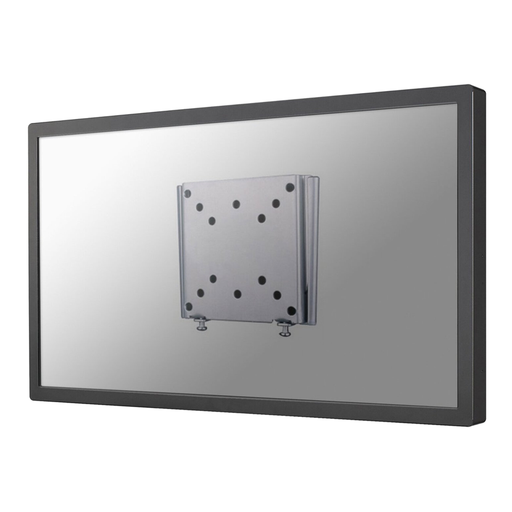
Why it suits this type of user: For a small monitor or television in a bedroom, home office or compact space. According to the product specifications, the mount supports screens measuring 10 to 30 inches and weighing up to 30 kg.
The model specifies both the screen size and VESA compatibility from 50 × 50 to 100 × 100 mm, so you can check the key fit requirements in advance.
Fixed design, 1.5 cm distance from the wall, mounting hardware and an anti-theft lock, according to the product description.
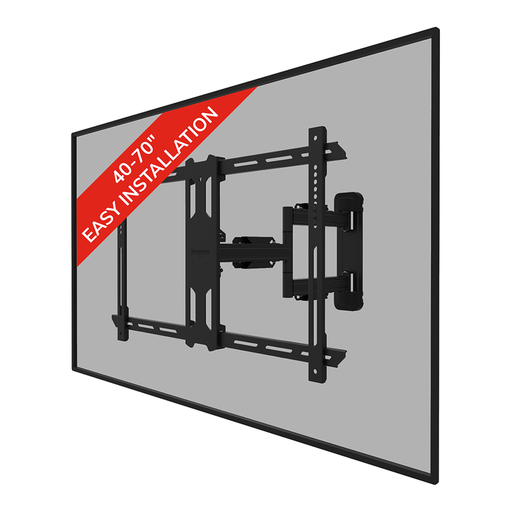
Why it suits this type of user: For living rooms with multiple viewing positions. According to the product specifications, this TV wall mount tilts up to 14° and swivels horizontally up to 40°.
The distance from the wall adjusts from 4.7 to 55.5 cm, leaving more room for connections than a completely flat model.
Suitable for screens from 40 to 70 inches, supports up to 45 kg, VESA 200 × 100 to 600 × 400 mm, and includes cable management according to the product information.
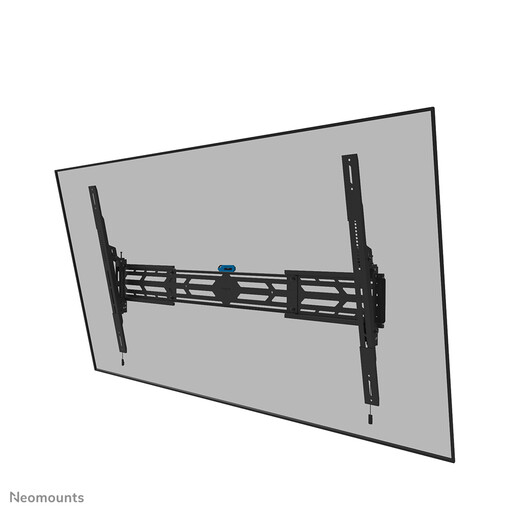
Why it suits this type of user: For large screens in hospitality venues, shops, schools and presentation rooms. The product specifications state that it supports screens from 55 to 115 inches and weighing up to 160 kg.
The broad VESA range of 100 × 100 to 1500 × 900 mm reduces the chance of choosing the wrong mounting plate for large displays. Be sure to check your screen’s exact pattern.
Tilt settings of 4°, 8° and 12°, height adjustment, portrait and landscape mounting, and locking with a separate padlock, according to the product specifications.
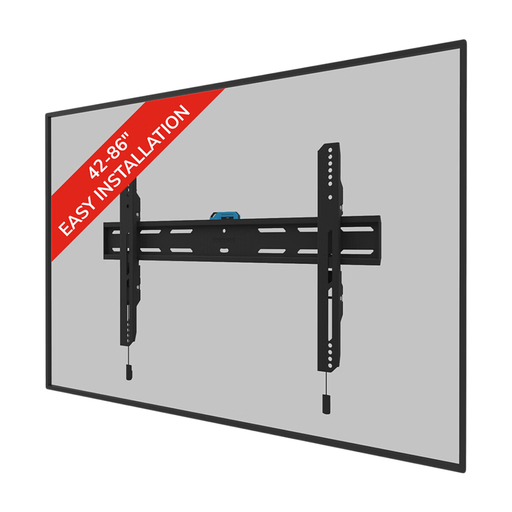
Why it suits this type of user: For an 86-inch TV in an office, shop or public space where a fixed mount and locking feature are preferred.
The mounting specifications list screens from 42 to 86 inches, a maximum weight of 60 kg and VESA patterns from 100 × 100 to 600 × 400 mm. The included anti-theft screw is designed to make the installation more secure.
Fixed distance of 3.3 cm from the wall, height and levelling adjustment, magnetic pull-and-release system, and a locking option, according to the product description.
We’ve put together a complete, up-to-date list of products that meet these strict selection criteria and current European safety regulations.
A manufacturer may state a particular load capacity or function in the product description. According to Neomounts’ own product specifications, some models can, for example, be secured with an anti-theft screw or padlock. This is no substitute for a suitable wall, the correct wall plugs and proper installation.
No. Screen size is just one factor. Also check the VESA pattern, weight and the mount’s maximum dimensions.
It depends on where you sit and the height of your furniture. As a general rule, position the centre of the screen around eye level when you’re seated. If the TV is mounted higher, a tilting TV wall mount can help reduce distracting reflections and an uncomfortable viewing angle.
Its lifespan depends on the material, load, installation and use. Check the screws, fixing points and any moving parts regularly. Replace the mount if it is bent, rusty or damaged, or if there is any play that cannot be adjusted according to the manual.
