
Vandaag of morgen in huis

Kwaliteit gegarandeerd

Welkomstaanbiedingen ontgrendelen: GRATIS bezorging | Tot 80% korting | Gratis 30 dagen JoyPlus-proefperiode
Download de app
A new flat-screen TV is a significant purchase. To get the most out of it, you'll want it mounted sleekly and securely on your wall. A good TV wall mount not only saves space but also provides a modern aesthetic. However, the selection is vast, and you're often bombarded with marketing terms. As a result, it's easy to make the wrong choice.
Many people fall into the same traps. They buy a mount that doesn't end up fitting, or one that isn't suitable for their viewing environment. This leads to frustration, extra costs, and in the worst-case scenario, an unsafe installation. Let's look at the most common mistakes so you can avoid them.
Fortunately, these problems are easily avoided by paying attention to a few key specifications.
Before you choose a mount, there are three technical details you must check. These determine whether a mount is suitable and safe for your TV and your home.
The VESA size is the standardised distance between the four mounting holes on the back of your television. This is indicated in millimetres, for example, 200x200 or 400x400. A TV mount must support the exact same VESA size as your TV.
Every mount has a maximum weight capacity (in kg) and is suitable for a specific range of screen sizes (in inches). It is crucial that your TV's weight is well within the mount's limit. Choosing a mount based on screen size alone is not enough. For example, an older 55-inch plasma TV can be much heavier than a modern 55-inch OLED TV. Therefore, always check the weight of your TV.
The function of the mount determines your viewing comfort. There are three main types:
To help you choose, we've matched some popular models with specific user profiles. These recommendations are based on objective product specifications.
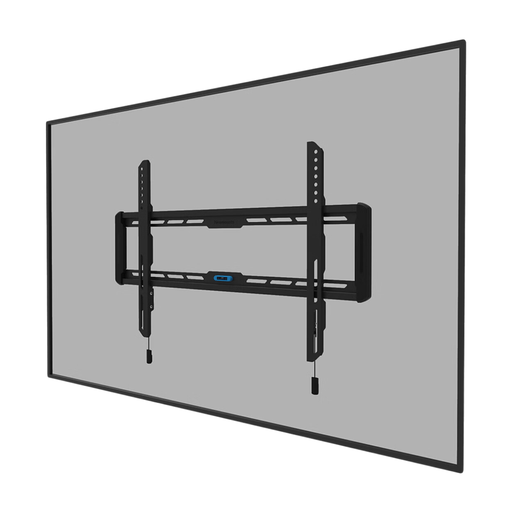
Why This Fits Their Persona: You want your large TV (up to 86 inches) as flush to the wall as possible for a seamless, modern look. This mount has a depth of only 2.3 cm, allowing your TV to virtually disappear into the wall.
This mount avoids the 'one-size-fits-all' trap by supporting a wide range of VESA sizes (100x100 to 600x400) and a high weight capacity (60 kg), suitable for most large TVs.
The magnetic 'pull & release' system makes attaching the TV simple. The integrated spirit level helps ensure a straight installation.
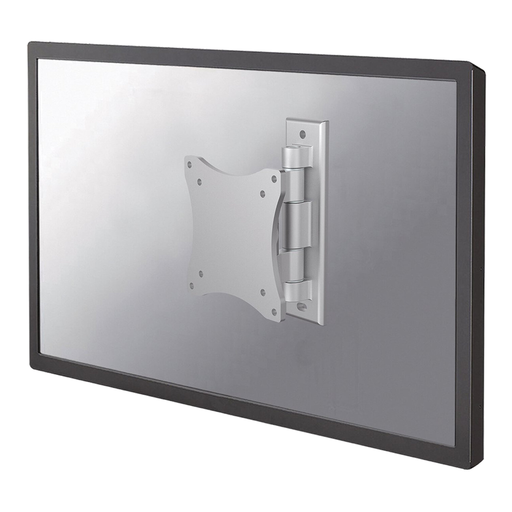
Why This Fits Their Persona: Ideal for a smaller TV (up to 27 inches) in the kitchen, home office, or a studio apartment. You want to be able to swivel the TV to watch from different angles.
This mount completely solves the 'wrong viewing angle' problem. Instead of a fixed position, this full-motion wall mount offers the freedom to swivel the screen 180° and tilt it 20°.
Maximum flexibility thanks to two pivot points. The depth is adjustable from 4 to 7 cm, so you can push the TV flat against the wall when not in use.
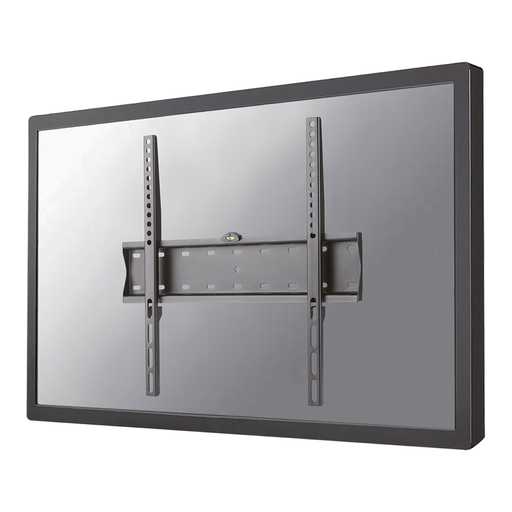
Why This Fits Their Persona: You're looking for a reliable, no-nonsense solution for your mid-sized TV (32-55 inches) in the living room. You want a clean result without paying for features you don't use.
This flat TV mount has clear specifications for the most common TV sizes and VESA patterns (200x200 to 400x400). The integrated spirit level helps prevent a crooked installation.
A solid and affordable choice with a slim profile of 2.7 cm. This Neomounts mount provides a secure and sleek installation for the most common TVs in modern households.
We have compiled a complete, up-to-date list of products that fully meet these strict selection criteria and safety standards.
No, not without the proper precautions. The suitability depends on the wall material.
When in doubt, always consult a professional.
The easiest way is to check your TV's manual or its online specifications. Look for "VESA" or "mounting pattern." If you can't find this information, you can measure it yourself. Measure the distance in millimetres between the mounting holes on the back of your TV, first horizontally (width) and then vertically (height). A measurement of 400 mm wide and 200 mm high means a VESA size of 400x200.
For a confident DIYer with the right tools (drill, spirit level, stud finder), mounting the TV is quite manageable. Read the mount's instructions carefully and, preferably, work with two people, especially with a larger TV. If you have any doubts about the wall or your own skills, it's wise to hire a professional installation service. Some services, like the TV Wall-Mounting service, can handle this work for you.
