
Vandaag of morgen in huis

Kwaliteit gegarandeerd

Welkomstaanbiedingen ontgrendelen: GRATIS bezorging | Tot 80% korting | Gratis 30 dagen JoyPlus-proefperiode
Download de app
Mounting a TV on the wall seems like a simple job, but the wrong TV wall mount can lead to a crooked TV, damaged walls, or worse. Many people fall for marketing traps or ignore crucial specifications, resulting in frustration and unnecessary costs. As a Product Recommendation Officer at Joybuy, I'll help you make the right choices based on facts, not hype.
Before you buy a TV wall mount, watch out for these common pitfalls:
To avoid buyer's remorse, focus on three technical specifications. These determine whether a mount is suitable for your TV and your space.
These are the two most important specifications.
Your viewing habits and room layout will determine which type of mount you need.
Not every wall is suitable for every mount. A concrete wall can support more weight than drywall. Check what your wall is made of. For hollow walls, you'll need special anchors, and it's recommended to attach the mount to the underlying wood or metal studs. Some mounts, like many Neomounts mounts, make installation easier by including a drilling template and a spirit level.
Below are some popular choices, matched to specific user profiles and needs.
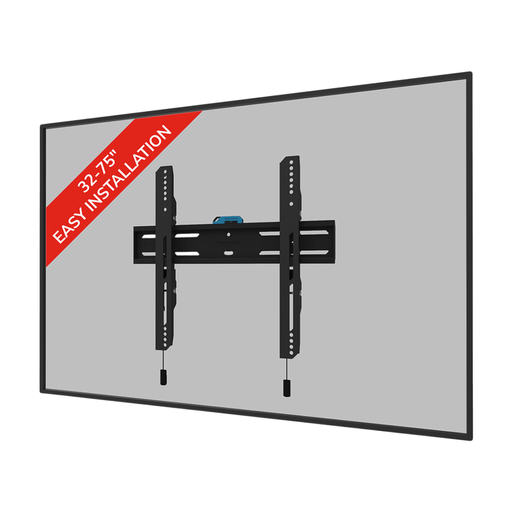
Why This Fits Their Persona: This user wants a clean, uncluttered living room where the TV blends seamlessly into the decor. A fixed, flat mount is the only option for this. The TV hangs on the wall like a painting, without any obtrusive arms or mechanisms.
This mount has clear VESA compatibility (100x100 to 400x400 mm) and a weight capacity of 50 kg, so you won't fall into the "universal" trap. It's suitable for a 55-inch TV mount and even a 65-inch wall mount, as long as the specs match.
Only 3.3 cm deep for an ultra-flat installation. Comes with a drilling template and spirit level for easier setup.
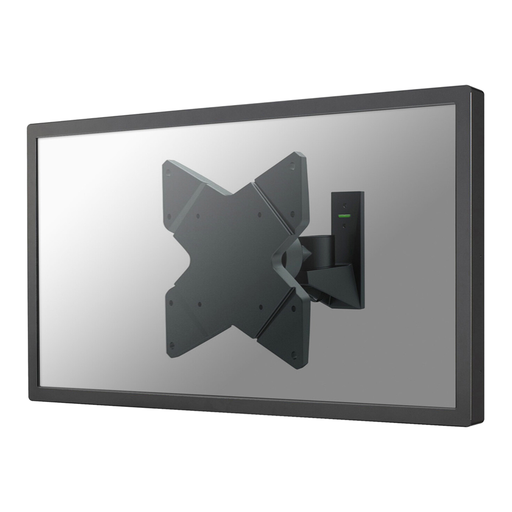
Why This Fits Their Persona: Ideal for those who want to mount a smaller TV (up to 40 inches) in an awkward corner, an open-plan kitchen, or a studio apartment. This user wants to be able to turn the TV towards the sofa, bed, or dining table for maximum flexibility.
This model prevents "fixed mount regret." The swivel (180°), rotate (360°), and tilt (30°) functions ensure you can always set the perfect viewing angle, making glare and a stiff neck a thing of the past.
Full range of motion for an optimal viewing experience from any angle. The depth is only 9 cm when the mount is fully retracted.
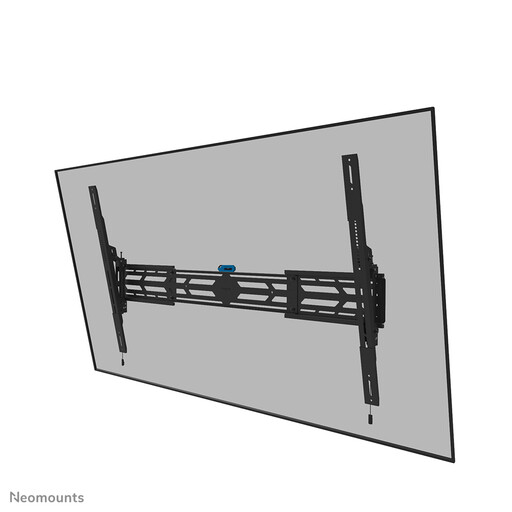
Why This Fits Their Persona: For offices, hospitality venues, retail stores, or homes that need to securely mount a very large and heavy screen (up to 110 inches and 160 kg). Safety and robustness are the absolute priorities here.
This mount is designed for extreme loads and avoids the "installation nightmare" by focusing clearly on safety. The ability to lock the mount with a padlock (not included) provides extra security in public spaces.
Extremely high weight capacity of 160 kg and a very wide VESA compatibility (up to 1500x900 mm). The tilt function and the ability to mount in both portrait and landscape mode make it highly versatile.
We have compiled a complete, up-to-date list of products that meet these strict selection criteria and safety standards.
VESA is a standard that defines the distance between the four mounting holes on the back of a TV. This is measured in millimetres, first horizontally and then vertically (e.g., 400x200 mm). You can find your TV's VESA pattern in the manual, on the manufacturer's website, or by measuring the distance between the holes yourself with a tape measure.
Yes, it's possible, but it requires extra care. A drywall sheet itself is not strong enough to support a TV's weight. You must attach the mount to the wood or metal studs behind the drywall. Use a stud finder to locate them. If that's not possible, you can use special hollow-wall anchors (like toggle bolts), but always check the specifications of both the anchors and the wall mount to ensure they can handle the combined weight. Safety first.
A good rule of thumb is to hang the TV so that the centre of the screen is at eye level when you are seated on your sofa. This is usually between 100 and 110 centimetres from the floor. In a bedroom, where you often watch while lying down, the TV can be mounted higher. In that case, a tilting TV wall mount is recommended, allowing you to angle the screen downwards for a comfortable viewing angle.
