
Vandaag of morgen in huis

Kwaliteit gegarandeerd

Welkomstaanbiedingen ontgrendelen: GRATIS bezorging | Tot 80% korting | Gratis 30 dagen JoyPlus-proefperiode
Download de app
Mounting a new television on the wall instantly gives your living room a clean, modern look. But the search for the right TV wall mount can be surprisingly complex. The market is filled with models that promise a lot but don't always deliver. The wrong choice not only leads to frustration but can also be dangerous. Before you make a purchase, it's crucial to understand the most common pitfalls.
Many buyers fall into two specific traps:
This guide helps you avoid these problems by focusing on the specifications that truly matter.
To avoid buyer's remorse, there are three technical specifications you must check. These determine the safety, compatibility, and ease of use of your television wall mount.
The VESA standard is the standardised distance between the four mounting holes on the back of your television, expressed in millimetres (width x height). This is the most important factor for compatibility. A TV with a 400x400 mm VESA pattern needs a mount that supports this specific pattern.
Although manufacturers often specify a screen size (such as a 55-inch TV mount), the maximum load capacity is the most critical safety specification. An older 55-inch plasma TV can be significantly heavier than a modern 65-inch OLED TV.
The functionality determines how you can position the TV. Your choice depends on the room's layout and your viewing needs.
Based on these criteria, we have selected a number of wall mounts that suit different user profiles and situations.
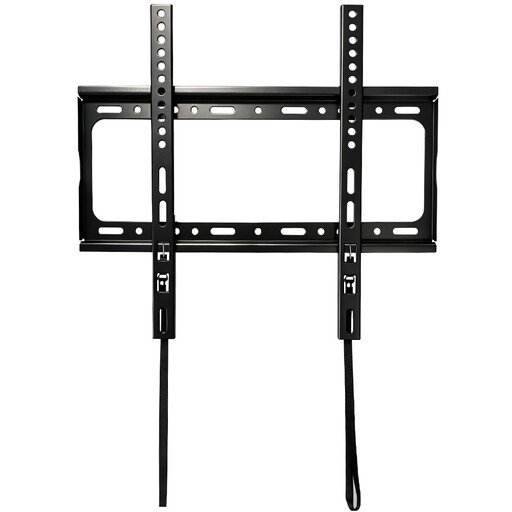
Why This Fits Their Persona: For those who want their TV mounted flush against the wall like a painting, without unnecessary features. This mount focuses on one thing: securing the TV as close to the wall as possible for a minimalist aesthetic.
This mount has a wide VESA range (up to 400x400 mm) and a solid load capacity (up to 50 kg), minimising the risk of a mismatch with common TV models.
The ultra-slim 25 mm profile creates a seamless look. Its steel construction offers a reliable and affordable solution for safely mounting a TV.
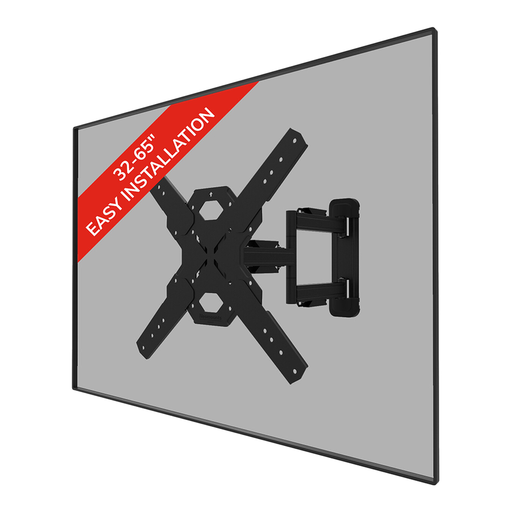
Why This Fits Their Persona: Ideal for open-plan living spaces where you watch TV from multiple angles—the sofa, dining table, or kitchen. This swivelling TV mount provides the freedom to always position the screen perfectly.
Unlike cheaper models that are stiff or have a limited swivel angle, this Neomounts TV mount offers smooth and extensive freedom of movement (45° swivel, 14° tilt).
True 'full-motion' flexibility with an extendable arm (up to 55.5 cm). Includes handy extras like a mounting template, spirit level, and cable management for a clean installation.
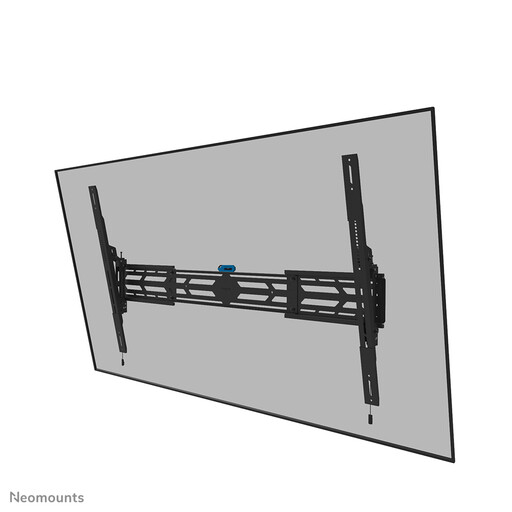
Why This Fits Their Persona: When you have a large, heavy TV (75 inches or more), safety isn't an option—it's a requirement. This mount is engineered for the heaviest screens, offering peace of mind for both home and business environments.
This mount is built for an extremely high weight capacity (up to 160 kg), completely eliminating the pitfall of weak construction. The risk of sagging or falling is minimised.
Heavy-duty steel, a lockable design (with a padlock option), and a very wide VESA range (up to 1500x900 mm) make this a robust solution for the largest and heaviest screens.
We have compiled a complete, up-to-date list of products that meet these strict selection criteria and safety standards.
No, the type of wall is critical for a safe installation.
The VESA standard is almost always listed in the manual or on the product page for your television. If you can't find it, you can measure the distance between the mounting holes on the back of the TV yourself. First, measure the horizontal distance (in mm) and then the vertical distance between the centres of the holes. The result is your VESA standard (e.g., 400 x 200 mm).
A good rule of thumb is to hang the centre of the TV screen at eye level from your primary viewing position (usually the sofa). For most living rooms, this means the centre of the TV will be about 100 to 110 centimetres from the floor. This ensures a comfortable and ergonomic viewing experience.
