
Vandaag of morgen in huis

Kwaliteit gegarandeerd

Welkomstaanbiedingen ontgrendelen: GRATIS bezorging | Tot 80% korting | Gratis 30 dagen JoyPlus-proefperiode
Download de app
Mounting a TV on the wall is a popular way to create a sleek interior and save space. But the search for the perfect TV wall mount can be surprisingly complex. The wrong choice not only leads to frustration but can also be dangerous. As a Joybuy Product Recommendation Officer, I'll help you see through the marketing jargon and make the right, safe choice based on facts. Let's look at the most common pitfalls.
Pitfall 1: The "one-size-fits-all" myth Many people only look at the screen size (in inches) listed on the packaging. This is a mistake. The weight of your TV and its VESA size are far more important. An older 42-inch plasma TV can be heavier than a modern 55-inch LED TV. If the mount's weight capacity is too low, your TV could sag or even fall off the wall.
Pitfall 2: Choosing the wrong functionality A fixed mount is inexpensive and sits flush against the wall, but it's impractical if you're dealing with reflections or watch TV from different angles. A full-motion mount offers maximum flexibility but is often more expensive and complex to install. The choice between a fixed, tilting, or full-motion mount should depend on your viewing habits and the room's layout, not just the price.
Before you consider any TV mounting bracket, you must check two specifications of your television. These are non-negotiable.
VESA stands for Video Electronics Standards Association. A VESA wall mount follows a standard pattern for the screw holes on the back of your TV or monitor. The size is indicated in millimetres, for example, 200x200 mm or 400x400 mm.
A bracket with the wrong VESA size simply will not fit.
Every TV wall mount has a maximum weight capacity, expressed in kilograms. This is the most important safety factor.
The functionality of the mount determines your viewing comfort.
Based on objective specifications, we have selected a number of mounts that suit different user profiles and avoid the pitfalls mentioned earlier.
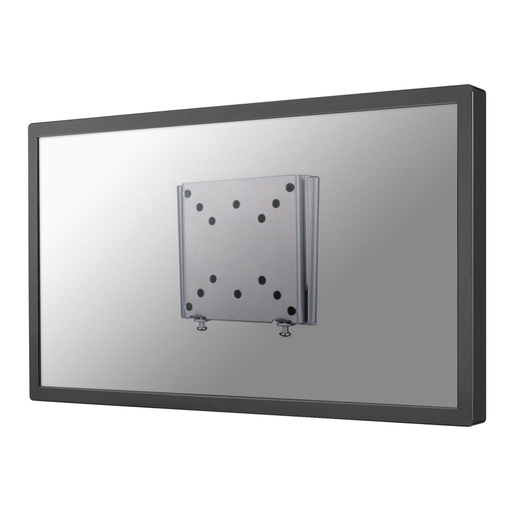
Why This Fits Their Persona: Ideal for a smaller TV or monitor in the bedroom, study, or kitchen. If you want a clean, unobtrusive look and don't need flexibility, this is a solid and affordable choice.
This mount is designed for a specific task: hanging a screen flush against the wall. You're not paying for features you don't use. The clear specifications (up to 30 kg, VESA 50x50 to 100x100) prevent a mismatch.
Very slim profile of just 1.5 cm for a seamless look. Includes an anti-theft feature, which is a plus for both home and commercial settings.
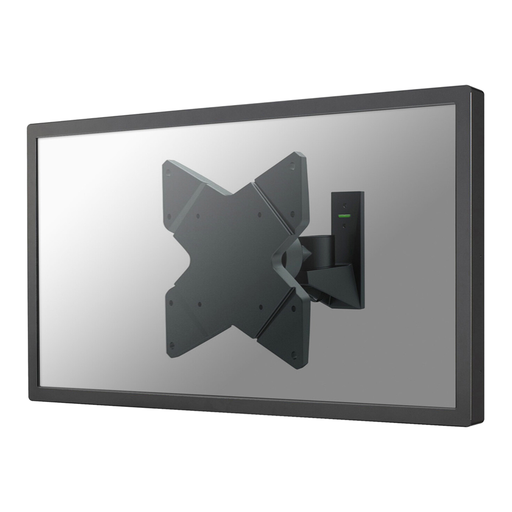
Why This Fits Their Persona: Perfect for the living room where you need to swivel the TV between the seating area and the dining table, or to avoid annoying glare from the sun. This mount offers the freedom to continuously adjust the viewing angle.
This mount solves the "wrong functionality" pitfall. You are not locked into a single viewing angle. Neomounts' technology, as stated by the manufacturer, allows for smooth adjustments.
Full range of motion: 30° tilt, 360° rotation, and 80° swivel. Suitable for a wide range of VESA sizes (75x75 to 200x200 mm) and TVs up to 20 kg.
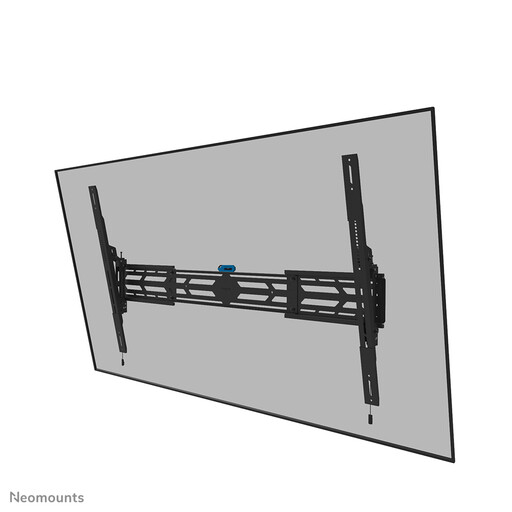
Why This Fits Their Persona: If you have a large, expensive TV (55 inches or larger), safety is the highest priority. This heavy-duty mount is designed for extreme loads and offers peace of mind.
This mount tackles the "weight" pitfall head-on. With a weight capacity of 160 kg, it is rated for the heaviest consumer TVs. Its broad VESA compatibility (up to 1500x900 mm) ensures it will fit almost any large screen.
Extremely high weight capacity (160 kg). Suitable for both landscape and portrait orientation. Lockable with a screw for extra security and theft prevention.
We have compiled a complete, up-to-date list of products that fully meet these strict selection criteria and safety regulations.
No, this is a crucial safety point. A TV wall mount must always be installed on a load-bearing wall. These are walls made of solid concrete, brick, or with sturdy wooden studs. Mounting on a hollow drywall wall without anchoring into the underlying structure is extremely dangerous and can cause the TV, mount and all, to fall off the wall. Use a hammer drill for masonry walls and a stud finder for wood-frame walls.
VESA is a universal standard for the distance between the four mounting holes on the back of your TV. It is noted as 'horizontal distance x vertical distance' in millimetres (e.g., 400x200). You can find this size in your TV's manual or by measuring it yourself. Make sure your TV's VESA size matches the VESA specifications of the wall mount.
For a standard installation, you will typically need a (hammer) drill, a spirit level, a screwdriver or bit set, and a pencil. A stud finder is essential when mounting on a wood-frame wall. Most mounts come with screws for the TV, but you may need to purchase wall plugs and screws separately, tailored to your wall type. Always read the mount's manual carefully. If in doubt, or with a heavy TV, it is wise to have the installation done by a professional.
