
Vandaag of morgen in huis

Kwaliteit gegarandeerd

Welkomstaanbiedingen ontgrendelen: GRATIS bezorging | Tot 80% korting | Gratis 30 dagen JoyPlus-proefperiode
Download de app
Mounting a new TV on the wall instantly gives your living room a clean, modern look. But the search for the perfect TV wall mount can be surprisingly complex. The market is filled with models making all sorts of promises. To ensure you make the right choice, it's crucial to know what to look for.
Many buyers fall into a few common pitfalls:
This guide will help you avoid these problems and make a choice that suits your TV, your wall, and your viewing habits.
Before you look at features, there are three technical specifications that must be your primary guide. If these don't match, the mount simply won't fit.
The functionality of a wall mount determines your viewing flexibility. The choice depends on where and how you watch.
Based on objective specifications and different user profiles, we have highlighted several popular choices.
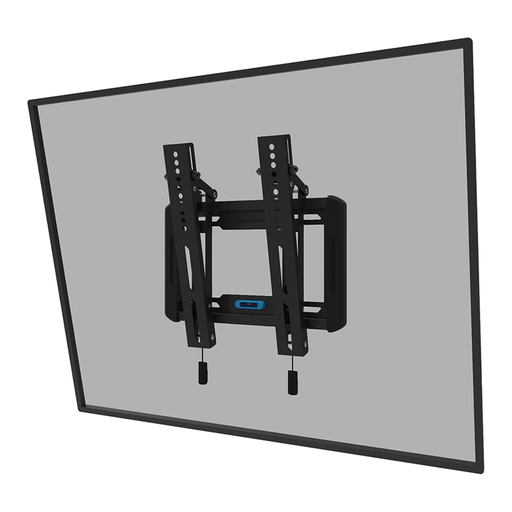
Why This Fits Their Persona: Ideal for those seeking a reliable, no-nonsense solution. This mount offers the essential tilt function to combat glare, without the complexity and cost of a full-motion model. Perfect for a standard living room or bedroom setup.
This mount avoids the pitfall of paying for superfluous features. You only pay for the useful tilt function. The built-in spirit level makes for an easy-install TV mount, reducing the risk of a crooked installation.
Slim Profile: Sits just 3.3 cm from the wall for a sleek look. Broad Compatibility: Suitable for VESA sizes from 75x75 to 200x200 mm and TVs up to 40 kg.
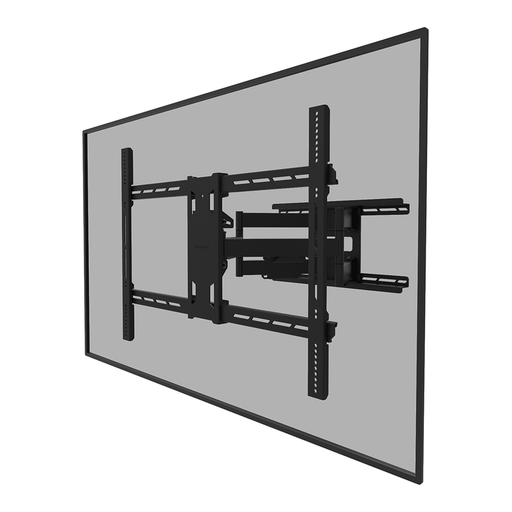
Why This Fits Their Persona: For owners of large, heavy televisions who demand maximum flexibility. This full-motion TV mount allows you to swivel and tilt the screen, ideal for large rooms or for watching from an open-plan kitchen.
This model tackles the pitfall of insufficient load capacity. With a capacity of 125 kg, this mount is built for the heaviest screens, ensuring the safety of your valuable TV. The construction is designed for durability.
Very High Load Capacity: Suitable for screens up to 110 inches and 125 kg. Wide Range of Motion: Offers 45° swivel and 15° tilt capabilities for an optimal viewing angle in any situation.
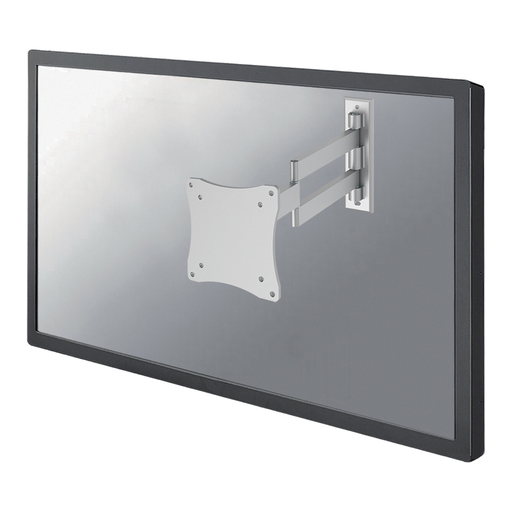
Why This Fits Their Persona: Perfect for a smaller TV in the kitchen, study, or a tight space. This compact yet highly flexible mount makes it possible to place a screen in a corner or swivel it completely out of the way when not in use.
This model avoids the "one-size-fits-all" pitfall. Instead of using a bulky mount for a small TV, this model is specifically designed for lighter screens. Its three pivot points offer unparalleled flexibility that larger mounts cannot match.
Three Pivot Points: Provides an exceptionally wide range of motion (180° swivel) and a depth adjustment from 4 to 36 cm. Compact and Lightweight: Suitable for screens up to 27 inches and 12 kg, with VESA 75x75 and 100x100 mm.
We have compiled a complete, real-time list of products that fully satisfy these strict selection criteria and UK safety regulations.
The VESA size is almost always listed in your television's manual or on the manufacturer's product page. If you can't find it, you can easily measure it yourself. Measure the horizontal and vertical distance between the centre of the mounting holes on the back of the TV in millimetres. The size will be, for example, 400x200 mm.
Yes, mounting a TV on a plasterboard (hollow wall) is possible, but it requires extra care. Use special hollow-wall anchors (like toggle bolts) that expand and grip behind the plasterboard. Always check the maximum weight that the anchors can support. For heavier televisions, it is strongly recommended to mount the bracket directly onto the wooden or metal studs behind the plasterboard.
A good rule of thumb is to hang the TV so that the centre of the screen is at eye level when you are seated on your sofa. On average, this is between 100 and 110 centimetres from the floor. This ensures the most comfortable viewing experience and prevents neck strain. If you need to hang the TV higher, a tilting TV mount is a great solution to angle the screen downwards.
