
Vandaag of morgen in huis

Kwaliteit gegarandeerd

Welkomstaanbiedingen ontgrendelen: GRATIS bezorging | Tot 80% korting | Gratis 30 dagen JoyPlus-proefperiode
Download de app
Mounting a television on the wall is a popular way to save space and create a sleek, modern look in your living room, bedroom, or office. But the search for the perfect TV wall mount can be surprisingly complex. The selection is vast, and the specifications are not always clear. As a result, many people make choices they later regret.
Before you make a purchase, it's wise to consider a few common pitfalls:
This guide will help you avoid these pitfalls and make an informed decision.
To find the right TV mounting bracket, there are a few technical specifications you must check. These determine the safety, compatibility, and ease of use.
The VESA mount standard is the universal measurement for the distance between the four screw holes on the back of your television. It is expressed in millimetres, for example, 200x200 mm or 400x400 mm. Before buying a mount, you need to know your TV's VESA size. This is usually listed in your TV's manual, or you can measure it yourself: measure the horizontal and vertical distance between the centres of the screw holes. The wall mount's specifications must match your TV's VESA size.
Manufacturers often recommend a screen size in inches, such as a 65-inch TV mount. While this is a useful indicator, the maximum weight capacity of the mount is even more important. A modern 65-inch TV is lighter than a model from a decade ago. Always check the weight of your television and ensure the wall mount can comfortably support it. When in doubt, always choose a mount with a higher weight capacity for extra peace of mind.
There are three main types of TV mounts, each with its own function:
As a Joybuy Product Recommendation Officer, I filter the market based on objective specifications. Below are some popular choices that suit different needs.
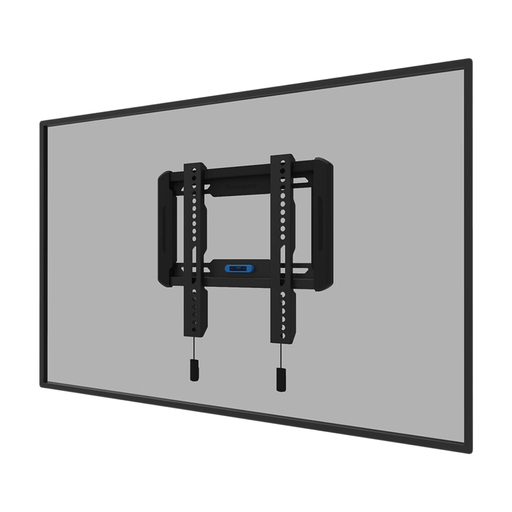
Why This Fits Their Persona: Perfect for those who want a sleek, unobtrusive installation. The TV hangs like a painting on the wall, which is ideal for a modern living room where the viewing position is fixed.
This mount prevents you from paying for unnecessary features. It is a pure, fixed solution with an ultra-slim profile of 2.3 cm, which is exactly what a minimalist is looking for.
Ultra-slim profile: With only 2.3 cm of space from the wall, this is one of the flattest options available. Easy installation: According to the manufacturer Neomounts, the magnetic 'pull & release' system ensures quick mounting.
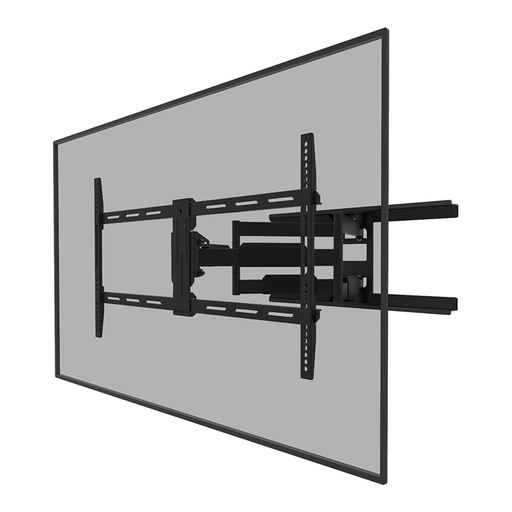
Why This Fits Their Persona: Ideal for those who watch TV from different spots in the room, such as the dining table and the sofa. The full range of motion allows for perfect adjustment of the viewing angle.
This is a deliberate choice for flexibility. Instead of paying for an unused feature, you are choosing a mount that will actually be used to enhance the viewing experience in a dynamic space.
Wide range of motion: According to the manufacturer, the mount offers 18° of tilt and 54° of swivel. Broad compatibility: Suitable for larger screens up to 75 inches and a wide VESA range up to 800x400 mm.
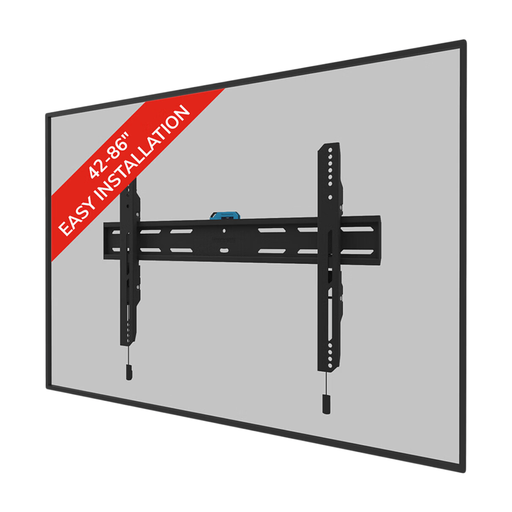
Why This Fits Their Persona: Designed for public or commercial spaces such as offices, hospitality venues, or retail stores. The focus is on safety, durability, and theft prevention for large, heavy screens.
This mount directly addresses the safety risk. Instead of using a standard consumer mount for a heavy screen, this model offers specific features for a secure and robust installation.
Lockable design: The mount can be secured with an included anti-theft security screw or a padlock (not included). High weight capacity: Suitable for screens up to 86 inches with a maximum weight of 60 kg.
We have compiled a complete, up-to-date list of products that fully meet these strict selection criteria and safety regulations.
Yes, it is possible, but it requires extra precautions. A drywall (plasterboard) wall alone is not strong enough to support the weight of a TV and mount. You must always attach the mount to the wooden or metal studs behind the drywall. Use a stud finder to locate them. For added security or with heavy TVs, you can use special hollow-wall anchors or a reinforcement plate. When in doubt, always consult a professional.
The VESA size is usually listed in the specifications in your television's manual or on the manufacturer's product page. If you cannot find this information, you can easily measure it yourself. Measure the distance in millimetres between the screw holes on the back of your TV, first horizontally and then vertically. The VESA size would then be, for example, 400x200 (400 mm wide, 200 mm high).
A good rule of thumb for hanging your television is that the centre of the screen should be at eye level when you are seated in your favourite viewing spot. For most living rooms, this means the centre of the TV will be about 100 to 110 cm from the floor. This ensures a comfortable and ergonomic viewing experience.
