
Vandaag of morgen in huis

Kwaliteit gegarandeerd

Welkomstaanbiedingen ontgrendelen: GRATIS bezorging | Tot 80% korting | Gratis 30 dagen JoyPlus-proefperiode
Download de app
Hanging a new TV on the wall seems simple—until you buy the wrong wall mount. A wobbly TV, holes in the wrong place, or a mount that can't handle the weight are all common issues. Before you make a choice, it's important to avoid a few pitfalls that are often overlooked.
The market offers a wide range of options, but not every mount is right for your setup. Two common mistakes are:
By paying attention to a few technical specifications, you can avoid a bad purchase and ensure a safe and clean installation.
To find the right wall mount for your TV, three specifications are crucial. Always check them before making a purchase.
These are the two most important factors for compatibility and safety.
The mount's functionality determines your viewing flexibility. There are three main types:
Not every wall is suitable for every mount. A heavy TV on a full-motion arm exerts more force on the wall than a light TV on a fixed mount. Ensure your wall (concrete, solid brick, or wooden studs) can support the combined weight of the TV and the mount. For hollow walls or drywall, special anchors and sometimes extra reinforcement are required.
Based on these criteria, we've selected some popular choices that suit different user profiles.
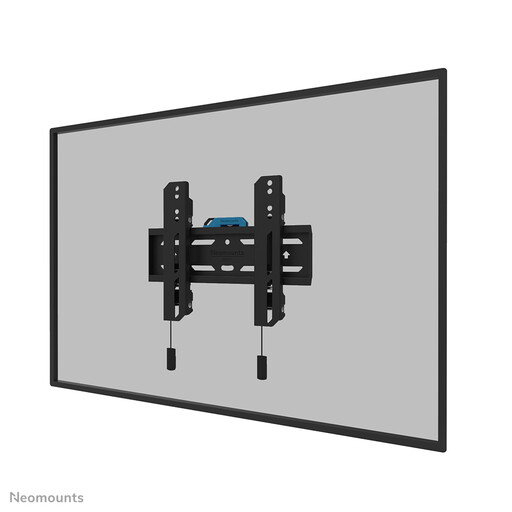
Why it's a match for the minimalist: This user wants a clean, uncluttered look with no fuss. The TV should sit flat against the wall as if it were a piece of art. This fixed mount is designed for exactly that purpose.
You don't pay for features you don't need, like swivelling or tilting. The focus is on a secure, fixed installation with a slim profile, which is exactly what a minimalist is looking for.
Ultra-slim profile of 3.3 cm for a seamless look. The magnetic quick-release system and included spirit level make installation easier.
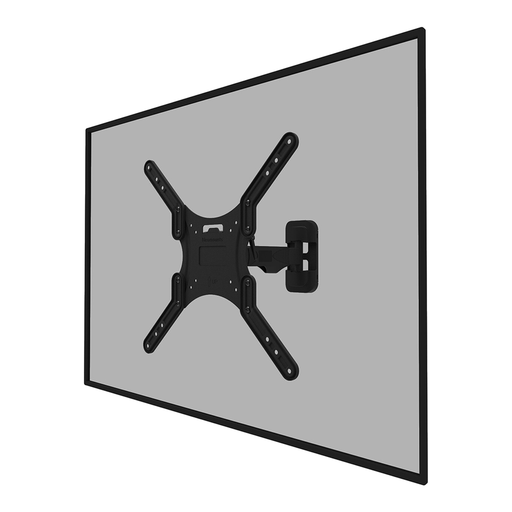
Why it's a match for the flexible viewer: Ideal for those who live in an open-plan space or deal with glare. This user wants to be able to swivel the TV towards the dining table or tilt it to prevent reflections.
It prevents the frustration of a fixed mount in a dynamic viewing space. This full-motion (swivel and tilt) mount provides the freedom of movement needed for an optimal viewing angle, any time of day.
Full freedom of movement with 14° tilt and 30° swivel. The integrated cable management keeps cables neat and organised, even when the arm is extended.
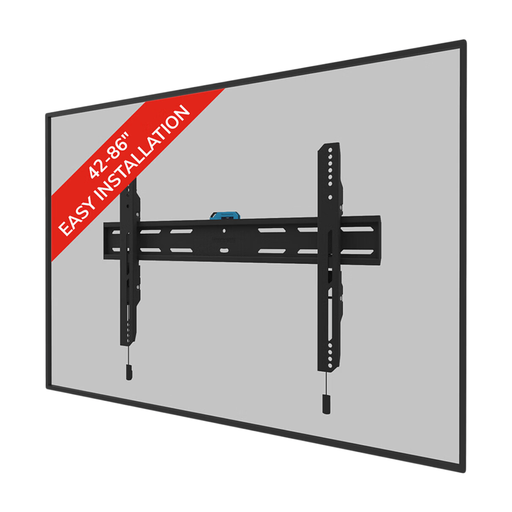
Why it's a match for the large-screen owner: Safety is paramount for a large, heavy TV. This user is looking for a robust, reliable solution that can handle the weight without issue.
It directly addresses the risk of an underpowered mount. By choosing a model with a high weight capacity specifically designed for larger screens, the TV's safety is guaranteed.
A high weight capacity of 60 kg and broad VESA compatibility (up to 600x400 mm). The lockable design with an anti-theft screw provides extra peace of mind.
We have compiled a complete, up-to-date list of products that fully meet these strict selection criteria and safety standards.
The VESA size is almost always listed in the specifications in your television's manual. Can't find the manual? You can easily measure it yourself. Measure the distance in millimetres between the mounting holes on the back of your TV, first horizontally (width) and then vertically (height). The result is your VESA size, for example, 400x200 mm.
No, the strength of the wall is essential. Solid concrete or brick walls are generally the most suitable. Mounting on a wall with wooden studs is also possible, provided you anchor the mount securely into the studs. For hollow walls or drywall, installation is not recommended without special heavy-duty anchors and potential extra wall reinforcement. When in doubt, always consult a professional.
For the handy DIY enthusiast, hanging a TV with a mount is quite manageable. Most mounts, like the Neomounts wall mount models, come with clear instructions, a drilling template, and sometimes even a spirit level. Make sure you have the right tools and, preferably, work with two people, especially for larger TVs. If you don't feel comfortable, consider hiring a professional installation service.
