
Vandaag of morgen in huis

Kwaliteit gegarandeerd

Welkomstaanbiedingen ontgrendelen: GRATIS bezorging | Tot 80% korting | Gratis 30 dagen JoyPlus-proefperiode
Download de app
Mounting a TV on the wall is a smart way to save space and give your room a sleek, modern look. But the search for the perfect TV wall mount can be surprisingly complex. The market is flooded with options that promise everything. Unfortunately, some choices lead to frustration, a crooked TV, or worse. Before you make a decision, it's wise to consider a few common pitfalls.
To avoid buyer's remorse, you can focus on a few objective specifications. These determine whether a wall mount is suitable for your TV and your situation.
Every modern television has four screw holes on the back for mounting. The VESA pattern is the standardised distance between these holes, measured in millimetres (e.g., 200x200 mm or 400x400 mm). This pattern must exactly match the VESA specifications of the TV mount.
Additionally, the maximum weight capacity of the mount is crucial. Does your TV weigh 20 kg? Then choose a mount that can support at least 20 kg, preferably with some margin. Ignoring these two specifications is the biggest risk when mounting a television.
The right functionality depends entirely on your viewing habits and the layout of the room.
A sturdy TV wall mount is only half the battle; the wall itself must be able to support the weight. A solid wall of concrete or brick is generally not a problem. However, a hollow wall (like drywall) requires extra caution. Always mount the bracket to the underlying wooden or metal studs or use special hollow-wall anchors rated for the total weight. When in doubt, always consult the manufacturer's instructions or a professional.
Based on objective specifications, we have selected a number of popular choices that fit different user profiles.
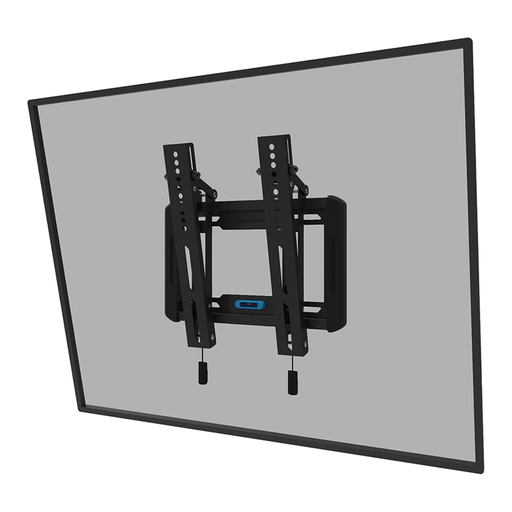
Why This Fits Their Persona: You want a sleek, no-fuss result. This mount places the TV close to the wall (3.3 cm) for a picture-like effect, but still offers a tilting function to prevent annoying glare. Ideal for the living room or bedroom.
You're not paying for a complex arm you don't need. The focus is on a slim profile and a simple, yet useful, tilting function.
Slim profile: Only 3.3 cm from the wall. Easy installation: According to Neomounts, the built-in spirit level and magnetic locking system help with quick assembly.
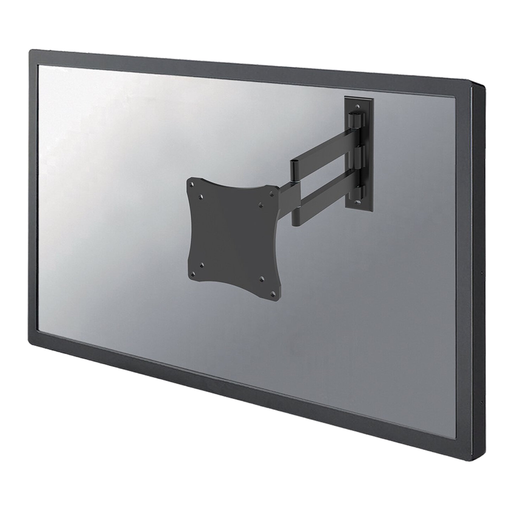
Why This Fits Their Persona: Perfect for a monitor in a home office or a small TV in the kitchen. This mount offers maximum freedom of movement for smaller screens, ensuring you always have the right viewing angle, whether you're sitting or standing.
This mount is specifically designed for lighter screens (up to 12 kg). You're not buying an oversized, heavy-duty mount intended for a 65-inch TV.
Full-motion: Tilt (20°), swivel (180°), and rotate. Great reach: The depth is adjustable from 4 to 36 cm, allowing you to easily pull the screen towards you.
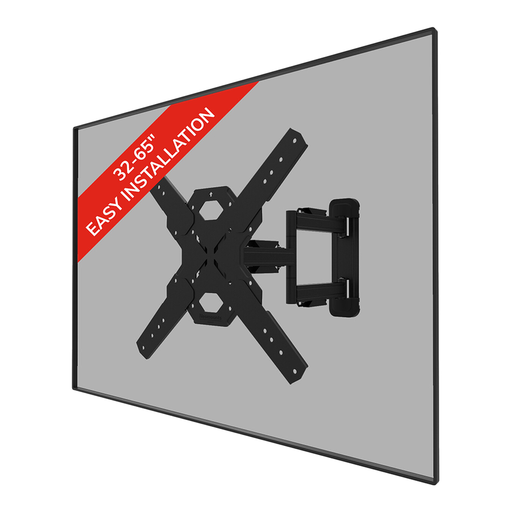
Why This Fits Their Persona: For those who have a large TV (e.g., a 65-inch TV wall mount) and want flexibility. This robust full-motion mount can handle significant weight and allows you to adjust the viewing angle for any situation.
This Neomounts wall mount is built for heavier TVs (up to 40 kg) and prevents the risk of sagging. The clear VESA and weight specifications ensure you don't have to take a 'universal' gamble.
Robust and flexible: 40 kg weight capacity with tilt and swivel functions. Convenient extras: According to the manufacturer, it comes with a mounting template, spirit level, and cable management.
We have compiled a complete, up-to-date list of products that meet these selection criteria and current safety regulations.
A good rule of thumb for mounting a television is to place the centre of the screen at eye level when you are seated on the sofa. This ensures the most comfortable viewing experience and prevents neck strain. Measure your eye level from the floor while sitting and use this as the target for the centre of the TV.
Yes, it is possible, but it requires the right approach. Never mount the bracket directly onto the drywall alone. Use a stud finder to locate the wooden or metal studs in the wall and attach the bracket to them. If the studs are not in the right place, you can use special hollow-wall anchors designed for heavy loads. Always check the maximum weight the anchors can support.
The VESA pattern is the standard distance between the four mounting holes on the back of your TV. It is displayed as 'width x height' in millimetres, for example, 200x200 or 400x200. You can find your TV's VESA pattern in the manual, on the manufacturer's website, or by measuring the distance between the holes yourself. A correct VESA mount match is essential for a secure installation.
