
Vandaag of morgen in huis

Kwaliteit gegarandeerd

Welkomstaanbiedingen ontgrendelen: GRATIS bezorging | Tot 80% korting | Gratis 30 dagen JoyPlus-proefperiode
Download de app
A TV wall mount can save space and bring your screen to a comfortable viewing height. Yet, it’s all too easy to get it wrong when buying one. A bracket that claims to be “universal” on the packaging won’t automatically fit every TV. Likewise, a high weight capacity means little if the wall, screws or VESA size aren’t suitable.
With these checkpoints, you can compare a TV bracket based on technical specifications rather than marketing claims.
A 55-inch TV can have a VESA pattern of 200 × 200, 300 × 300 or 400 × 400 mm. The size in inches alone isn’t enough. Always check the distance between the screw holes on the back of the screen.
The weight capacity must be higher than the weight of the TV. Remember to factor in any soundbar, adapter or other accessory that will be attached to the setup. The wall and the fixing materials must also be able to support the combined weight.
A fixed TV bracket brings the screen close to the wall. That looks neat, but it can make it harder to connect HDMI cables, power plugs or a CI+ module. If the connection panel faces backwards, a tilting TV bracket can sometimes be more practical.
VESA refers to the horizontal and vertical distance between the mounting holes, measured in millimetres. Common sizes include 100 × 100, 200 × 200, 400 × 400 and 600 × 400 mm.
A VESA wall mount must support the exact size of your TV. A universal TV bracket is only suitable when the VESA range, screen size and weight match your screen’s specifications.
Choose the movement based on your room:
Also pay attention to the clearance behind the TV. A flat wall bracket with a gap of around 25 to 33 mm leaves little room for cables.
Concrete, brick, wooden studs and plasterboard all require different fixing materials. Don’t use standard wall plugs without checking they are suitable for your wall. For plasterboard, you’ll need special cavity wall anchors or fixing into the studs behind.
Mark your drill holes with a spirit level and check for pipes and cables beforehand. For larger screens, it’s wiser to have two people do the installation. After mounting, check that all locks, screws and pull cords are properly secured.
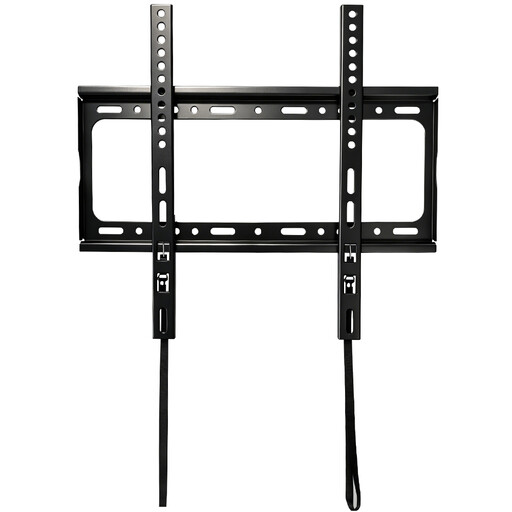
Why this fits the profile: This fixed TV bracket is designed for screens from 32 to 55 inches and supports up to 45 kg according to the product specification. That makes it suitable for a straightforward installation without a swivel or tilt function.
The relevant limits are clearly stated: 32–55 inches, maximum 45 kg and VESA up to 400 × 400 mm. Do check these measurements against your TV before ordering.
Fixed construction, a profile of 25 mm according to the product information and support for concrete, brick and wooden studs.
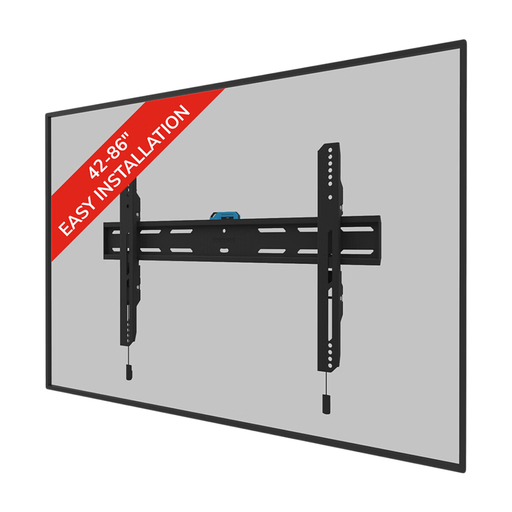
Why this fits the profile: For a larger living room TV, this fixed bracket supports screens from 42 to 86 inches, with a stated weight capacity of 60 kg and a VESA range up to 600 × 400 mm.
The dimensions and weight capacity are clearly specified. The magnetic pull-and-release function and the included mounting template help with installation, but they don’t replace the need for suitable wall fixings.
A wall gap of 3.3 cm, height and level adjustment, and an optional lock to prevent accidental release.
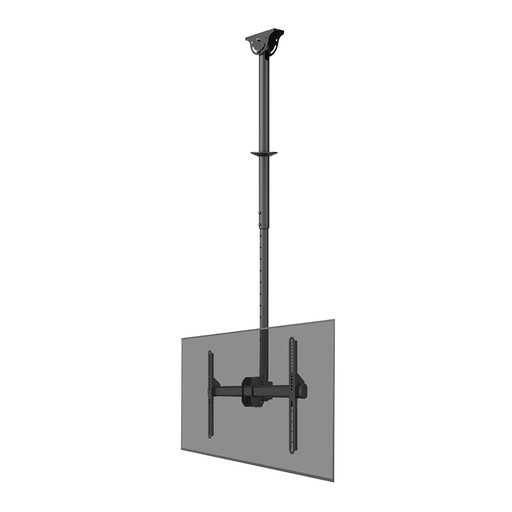
Why this fits the profile: This ceiling TV mount is designed for situations where wall mounting isn’t suitable. The height is adjustable from 106 to 156 cm and the model supports screens from 37 to 70 inches according to the product specification.
The wide VESA range from 150 × 200 to 600 × 400 mm and the stated limit of 50 kg make the compatibility check straightforward. Also check whether your ceiling can handle the load.
Tilt up to 25°, 360° rotation, integrated cable management and adjustment for sloping ceilings.
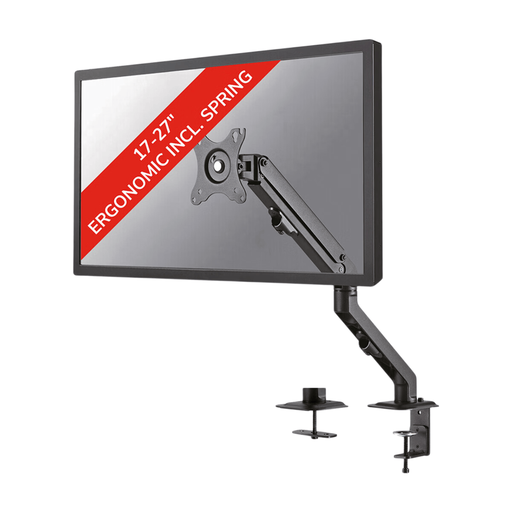
Why this fits the profile: For home workers and gamers with a desk, this is a monitor arm for screens from 17 to 27 inches, with clamp and grommet mounting options.
The arm states a weight capacity of 7 kg and VESA 75 × 75 or 100 × 100 mm. This prevents you from mounting a screen that is too heavy or doesn’t fit.
130° tilt, 180° swivel, 360° rotation and height adjustment from 11 to 42 cm.
For additional setup options, there are also a mini PC holder, CPU holder, camera mount and a car phone holder. Again, pay attention to weight capacity, fixing method and compatible connections. A mini PC holder such as the Neomounts THINCLIENT-01 supports, for example, a maximum of 3 kg and VESA 75 × 75 and 100 × 100 mm.
We’ve put together a full, up-to-date list of products that fully meet these strict selection criteria and comply with current European safety regulations.
No. Check the screen size, weight and VESA pattern. “Universal” usually refers to a range of supported sizes, not every TV that exists.
Position the centre of the screen roughly at eye level from your main seating position. Above a piece of furniture or in a bedroom, a higher mount may be needed; in that case, consider a tilting model to adjust for reflections and viewing angle.
The lifespan depends on the material, load, installation and how often the bracket is moved. Periodically check the screws, wall plate, hinges and lock. Don’t use the bracket above its stated weight capacity and replace parts if you notice visible damage or play.
