
Vandaag of morgen in huis

Kwaliteit gegarandeerd

Welkomstaanbiedingen ontgrendelen: GRATIS bezorging | Tot 80% korting | Gratis 30 dagen JoyPlus-proefperiode
Download de app
Mounting a TV on the wall is a smart way to save space and give your room a sleek, modern look. But the search for the perfect TV wall mount can be surprisingly complicated. The selection is vast, and the specifications aren't always clear. Before you know it, you've bought a mount that doesn’t fit, isn't sturdy enough, or simply doesn't do what you expected.
As a Joybuy Product Recommendation Officer, I see where things go wrong every day. To help you avoid buyer's remorse, I've listed the most common pitfalls.
full-motion TV mount on a plasterboard wall without the right precautions is asking for trouble.TV mounting bracket also takes cable management into account.Let's go through these points step-by-step so you can make an informed decision.
You don't need to sift through technical manuals to make the right choice. Pay attention to the following three key points, and you'll almost always get it right.
The VESA size is the standardised distance between the four screw holes on the back of your television. This is always indicated in millimetres, for example, 200x200 mm or 400x400 mm. A VESA mount must exactly match your TV's VESA size.
How do you find your VESA size?
Always check this before buying a mount. It will prevent the disappointment of a TV wall mount that doesn't fit.
Every wall mount has a maximum weight capacity (in kg) and a recommended screen size (in inches). The screen size is a guideline, but the weight capacity is a strict requirement. If your TV weighs more than the mount can handle, its safety is not guaranteed.
For example, a modern 55-inch TV mount might be for a TV that is lighter than an older 42-inch model. So, always check the weight of your TV (without the stand) and choose a mount that can comfortably support it. For a popular size like a 65-inch TV mount, it's especially important to choose a sturdy model that can handle the weight, particularly if you opt for a movable mount.
The function of the mount determines your viewing flexibility. There are three main types:
full-motion TV mount is perfect for open-plan spaces or corner setups, allowing you to watch from any angle in the room.Based on functionality and common scenarios, we've highlighted a few popular choices that suit different users.
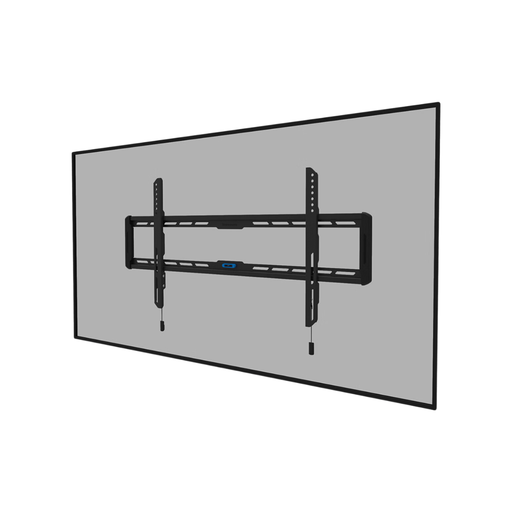
Why This Fits Their Persona: Perfect for those who want their TV mounted as flush as a painting. Ideal for a fixed viewing setup in a living room where design and a clutter-free look are top priorities.
The ultra-slim design (2.3 cm depth) prevents an unnecessarily large gap behind the TV. Its wide VESA compatibility (100x100 to 800x400 mm) reduces the risk of a mismatch.
Simple installation thanks to an integrated spirit level and a magnetic click system to attach the TV quickly and securely.
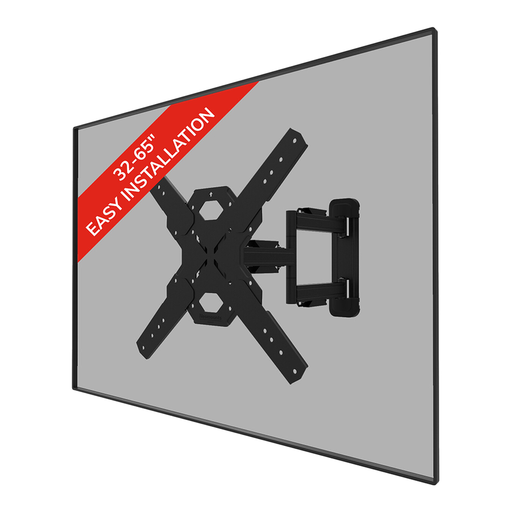
Why This Fits Their Persona: Suitable for those who watch TV from various angles, such as in an open-plan living room with a dining area. The flexibility allows the viewing angle to be adjusted to any situation.
This Neomounts wall mount includes cable management to prevent the 'cable chaos' that is often a problem with movable arms. This keeps the entire setup looking tidy.
Full-motion (tilting and swiveling) for an optimal viewing angle. The Easy-release system makes mounting the TV straightforward.
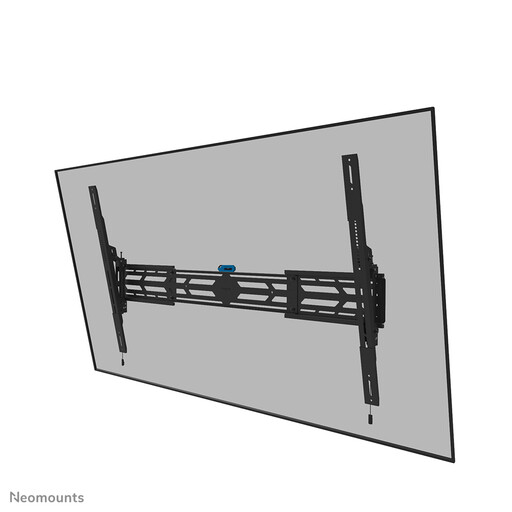
Why This Fits Their Persona: For those with a very large and heavy TV (up to 110 inches and 160 kg) who seek absolute security and stability. Also suitable for commercial use in public spaces.
This mount is specifically designed for heavy loads and installation on solid walls. This eliminates the risk of sagging or falling that you run with a standard mount for a heavy TV.
Extremely high weight capacity (160 kg) and is lockable with a padlock (not included) for extra security. The brackets are height-adjustable for a perfect installation.
We have compiled a complete, up-to-date list of products that meet these strict selection criteria and Dutch safety regulations.
No, the suitability of the wall is crucial.
The VESA size is the distance in millimetres between the screw holes on the back of your TV. The easiest way to find it is by checking your TV's manual or looking up the specifications online. If that's not possible, you can measure it yourself: first, measure the horizontal distance between the holes (width), and then the vertical distance (height). For example, a VESA size of 400x200 means 400 mm wide and 200 mm high.
A good rule of thumb is to hang the centre of the screen at eye level from your primary viewing position (usually the sofa). Sit on the sofa and measure the height from your eyes to the floor. That is the ideal height for the centre of your TV screen. If you need to hang the TV higher, for example, above a fireplace, a tilting TV mount is a good solution to angle the screen downwards for a comfortable viewing angle.
