
Vandaag of morgen in huis

Kwaliteit gegarandeerd

Welkomstaanbiedingen ontgrendelen: GRATIS bezorging | Tot 80% korting | Gratis 30 dagen JoyPlus-proefperiode
Download de app
A TV wall mount can save space, improve your viewing angle and keep cables out of sight. However, not every TV mount is suitable for every television or wall. A mount that appears suitable on paper may have insufficient load capacity in practice, fail to match the VESA pattern or offer too little freedom of movement.
As a Joybuy Product Recommendation Officer, I filter the most important product specifications from the marketing language. This allows you to compare a television wall mount, monitor wall mount or TV wall mount based on the factors that really matter at home, in the office or in a hospitality setting.
“Suitable for 55 inches” does not tell you enough. The television’s weight and the distance between the mounting holes are just as important. For example, a 55-inch TV mount is not automatically suitable for every 55-inch model.
Always check:
A flat wall mount takes up little space, but usually offers no flexibility. A swivel TV mount or full-motion TV mount can extend forwards, swivel and tilt. On the other hand, the mount requires more space and puts additional strain on the wall when the TV is pulled out.
So do not just look for terms such as “full motion”. Check the specific swivel, tilt and pivot angles.
With an adjustable TV wall mount, the cables move with the screen. A short HDMI cable or tightly stretched power cable can therefore cause problems. A mount with cable management helps guide the cables, but it cannot replace cables with sufficient length and slack.
VESA refers to the distance between the mounting holes on the back of the screen, expressed in millimetres. Common patterns include 100 × 100, 200 × 200, 400 × 400 and 600 × 400 mm.
Measure horizontally and vertically between the centres of the holes. Compare the result with the mount’s VESA range. A VESA TV mount with a range from 200 × 200 to 600 × 400 mm is not automatically suitable for an unusual pattern outside that range.
Do not add the weight of the TV to the mount’s maximum load; the maximum load is the total weight the mount is designed to support according to the product specifications. You should also take the wall type into account.
Suitable wall plugs and screws are required for a concrete or brick wall. For a plasterboard wall, you must use the studs behind it or suitable reinforcement. Before drilling, also check that there are no pipes or electrical cables running through the wall.
For large screens, such as a 75-inch, 86-inch or 110-inch TV mount, the wall construction and correct fixings are particularly important. Follow the installation instructions and never exceed the stated load capacity.
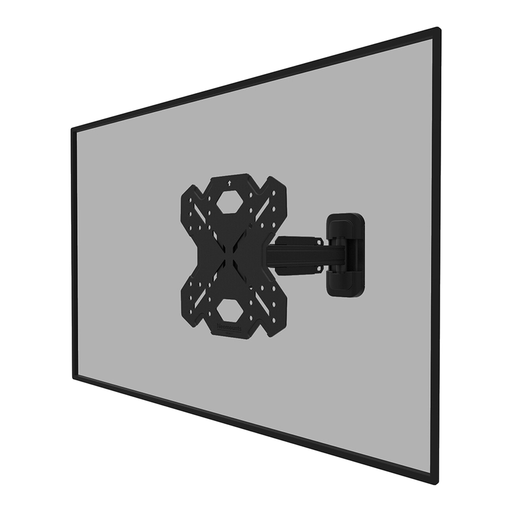
Why it suits this profile: For a 32 to 55-inch television, this model offers up to 14° of tilt and up to 30° of swivel. The supplied spirit level and mounting template make installation more straightforward.
The specifications state both the 32–55-inch screen range and a maximum load of 40 kg, as well as VESA 100 × 100 to 200 × 200 mm.
Full-motion adjustment, Easy-release system and steel cable management.
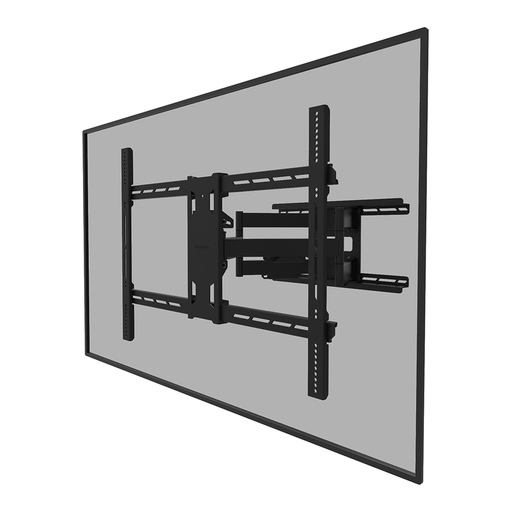
Why it suits this profile: This heavy-duty model is designed for large screens from 55 to 110 inches, for example in a home cinema, meeting room, shop or hospitality venue.
The maximum load of 125 kg, VESA range up to 800 × 600 mm and requirement for a sturdy wall are clearly stated.
Tilting, swivelling and rotating; distance from the wall 8.2–70.3 cm; integrated cable management.
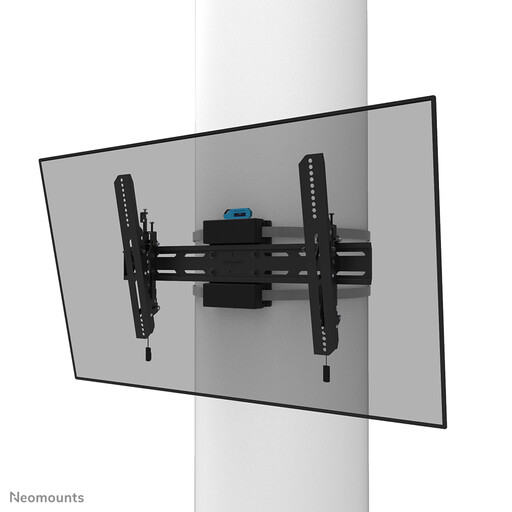
Why it suits this profile: This TV pole mount is designed for round, square and rectangular poles with a diameter of 25–100 cm. This makes it useful where drilling into a wall is not suitable.
The mounting method, pole diameter, maximum load of 50 kg and VESA range of 300 × 100 to 600 × 400 mm are all clearly specified.
12° tilt, manual fine adjustment, a 350 cm fixing strap and lockable mounting.
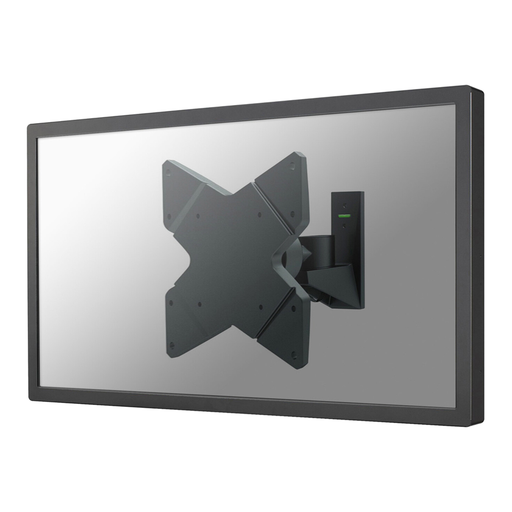
Why it suits this profile: For a small TV or monitor from 10 to 40 inches, this arm offers plenty of adjustment without requiring a large wall plate.
The model supports up to 20 kg and VESA 75 × 75 to 200 × 200 mm. This allows you to check in advance whether your screen is compatible.
Up to 30° of tilt, 360° rotation, 180° of swivel and a depth of just 9 cm when the screen is pushed back.
We have compiled a complete, up-to-date list of products that fully meet these strict selection criteria and the applicable European safety regulations.
No. Screen size is only one criterion. The weight, VESA pattern and mounting screws must also match the TV mount’s product specifications.
That depends on your seating position and the layout of the room. Measure the viewing height from your usual seat and take reflections, furniture and cables into account. A tilting TV wall mount can be practical when mounting the television higher up.
Its lifespan depends on the load, installation quality, use and maintenance. After installation, regularly check that the screws, clamps and hinge points are still secure. Do not use the mount above its stated maximum load, and move an extended screen carefully.
