
Vandaag of morgen in huis

Kwaliteit gegarandeerd

Welkomstaanbiedingen ontgrendelen: GRATIS bezorging | Tot 80% korting | Gratis 30 dagen JoyPlus-proefperiode
Download de app
A TV wall mount saves space and gives your television a neat place on the wall. However, not every TV wall mount is suitable for every screen. The wrong VESA size, insufficient weight capacity or an unsuitable wall can result in an unstable installation.
Here are some common pitfalls:
The VESA size is the distance between the mounting holes on the back of your TV or monitor. It’s usually shown as a measurement such as 200 × 200 mm or 400 × 400 mm.
Before you buy, check:
A mount that supports sizes from 100 × 100 to 400 × 400 mm offers more flexibility than a model with just one pattern. Also look out for irregular patterns on large screens, such as 600 × 400 or 800 × 600 mm.
Compare the weight of your television with the maximum capacity of the heavy-duty TV wall mount. The mount needs to support the screen, but the wall, wall plugs and fixing bolts also affect the overall stability.
Examples from product specifications:
Ideally, get a second person to help you install a large television. Also check that there are no pipes or electrical cables behind the drilling points.
A fixed TV wall mount is a good choice if you watch the screen from directly in front and want the TV as close to the wall as possible. An ultra-slim TV mount may be just a few centimetres deep.
A tilting TV wall mount is useful when the television is mounted higher up, such as above a piece of furniture or in a business setting. You can adjust the viewing angle by hand.
A swivel TV wall mount offers greater flexibility in a living room, meeting room or shop. Bear in mind:
For digital signage or displays in public spaces, a lockable TV mount can be especially practical. Check whether the lock, security screw or optional padlock is actually included.
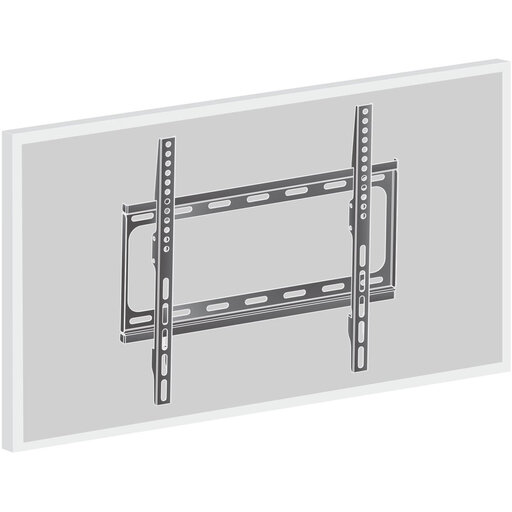
Why it suits this profile: This fixed mount is designed for screens from 26 to 55 inches and supports up to 30 kg. It’s a good choice for a straightforward installation without a tilting or swivel function.
The maximum screen size, weight capacity and VESA patterns of 400 × 400, 200 × 400 and 400 × 200 mm are clearly specified.
Fixed design, weight capacity of up to 30 kg and suitable for installation on a solid wall.
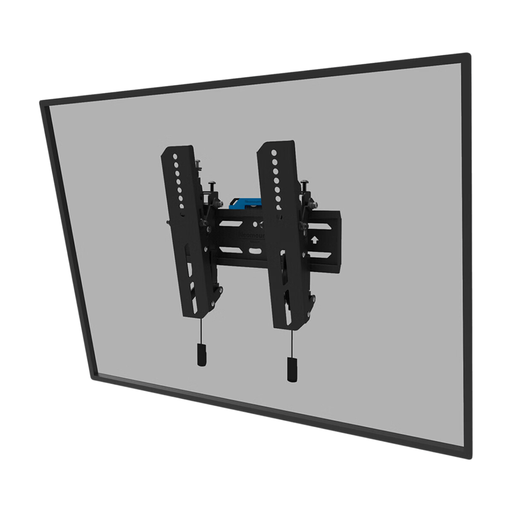
Why it suits this profile: This tilting Neomounts TV wall mount is suitable for screens from 24 to 65 inches and supports up to 40 kg. It tilts by up to 12°.
The mount combines a stated VESA range of 75 × 75 to 200 × 200 mm with height and levelling adjustments. A security screw is included.
Tilts by up to 12°, magnetic pull-and-release system, height adjustment and locking security screw.
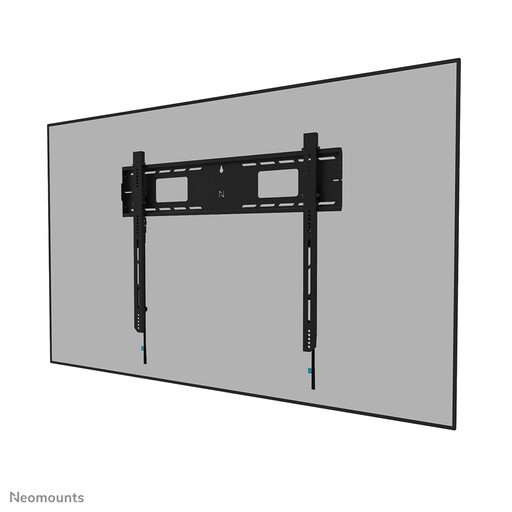
Why it suits this profile: This heavy-duty TV wall mount is designed for large screens from 43 to 98 inches, including a 98-inch TV or a professional interactive display.
The specifications state a maximum load of 125 kg, VESA support up to 800 × 600 mm and a lockable pull-and-release system.
Fixed distance of 4.2 cm from the wall, cable management, adjustable wall brackets and suitable for large displays.
We’ve put together a complete, up-to-date list of products that meet these strict selection criteria and current European safety regulations.
Always use fixings that are suitable for the type of wall. Concrete and solid brick require appropriate wall plugs and bolts. On a wooden wall, the screws should be fixed into sturdy studs. Don’t fit a TV wall mount directly to weak plasterboard without reinforcement behind it.
Also bear the following points in mind:
The same applies to a 65-inch, 75-inch or 86-inch TV mount: screen size alone isn’t enough. VESA size, weight, wall type and your preferred viewing angle determine whether the combination is suitable.
Not every television fits every mount. Check the VESA size, weight and screen size. Some small monitors use a 75 × 75 mm pattern, while large displays may have patterns up to 800 × 600 mm.
In most cases, position the centre of the screen at around eye level when you’re seated. You may need to mount it higher above a piece of furniture or in a meeting room. A tilting TV wall mount can help you adjust the viewing angle.
Its lifespan depends on the material, load, wall type and quality of the installation. Check regularly that bolts, hinges and locking mechanisms haven’t come loose. Never use a mount for a TV that exceeds its stated maximum weight, and replace it if it bends, cracks or shows visible damage.
