
Vandaag of morgen in huis

Kwaliteit gegarandeerd

Welkomstaanbiedingen ontgrendelen: GRATIS bezorging | Tot 80% korting | Gratis 30 dagen JoyPlus-proefperiode
Download de app
Mounting a TV on the wall instantly gives your living room a sleek, modern look and saves valuable space. But the search for the right TV wall mount can be surprisingly complex. The market is flooded with options that look the same at first glance but can cause major problems in practice. A wrong choice not only leads to frustration but, in the worst-case scenario, a damaged wall or a broken TV.
Before you make a purchase, it's important to recognise the most common pitfalls:
This guide will help you avoid these problems and choose a mount that perfectly suits your TV, wall, and viewing preferences.
You don't need to sift through technical manuals to make the right choice. Focus on three core specifications that determine if a mount is suitable and safe.
The VESA size is the standardised distance between the four screw holes on the back of your television, expressed in millimetres (horizontal x vertical). For example, a VESA wall mount with a 400x400mm pattern will fit a TV with holes that are 40 cm apart, both horizontally and vertically.
Every wall mount has a maximum load capacity in kilograms. This weight must never be exceeded. It's best to choose a mount with a load capacity well above the weight of your TV. This provides an extra margin of safety.
Manufacturers also indicate a recommended screen size (for example, a TV mount for 55-inch screens). While this is a useful guideline, the weight and VESA size are always the deciding factors. For instance, an older 55-inch plasma TV can be heavier than a modern 65-inch LED TV.
The functionality of the mount determines your viewing flexibility. There are three main types:
Based on these criteria, we have selected a few popular choices that suit different user profiles.
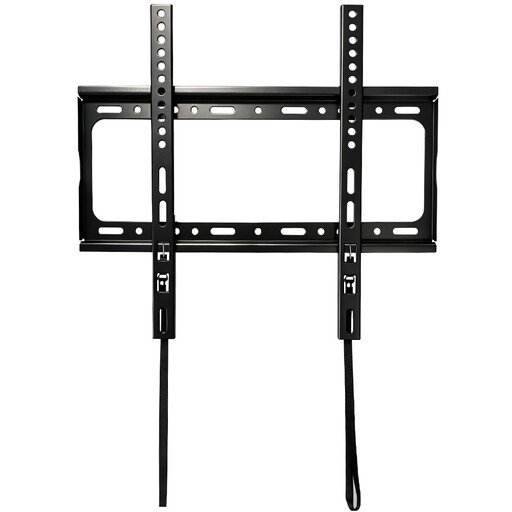
Why it's a match: For those who want a TV mounted flush against the wall like a painting, with no fuss. Ideal for an uncluttered living room where the viewing position is always the same and saving space is key.
This mount forces you to get the basics right: check the VESA size (up to 400x400mm) and the weight (up to 45 kg). Because it's fixed, there are no complex moving parts that can fail.
An ultra-slim profile of just 25 mm from the wall, ensuring a seamless and sleek look.
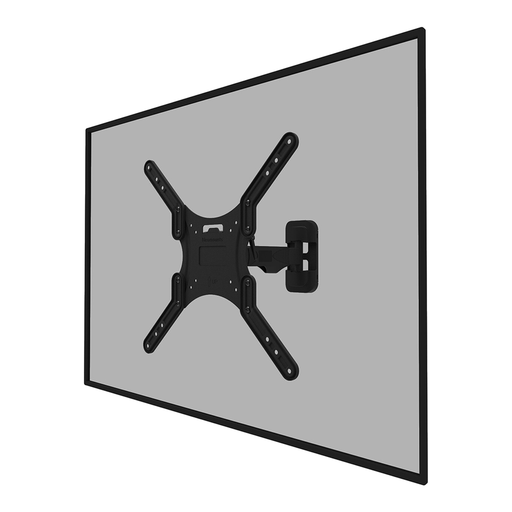
Why it's a match: Perfect for open-plan spaces or rooms where you watch from different angles, like the kitchen and dining table. Also great for avoiding annoying glare from windows by swivelling or tilting the TV.
Avoids the 'fixed angle' pitfall. The specifications for weight (max. 35 kg) and VESA (up to 400x400 mm) are clear, so you won't make a mistake with your TV's compatibility.
Full range of motion (tilt, swivel, pivot) for the optimal viewing angle in any situation. Includes cable management for a clean finish.
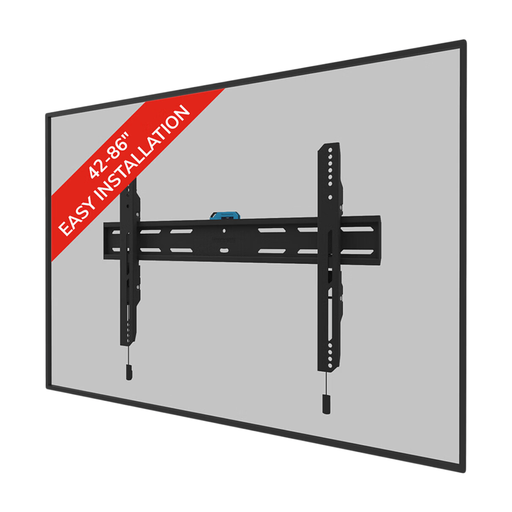
Why it's a match: For those investing in a large TV (e.g., a **TV mount for an 85-inch** screen) who want absolute peace of mind. The focus is on maximum load capacity and stability, both at home and in a business environment.
Tackles the most dangerous pitfall: insufficient load capacity. With a capacity of 60 kg and broad VESA compatibility (up to 600x400 mm), this mount provides the necessary security for heavy screens.
High load capacity (60 kg) and a locking option with an anti-theft screw for extra security. Ideal for valuable televisions.
We have compiled a complete, up-to-date list of products that fully meet these strict selection criteria and safety regulations.
Yes, hanging a TV on a drywall (hollow wall) is possible, but it requires extra caution and special fasteners. Always use hollow-wall anchors (also known as toggle bolts) that expand behind the drywall. For maximum strength, mount the bracket onto the metal or wooden studs behind the drywall whenever possible. If in doubt, or with a very heavy TV, it is advisable to hire a professional.
VESA is a global standard for the mounting holes on the back of televisions. The size is displayed as horizontal distance x vertical distance in millimetres. You can find your TV's VESA size in the manual, on the manufacturer's website, or by measuring the distance between the screw holes yourself. Most wall mounts support a range of VESA sizes, for example, "100x100 to 400x400 mm".
For a standard installation, you will typically need the following:
