
Vandaag of morgen in huis

Kwaliteit gegarandeerd

Welkomstaanbiedingen ontgrendelen: GRATIS bezorging | Tot 80% korting | Gratis 30 dagen JoyPlus-proefperiode
Download de app
Mounting a TV on the wall might seem straightforward, but choosing the wrong tv wall mount can lead to frustration and even danger. Many people fall into the same traps, often due to unclear specifications. Before you make a purchase, watch out for these common mistakes:
tv hanging bracket that simply won't fit your screen.55 inch tv mount) is a guideline, but your TV's weight is crucial. A mount that is too weak is a safety risk.tilting tv mount, or a full motion tv mount has a major impact on your viewing experience.To avoid these mistakes, always check the following three specifications. These are the objective criteria that truly matter.
The VESA pattern is the standardized distance between the screw holes on the back of your television, expressed in millimetres (width x height). A vesa mount must be an exact match for your TV's VESA pattern.
Every tv wall mount has a maximum weight capacity in kilograms. This weight should never be exceeded. Although manufacturers often specify a screen size (e.g., for a 65 inch wall mount), the weight of your specific model is the deciding factor. An older 65-inch plasma TV can be much heavier than a modern 65-inch OLED TV. Therefore, always check your TV's weight and choose a mount that can comfortably support it.
Your choice depends on the room and your viewing habits.
full motion tv mount is also useful for easily accessing the cables at the back. This type is also often used as a monitor wall mount for a flexible workspace.Based on these objective criteria, we have selected several popular choices from the Neomounts wall mount brand that suit different user profiles.
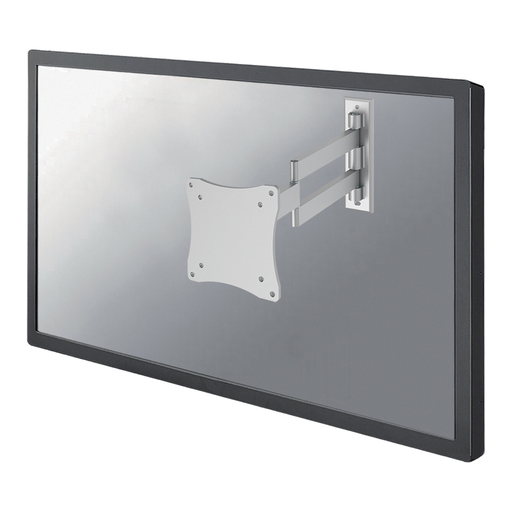
Why This Fits Their Persona: Ideal for those who want to mount a monitor or small screen (up to 27 inches) to save desk space. The full range of motion makes it easy to adjust the viewing angle for video calls, work, or gaming.
Avoids the 'limited motion' pitfall by offering maximum flexibility for smaller screens, a feature that is often overlooked in this category.
Extensive depth adjustment (4 to 36 cm) and three pivot points for optimal positioning. Supports VESA 75x75 and 100x100 mm.
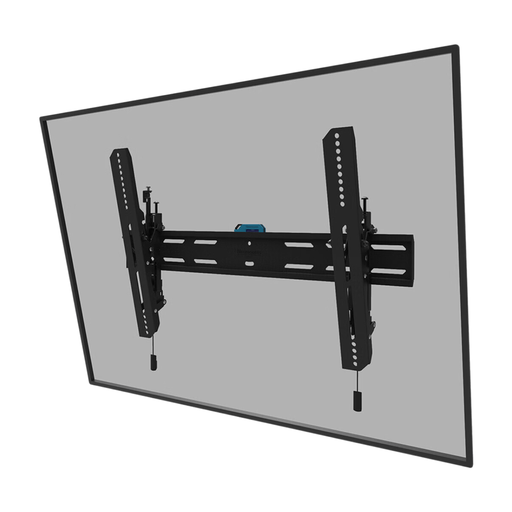
Why This Fits Their Persona: For those who want a large TV (up to 86 inches) mounted sleekly and stylishly on the wall. The tilt function is practical for reducing reflections in the living room, while the slim profile ensures a minimalist look.
Tackles the 'focus on screen size' pitfall with a robust 60 kg weight capacity, ensuring safety for most large, modern televisions.
Features an ultra-slim profile (3.3 cm depth) and a magnetic pull & release system for easy installation. Includes an anti-theft lock.
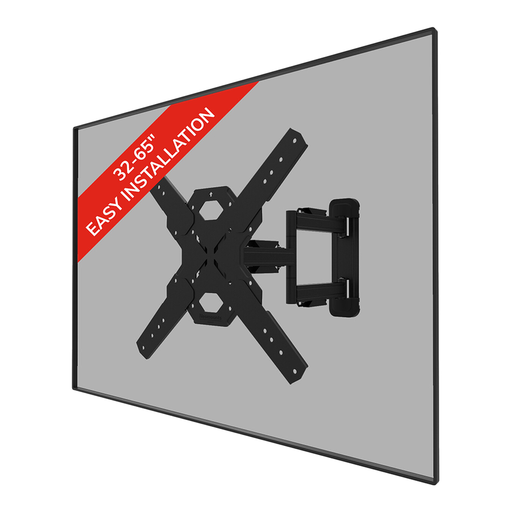
Why This Fits Their Persona: Perfect for open-plan living spaces where the TV needs to be visible from the kitchen, dining area, and seating area. This `full-motion TV mount` provides the flexibility needed to always swivel the screen into the perfect position.
Completely solves the 'stuck with a fixed mount' problem. Its tilt, swivel, and depth adjustments ensure an optimal viewing angle in any situation.
Generous range of motion (14° tilt, 45° swivel) and integrated cable management for a clean finish. Supports VESA up to 400x400 mm.
We have compiled a complete, up-to-date list of products that fully meet these strict selection criteria and UK safety regulations.
The VESA pattern is the distance in millimetres between the four mounting holes on the back of your TV (width x height). You can usually find this specification in the TV's manual or on the product page on the manufacturer's website. If you can't find the information, you can also measure the distance yourself with a tape measure.
For a confident DIYer, the installation is generally manageable. Most mounts, like those from Neomounts, come with an installation template, a spirit level, and all the necessary hardware. The most important thing is to check the load-bearing capacity of your wall. When in doubt, or if you have a plasterboard wall without reinforcement, it is wise to hire a professional.
No, not every wall is suitable. A solid wall made of concrete or brick is usually strong enough. For hollow walls, such as plasterboard or drywall, the mount must be attached to the wooden or metal studs behind the board. Mounting directly onto the plasterboard alone is not safe and can result in the TV falling off the wall. Always check the wall mount's instructions and the specifications of your wall.
