
Vandaag of morgen in huis

Kwaliteit gegarandeerd

Welkomstaanbiedingen ontgrendelen: GRATIS bezorging | Tot 80% korting | Gratis 30 dagen JoyPlus-proefperiode
Download de app
Hanging a new TV on the wall instantly gives your room a clean, modern look. But the search for the right TV wall mount can be surprisingly complex. The selection is vast, and the specifications aren't always clear. Before you know it, you could end up with a mount that doesn’t fit, isn’t sturdy enough, or simply doesn’t do what you expected.
Many buyers fall into a few common traps. The first is believing in the "universal" mount that magically fits every TV. The second is ignoring the type of wall in your home, with all the risks that entails. A third mistake is misjudging the required range of motion, resulting in a swivel TV mount that can barely turn in practice. This guide will help you avoid these errors and make a well-informed choice.
To ensure a safe and proper installation, there are three specifications you absolutely must check. These are more important than marketing terms or the design of the box.
The VESA size is the standardised distance between the screw holes on the back of your television. This is indicated in millimetres, for example, 200x200 or 400x400. A TV mount and your TV must support the exact same VESA size.
Manufacturers often provide a recommended screen size (e.g., "for 32-65 inch TVs"). This is a guideline, but the maximum weight capacity in kilograms is far more important. An older 65-inch TV can be heavier than a brand-new, slimmer model. Always choose a mount whose maximum weight capacity is well above the weight of your TV. Safety first.
Think carefully about how you will use the TV. The functionality of the television mount determines your viewing comfort.
To help you get started, we've selected a few mounts that suit specific living and usage situations.
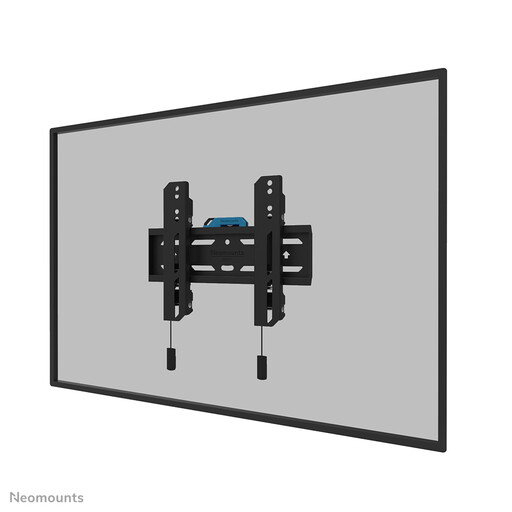
Why This Fits Their Persona: Perfect for those who want a sleek, minimalist interior. This mount hangs the TV close to the wall, so you don't lose space to a TV stand. Ideal for smaller living rooms or bedrooms.
This mount is not unnecessarily complex. It does one thing well: hanging the TV securely and flush against the wall. You don't pay for motion features you won't use anyway.
Slim profile: With a distance of only 3.3 cm from the wall. Easy installation: According to the manufacturer, an included spirit level and template ensure a quick setup.
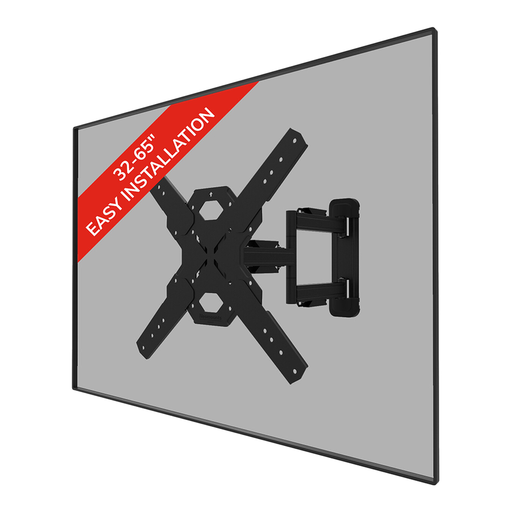
Why This Fits Their Persona: Ideal for those living in an open-plan space or needing to place the TV in an awkward corner. With this mount, you can effortlessly turn and tilt the TV towards the dining table, the sofa, or the kitchen.
This mount prevents the disappointment of a 'swivel' mount that can only move a few degrees. The specifications (14° tilt, 45° swivel) clearly indicate the flexibility you can expect.
Full motion: Offers tilt and swivel functions for the optimal viewing angle. Cable management: Features to neatly guide cables along the arm for a tidy setup.
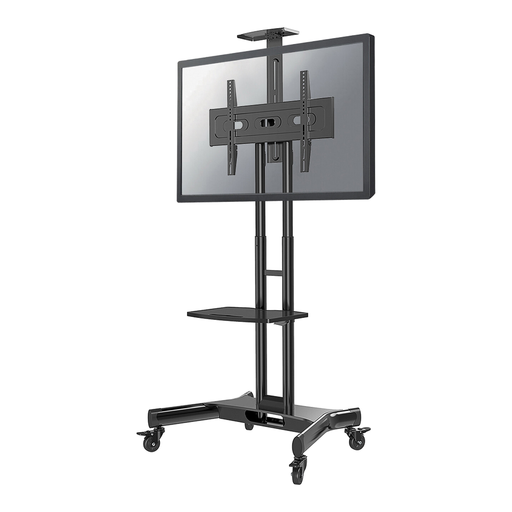
Why This Fits Their Persona: The solution for offices, schools, or rental properties where drilling into the wall is not an option. This mobile stand makes it possible to use a large screen in different rooms for presentations or events.
This product bypasses the entire issue of wall types and drilling. It provides a stable, mobile solution without permanent modifications to the home or office space.
Mobile and flexible: Easily move the TV between rooms thanks to the locking caster wheels. Height adjustable: Adjust the height for a seated or standing audience. Includes a shelf for multimedia equipment.
We have compiled a complete, up-to-date list of products that fully meet these strict selection criteria and safety regulations.
No, this is a crucial point for safety. A solid concrete or brick wall can support the most weight. For hollow walls (like drywall or plasterboard), you need special anchors and mounting hardware, and the weight capacity is more limited. Always check the condition of your wall and choose the correct anchors. When in doubt, it is wise to seek advice from a professional.
VESA is a global standard for the mounting holes on the back of televisions. It ensures that a VESA mount from brand A will fit a television from brand B, as long as the VESA size (e.g., 400x400 mm) and weight match. Without this standard, you would have to search for a specific mount for each TV. It is the most important compatibility check you need to perform.
For the handy DIY enthusiast, mounting a TV is quite manageable, especially with smaller screens. Many mounts come with an installation manual, a drilling template, and sometimes even a small spirit level. Read the instructions carefully and make sure you have the right tools. For larger, heavier TVs (55 inches and up), it is strongly recommended to do this with two people. Safety and a level installation are paramount.
