
Side-on viewer
You often watch TV from an angle and want to know whether it’s the screen, rather than the streamer, that’s limiting picture quality. Consumentenbond and RTINGS.com explain how viewing angles can vary between screen types.


If colour or contrast drops off noticeably when you’re sitting to the side, start by looking at the TV: a separate streamer won’t change the screen’s viewing angle. A streamer may be a good option if your TV is missing a particular app or supported playback feature. If so, check the TV, the service and the connections you’ll need too.
You often watch TV from an angle and want to know whether it’s the screen, rather than the streamer, that’s limiting picture quality. Consumentenbond and RTINGS.com explain how viewing angles can vary between screen types.
The picture looks fine from your seat, but your current TV doesn’t have a streaming service you want. Consumentenbond points out that not all smart TVs offer the same apps.
You want to make the most of your compatible TV’s playback capabilities and find a device, content and screen that work well together. Google Nederland and Apple Nederland outline the picture formats supported by their devices.
When: the films and apps you want already work, and the picture looks good from where you usually sit.
Trade-off: you won’t add another device, but the screen’s limited viewing angle won’t change.
When: your TV has a suitable viewing angle and an HDMI connection, but is missing an app or playback feature you want.
Trade-off: you’ll get a separate app system, but the streamer won’t improve your TV’s panel. Check the power supply, network and any cables you may need too.
When: colours or contrast noticeably deteriorate when you watch from the side.
Trade-off: replacing the screen is a bigger purchase than buying a streamer. Compare the exact model from a similar viewing angle; Consumentenbond reports that OLED TVs generally have a wider viewing angle.
| What to consider | What to look for | Who is this important for? |
|---|---|---|
| Picture from the side | View the exact TV model from an angle similar to your usual seat, and look out for reflections too. | If I watch TV from an angle, I want to know whether colours and contrast hold up from where I sit. Around 36% of consumers give viewing angle top priority. |
| Film apps you want | Check that the specific Dutch service is available on the current version of your chosen platform. | If my current TV is missing a film app I want, I want to know whether another app system offers that service. Around 29% of consumers give access to apps top priority. |
| Matching 4K and HDR | Check that the exact device and TV support the picture format you want, and that the film is available in that format. | If I want to use 4K or HDR, my TV, device and film all need to support the format I want. Around 21% of consumers put this compatibility first. |
| Connections and requirements | Compare HDMI, power, network options and what’s included with the exact version. | If I want to connect a device, I want to know in advance whether the connections and accessories I need will suit my setup. Around 14% of consumers make installation and requirements their top priority. |
The TV determines how the panel displays colour and contrast when viewed from an angle; the streamer only provides the signal.
First, check the picture from where you usually sit.
Your TV and the film you’re watching also need to support the format you want. You may also need to check an HDMI signal setting on your TV.
Check the entire playback chain and look up the setting for your exact TV model.
Generation or version names can differ, even when products look alike. This can mean different features or requirements.
Before buying, compare the full model name, version and what’s included in the box.
The Google TV Streamer (4K) is a standalone streamer for anyone looking to add a separate app system to a compatible TV.
Apple TV 4K (4th generation) is a streaming box for anyone weighing up the features of this specific version.
This Joybuy selection features TVs for anyone looking to assess or replace the screen itself; these are not standalone streaming sticks or streaming boxes.
 No image available
Worth considering if you want to replace the TV itself; assess the viewing angle of this exact model from where you sit. Consumentenbond reports that OLED TVs generally have a wider viewing angle.
65-inch 4K OLED smart TV with Dolby Vision.
 No image available
Worth considering if you want to replace the TV itself; assess the viewing angle of this exact model from where you sit. Consumentenbond reports that OLED TVs generally have a wider viewing angle.
48-inch 4K OLED smart TV with Dolby Vision.
 No image available
Worth considering if you want to replace the TV itself; check the picture from where you usually sit to the side.
65-inch 4K UHD smart TV with HDR10.
 No image available
Worth considering if you want to replace the TV itself; check the picture from where you usually sit to the side.
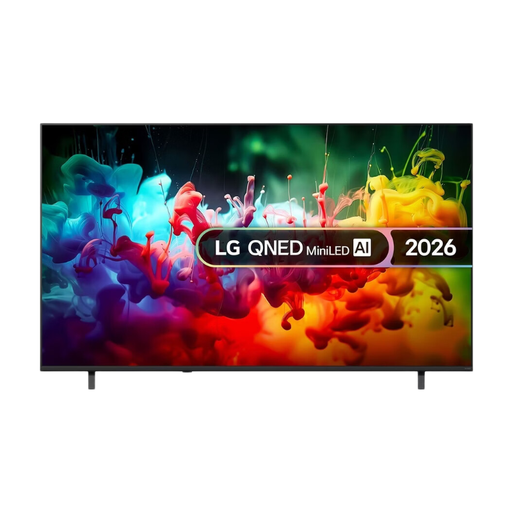
75-inch 4K smart TV with QNED Mini LED.
 No image available
Worth considering if you want to replace the TV itself; check the picture from where you usually sit to the side.
86-inch QLED Google TV with 4K, HDR10+ and Dolby Vision.
No, a streamer won’t change your TV panel’s viewing angle. First, check the picture from your usual seat. A streamer may still help if you’re missing an app or supported playback feature you want.
Check that the film, streamer and TV support the HDR format you want. If HDR output is missing, Google also recommends checking your TV’s HDMI signal setting; the name of the setting can vary between models.
It depends on the device and service. Google Nederland and Apple Nederland state that a compatible HDMI cable is sold separately for the streamers mentioned here. Check what’s included in the box and the film app’s terms separately.
According to ACM ConsuWijzer, you generally have 14 days to change your mind after delivery when you buy a product online, subject to applicable exceptions. You’re also entitled to a product that does what you could reasonably expect; in the Netherlands, there is no general fixed two-year period for this.
Radio equipment must meet European requirements, including stricter digital security requirements that have applied since 1 August 2025. The required CE marking indicates conformity with the applicable rules; a Wi-Fi specification or product listing alone doesn’t prove that a particular version complies.