Choose a TV for family photos based on the photo source you want to use. Check that the exact model supports that source and your files. Then consider reflections, picture settings and visibility from your usual seats in similar daylight. The Dutch Consumers’ Association says LCD TVs can often be bright, although this varies by model. An OLED or art TV may suit different priorities, but it isn’t automatically necessary for a short slideshow.
Who is this TV choice relevant for?
Families looking at travel photos together
Want to show photos to several people from an available source without a lot of preparation. LG describes USB playback, while Samsung explains how to display your own photos using SmartThings; the process can vary by model.
Viewers in a bright living room
Sometimes use the TV during the day, so pay attention to reflections, usable brightness and window positions. The Dutch Consumers’ Association notes that LCD TVs can often be bright, which can be useful in a bright room.
Families sitting in different places
Want everyone to be able to watch from the side as well, and weigh up screen size against the available space and viewing angles. Compare the specific model from the seats furthest from directly in front of the screen.
What should you look for in a TV for travel photos?
Start with how you want to open and share your photos. Then assess the picture in your room’s lighting and from the seats where your family usually sits.
| What to consider |
What to look for when buying |
Who is this important for? |
| Easy access to photos |
Check that the exact model supports your photo source and files; try one of your own photos if possible. |
I want to open and switch between my travel photos quickly during a family get-together. Around 36% of consumers put easy photo sharing first. |
| Visibility in daylight |
Check for reflections from your usual seats and adjust the picture in similar lighting. |
When I use the TV during the day, I want to see the details in my photos in the light conditions in my room. Around 29% of consumers prioritise visibility in daylight. |
| Watching together from different seats |
Compare suitable screen sizes and view the same photo from the seats at either end. |
I want family members to be able to follow the photos from the side too, not just those sitting directly in front of the screen. Around 21% of consumers prioritise group viewing from different seats. |
| Features you need and energy use |
Compare features you’ll actually use and check the energy label for the specific TV. |
For the occasional slideshow, I don’t want to choose features I’ll hardly use, and I want to compare the energy use of the specific TV. Around 14% of consumers prioritise this consideration. |
Common buying mistakes
-
Assuming every smart TV supports your phone or photo files
Photo and connection features can vary by model. A TV sold as a smart TV won’t necessarily work in the way you want to use it for your photos.
Before choosing, check that the exact model supports your photo source and files, and offers the controls you need.
Brands worth considering
LG
The Dutch product range includes the UA75 LCD line and the B5 OLED line. Which one suits you will depend in part on the light in your room and the contrast you want.
- LG explains how to view photos via USB in its support materials.
- LG warns that features can vary by model. Check photo playback and slideshow controls for the exact variant.
Samsung
The Frame is worth considering if you want to display your own travel photos around your home even when you’re not watching together.
- Samsung explains how to display your own images using SmartThings.
- Check the controls and any accessories needed for your chosen model. An art feature alone doesn’t tell you whether a series of photos will be easy to operate.
TCL
TCL has a QD Mini LED range you can explore as an LCD option if you’ll also use the TV in a bright room.
- TCL describes brightness and backlight control as features of the range.
- TCL says features can vary by model, screen size and region. Features listed for a specific model don’t necessarily apply to other TVs from the brand.
Philips
The Dutch PUS8500 range combines QLED LCD with Ambilight, making it worth considering if that ambient lighting feature matters to you too.
- For the 43PUS8500/12, Philips lists features including Ambilight and Titan OS.
- For your chosen screen size, check separately how photos are played and how the TV looks in your room in daylight.
Joybuy TVs for photos and daytime use
The models below include 4K TV options for sharing photos, as well as LCD and Mini LED models to compare for daytime use. For each exact model, check that your photo source works and assess the screen in the light conditions in your room.
 Image unavailable
LG 55NU800B6LA 55-inch NANO 4K UHD Smart TV
Worth considering if you want to display photos from a device; check that your photo app works with the connections listed.
The product information lists a 55-inch 4K UHD screen, Google Cast and Apple AirPlay.
View at Joybuy
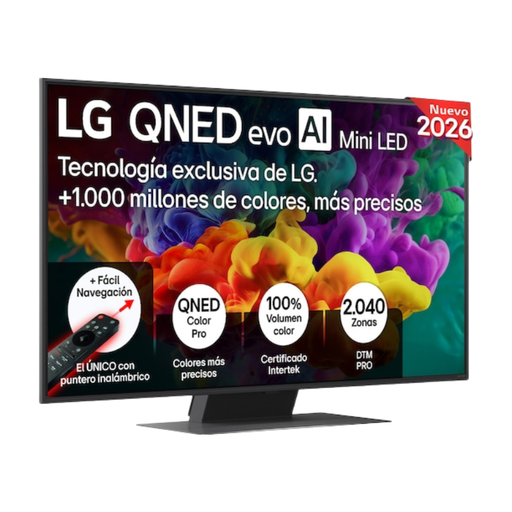 Image unavailable
LG 50QNED85B6B 50-inch 4K QNED Evo AI Mini-LED Smart TV
Worth considering if you want to compare a 50-inch Mini LED model for daytime use; check separately that your photo source works.
The product information lists anti-reflection technology and a stated brightness of up to 800 nits.
View at Joybuy
 Image unavailable
TCL 50Q6C 50-inch QD-Mini LED TV
Worth considering if you want to display photos from a device and are looking at a 50-inch QD-Mini LED model; check that it works with your files.
The product information lists 4K HDR Premium, 1000 nits, Miracast, Google Cast and AirPlay 2.
View at Joybuy
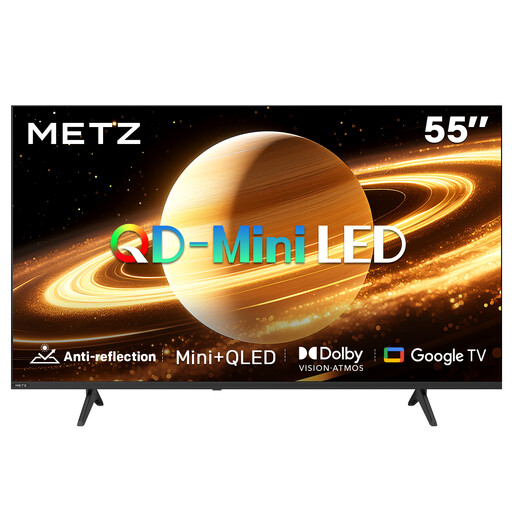 Image unavailable
METZ 55MNH7000Z 55-inch QD-MiniLED 2026
Worth considering if you want to compare a 55-inch Mini LED model with a matte screen; check separately which photo sources and files you can use.
The product name lists Matte Screen Ultra and 60 Hz.
View at Joybuy
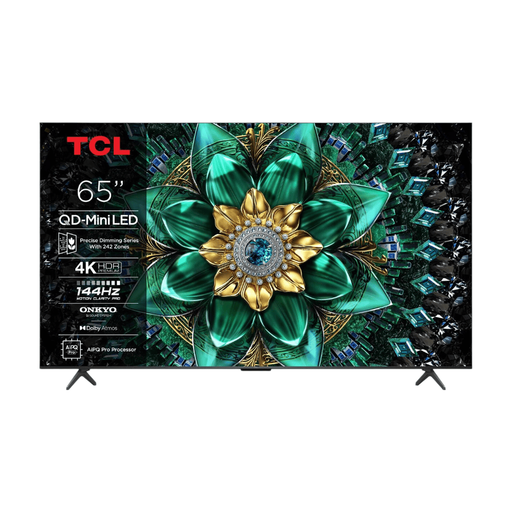 Image unavailable
TCL 65Q6C 65-inch QD-Mini LED TV
Worth considering if you want to compare a larger QD-Mini LED screen for watching together; check that your photo source works with this exact model.
The product information lists 4K HDR Premium, local dimming and 1000 nits.
View at Joybuy
Frequently asked questions
Can I show photos directly from a USB stick?
You can on TVs that support the relevant USB photo feature and your files. LG describes USB playback, but notes that instructions can vary by model, so check the manual for the exact TV.
How can I assess a TV for photos in my own lighting?
View a familiar photo with light and dark areas in the lighting you use at home, and adjust the home settings if needed. The Dutch Consumers’ Association recommends using a still image to assess picture quality.
Is an OLED TV unsuitable for a slideshow?
Not necessarily. Based on a 2022 test of older OLED models, the Dutch Consumers’ Association reported a small chance of noticeable image retention when images change normally, but an unchanged image displayed for a long time remains a consideration. That test doesn’t give a safe maximum viewing time for current models.
What are my rights when buying a TV online in the Netherlands?
For an online purchase, you generally have 14 days from delivery to change your mind. You’re also covered by the statutory guarantee: if a product used normally doesn’t meet your reasonable expectations, the seller is responsible for providing a suitable solution. ACM ConsuWijzer emphasises that a manufacturer’s guarantee doesn’t replace this statutory right.
Does a TV in the Netherlands need an energy label?
Yes. According to the Dutch government, TVs are among the appliances that must have an energy label. Use the label for the specific model to compare TVs; it doesn’t mean there’s a minimum energy rating you must choose for your purchase.


