Who is this choice relevant to?

Viewers sitting across a wide area

You’re spreading the group across seats beside and in front of the screen, and want people at the edges to see the picture clearly. Compare the viewing angles of specific models; the Dutch Consumers’ Association and RTINGS both highlight viewing angle as a consideration for viewers spread across a wide area.

Viewers at the back of the room

With several rows of seats, the distance to the back row and the available wall space will help determine the right screen size. Use the Dutch Consumers’ Association’s viewing-distance guidance as a starting point, rather than a fixed rule.

Viewers in a bright room

If you can’t block out daylight completely, look out for reflections and assess the screen in the room where you’ll be watching. The Dutch Consumers’ Association and Milieu Centraal provide information on choosing a TV and its energy consumption.

Which factors should guide your choice?

OLED TV

Best for: a group spread across a wide area, especially if you can dim the lights. Check the specific model from the seats at either end too.

Consider: the Dutch Consumers’ Association generally describes OLED TVs as having wider viewing angles and deeper blacks; some QLED TVs can offer greater brightness.

Large LCD, QLED or mini-LED TV

Best for: a set-up where the viewing distance from the back row or ambient light is a key consideration.

Consider: viewing angles vary between LCD panels and models; brightness or mini-LED technology alone won’t guarantee a good picture from the side.

Factor What to look for when buying Who is this most relevant to?
Viewing angle Assess the picture from the seats at either end and compare the viewing angle of the specific model. If people are sitting beside me, I want them to be able to follow the performance clearly. Around 29% of consumers consider viewing angle their top buying priority.
Screen size for multiple rows Measure the viewing distance from the back row and the space available; include the stand in your measurements. I want people at the back of the room to be able to follow faces and any subtitles clearly. Around 23% of consumers prioritise screen size.
Reflections and ambient light Check for reflections from different seats in your usual lighting conditions and compare the energy label. If I can’t dim the room properly, I want to watch dark scenes without distracting reflections. Around 18% of consumers say ambient light is their main concern.
Speech clarity Assess the sound from an appropriate distance; if you’re using external audio, check that both the TV and sound system support HDMI-ARC or eARC. I want people sitting further away to hear speech and music clearly too. Around 18% of consumers give speech clarity top priority.
Playback source and connection Check how your player connects and, if possible, try the specific recording or service. A 4K TV won’t turn a lower-resolution source into 4K. If I want to use an existing player or recording, I need to be able to play it on the TV. Around 12% of consumers consider source compatibility their top buying priority.

Common pitfalls when choosing a TV

  • Only checking the picture from directly in front of the TV

    With a large group spread out across the room, the picture may look different from the seats at either end.

    Compare the model’s viewing angle and assess the screen from the seats the group will actually use.

  • Assuming a bigger or brighter screen will suit every seat

    A larger screen won’t automatically solve a limited viewing angle, and brightness won’t always overcome reflections caused by poor positioning.

    Assess screen size, viewing angle and light separately. Compare energy consumption on the energy label.

  • Assuming a 4K TV will show every theatre recording in 4K

    The level of detail also depends on the recording and playback source.

    Check the source resolution and try the specific recording using the player or service you plan to use.

  • Assuming a private group event automatically counts as a private screening

    According to Auteursrecht.nl, a closed school or club event does not qualify for the exception for screenings within a strictly domestic setting simply because it is closed to the public.

    Before the screening, check the rights for the specific recording and consider the nature of the group.

Brands and models to consider

LG

According to LG Netherlands, the OLED65C5ELB is a 65-inch 4K OLED model.

  • LG describes self-lit pixels and deep blacks as features of OLED technology.
  • This isn’t an independent viewing-angle measurement for this model. Also consider screen size and reflections in your own set-up.

Philips

According to Philips, the 65OLED810/12 combines a 65-inch OLED screen with Ambilight and support for Dolby Vision and Dolby Atmos.

  • These picture and audio formats may be relevant when checking the capabilities of your recording and equipment.
  • The viewing-angle claim comes from Philips and isn’t an independent measurement. Ambilight doesn’t increase the physical screen size.

TCL

According to TCL Netherlands, the 75C7K is a 75-inch QD mini-LED model.

  • TCL lists mini-LED technology and a native refresh rate of 144 Hz.
  • Brightness and dimming claims alone don’t tell you how the picture looks from the seats at either end.

Samsung

According to Samsung Netherlands, the QE75QN90FATXXN is a 75-inch Neo QLED 4K mini-LED TV.

  • Samsung lists Glare Free as a screen feature.
  • The product name doesn’t measure reflections or viewing angle in your room; assess the screen for yourself in your own space.

Sony

Sony lists the K-65XR8M2 BRAVIA 8 II as a 65-inch model.

  • Sony’s specifications list four HDMI inputs and eARC/ARC, which is useful when comparing playback and audio equipment.
  • The connections alone don’t tell you whether the sound will be clear at the back of your room.

Joybuy TVs for large groups

This selection includes large OLED and LCD/mini-LED TVs for set-ups with multiple rows, plus a bundle with external audio. Match the screen size, viewing angle and connections to your room, seating and playback source.

OLED77G68LW 77-inch 4K OLED TV

OLED77G68LW 77-inch 4K OLED TV

An OLED option to compare if your group will be spread out across the room; assess this model’s viewing angle from the seats at either end.

77 inches, 4K and OLED.

Dolby Atmos is listed in the product information.

View at Joybuy

LG QNED85B6B 86-inch QNED evo Mini LED 4K Smart TV

LG QNED85B6B 86-inch QNED evo Mini LED 4K Smart TV

A large screen to weigh up against the viewing distance from the back row and the space available; check the viewing angle separately.

86 inches, QNED evo Mini LED and 4K.

Dolby Vision is listed in the product information.

View at Joybuy

TCL T8D 85-inch 4K QD-Mini LED Smart TV

TCL T8D 85-inch 4K QD-Mini LED Smart TV

A large screen size to compare with the distance from the back row; also check that the screen size and viewing angle suit your room.

85 inches, 4K QD-Mini LED and 144 Hz.

The product name lists FreeSync Premium, VRR and an Onkyo 2.1-channel audio system. HDMI 2.1 is mentioned in the product information.

View at Joybuy
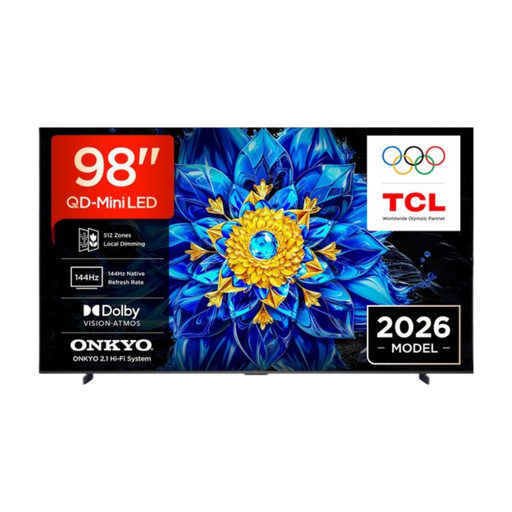
TCL T8D 98-inch 4K QD-Mini LED Smart TV

TCL T8D 98-inch 4K QD-Mini LED Smart TV

With its large screen, it’s important to check the viewing distance and available space before buying.

98 inches and 4K QD-Mini LED.

Google TV and Dolby Atmos are listed in the product information.

View at Joybuy
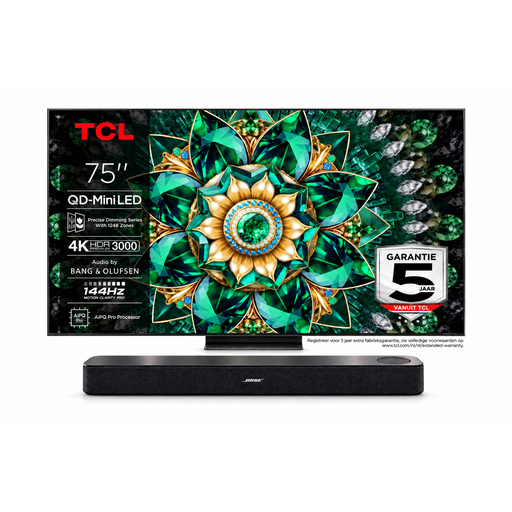
Bose Lifestyle Ultra soundbar and TCL 75Q7C 75-inch 4K Mini-LED TV bundle

Bose Lifestyle Ultra soundbar and TCL 75Q7C 75-inch 4K Mini-LED TV bundle

A bundle to consider if you want an external audio solution as well as a TV; assess speech clarity from the seats and check the connection.

The product name lists a 75-inch 4K Mini-LED TV and a Bose Lifestyle Ultra soundbar.

HDMI ARC/eARC is mentioned in the product information. The description lists Bose SpeechClarity for dialogue.

View at Joybuy

Frequently asked questions

How do you choose a screen size when people are sitting in multiple rows?

Measure the distance from the back row and check that the TV will physically fit. The Dutch Consumers’ Association’s viewing-distance guidance is a starting point; also check whether faces and subtitles are easy to follow from the seats people will actually use.

How do you connect a player and, if needed, a sound system?

An external player is usually connected via HDMI. For a soundbar, check that both the TV and sound system support HDMI-ARC or eARC; the Dutch Consumers’ Association describes these connections as a common way to connect external audio.

How can you reduce reflections and compare energy consumption?

If possible, position the screen away from direct light and check for reflections in your usual viewing set-up. When buying, compare the energy label and the stated consumption per 1,000 hours, as recommended by Milieu Centraal.

Will a 4K TV make a lower-resolution theatre recording 4K too?

No, a 4K screen doesn’t change the original resolution of the recording. Check the source and try the specific recording using the player or service you plan to use.

Can you show a theatre recording to a large group without permission?

That depends on the group and the rights to the recording. According to Auteursrecht.nl, the exception applies to screenings within a strictly domestic setting; even a closed school or club event may require permission from the rights holders. For screenings outside that setting, check the rights for the specific recording; a film licence won’t automatically cover it.
