What should you look for?
Start with reflections in the room and window positions where the TV will be used. Then check colour, seating, playback and the overall running costs.
| What to consider |
What should you check? |
Who is this important for? |
| Daylight and reflections |
Look at an independent reflection test for the exact model and note where the windows are in relation to the screen. |
If the tall windows could reflect scenes from the reel, you’ll want to know how the screen handles those reflections. Around 29% of consumers prioritise visibility in daylight. |
| Colour and detail |
Watch familiar scenes with light and dark areas, and compare suitable picture settings. |
If you’re discussing colour differences and picture details with the group, you’ll want to assess the reel in realistic viewing conditions. Around 23% of consumers give colour and detail top priority. |
| Visibility from the seats |
Check the seats at either end and compare independent viewing-angle measurements. Measure the viewing distance before choosing a screen size. |
If students are spread out or sitting to the side, you’ll want the picture to remain clear from those positions too. Around 18% of consumers prioritise visibility for the whole group. |
| Playing the reel |
Test the actual video file, laptop connection and sound. Separately check whether the TV can play the file directly from USB. |
If you’re showing the reel from your own device, you’ll want to know in advance which playback method works. Around 18% of consumers give reliable playback top priority. |
| Overall running costs |
Compare the energy label for the exact model and make sure the screen size and setup suit the room. |
If you want to take post-purchase expenses into account, compare the models’ energy use as well as their purchase price. Around 12% of consumers prioritise overall costs. |
Joybuy TVs for this situation
This Joybuy selection includes 4K TVs in a range of sizes, including QLED and QD mini LED models. Check reflections, viewing distance and your source device’s connection for each version.
 No image available
Hisense 55A6S 55-inch 4K UHD Smart TV
The 55-inch screen may suit your room if it matches the viewing distance.
The product title lists 4K UHD, 60 Hz, Dolby Vision, VIDAA and Game Mode Plus. The product information also mentions a light sensor.
View at Joybuy
 No image available
TCL T8D 65-inch 4K QD-Mini LED Smart TV
The 65-inch version is worth comparing if that size suits the viewing distance. Check your laptop’s connection for the presentation.
The product title lists 4K QD-Mini LED. The product information mentions HDMI 2.1, Google Cast, Miracast and AirPlay 2, as well as Dolby Vision and 144 Hz.
View at Joybuy
 No image available
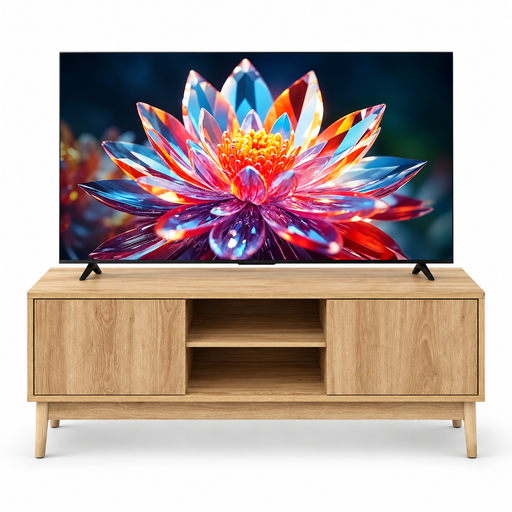
TCL 50T6C 50-inch 4K QLED with 5five Abana TV stand (120 cm)
This bundle may suit you if you’re looking for a 50-inch TV and TV stand in one setup; measure the available space first.
The product information lists a 50-inch 4K QLED TV and a TV stand that is 120 cm wide.
View at Joybuy
 No image available
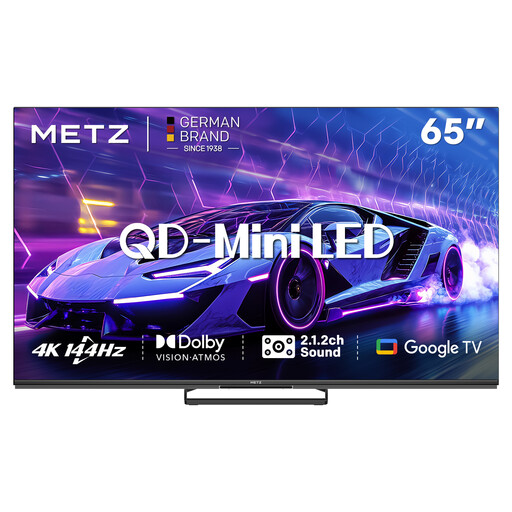
METZ 65MNE8000Z 65-inch QD-Mini LED Google TV
This 65-inch version is worth comparing if the size suits the distance from the rearmost viewing position.
The product information lists 4K, 144 Hz and HDMI 2.1.
View at Joybuy
 No image available
METZ 55MNE8000Z 55-inch QD-Mini LED Google TV
The 55-inch version may suit you if your measured viewing distance doesn’t call for a larger screen.
The product title lists 4K HDR, Dolby Vision and HDMI 2.1.
View at Joybuy
Frequently asked questions
How do you test a TV before showing the reel?
Watch a familiar scene with light and dark areas, try suitable picture settings and assess the screen from the sides. Repeat the test in daylight and with the windows positioned as they are in the room where you’ll show the reel.
Can you play the reel directly from a USB drive?
It depends on the file formats supported by the exact TV model. Connecting a laptop through a suitable HDMI port is another playback option; test the picture and sound with the actual file in advance.
Do you need a high gaming refresh rate for an animation reel?
Not for this presentation task alone. First compare reflections, colour, viewing angle, screen size and your source device’s connection; high refresh rates may also be useful for other features.
How do you compare TVs’ energy use?
Check the EU energy label or the EPREL listing for the exact model. To compare costs, you’ll also need to use a similar viewing duration and your own electricity tariff.
Is OLED suitable for showing content near tall windows?
It may be a good fit if wide viewing angles and black levels matter and you can limit direct reflections from the windows. Assess the exact model’s brightness and reflection handling in daylight; RTINGS also notes a risk of burn-in with prolonged static images.


