
Viewers of dark dramas
If you watch with the lights dimmed, compare a dark scene with light subtitles on the TV model you’re considering. RTINGS.com explains that local dimming on LCD screens can cause halos; the effect varies by model.


Start by considering subtitles, viewing angles and reflections from the seats where your guests will actually be sitting. OLED is a natural choice for dark scenes. In a brighter room, mini-LED LCD could be a better fit, but check whether subtitles produce halos on the specific model. Also test your streaming service’s settings: the subtitle options available can vary by language and device.
If you watch with the lights dimmed, compare a dark scene with light subtitles on the TV model you’re considering. RTINGS.com explains that local dimming on LCD screens can cause halos; the effect varies by model.
If your guests will be sitting in different places, check from the seats at either end that the picture and text remain clear. RTINGS.com and the Dutch Consumers’ Association highlight viewing angle as an important consideration for a wide seating arrangement.
If you’ll keep the lights on during your get-together, consider reflections and visibility as well as readability in dark scenes. The Dutch Consumers’ Association highlights viewing angle and reflections as factors to consider when choosing a TV.
| What to consider | What should you look for? | Who should give this more weight? |
|---|---|---|
| Subtitles in dark scenes | Compare light text against a dark background on the specific model. With LCD and local dimming, check for distracting halos, and see which subtitle styles are available in the app you use. | I want to read subtitles clearly in a dark scene without distracting bright edges; around 31% of consumers prioritise readable subtitles in dark scenes. |
| Viewing angle for guests | Check the picture from the seats at either end and see whether the subtitles remain readable. The screen’s position relative to the seats also matters. | If my guests are sitting on either side, I want them to be able to follow the drama from their seats; around 25% of consumers prioritise picture quality for guests sitting to the side. |
| Visibility with the lights on | Assess brightness and reflections with the lighting you expect to use during your get-together. With mini-LED LCD, also test subtitles in a dark scene. | I prefer to watch with the lights on and want to see the text and picture from the seats; around 25% of consumers prioritise visibility in evening lighting. |
| Screen size and dialogue | Choose a screen size to suit the viewing distance and seating arrangement. At the volume you intend to use, check that dialogue is easy to understand. | I want guests to be able to read the text and follow conversations without the screen dominating the room; around 19% of consumers give screen size and dialogue clarity top priority. |
Local dimming can create bright edges around light text on a dark background. How noticeable this is varies by model.
Watch a dark scene with subtitles on the specific model and compare it with an OLED TV.
The picture can look different when guests are watching from an angle, so assessing it from just one seat won’t tell you enough about the whole seating area.
Check the viewing angle and subtitle readability from the seats you plan to use at either end.
According to the Netflix Help Centre, subtitle settings can vary by language and device. The languages available can also depend on the title and profile settings.
Before letting subtitle options influence your choice, test the streaming app you use with a representative title and language.
ACM ConsuWijzer explains that statutory guarantees exist alongside the seller’s guarantee; an additional service does not change this.
Read the terms of any additional cover separately and compare them with your statutory rights against the seller.
The OLED55C68LA is a specific 55-inch OLED model to consider if you mainly watch dramas with subtitles in dim lighting.
The QE55QN82HAUXXN is a 55-inch Neo QLED model with Quantum Mini LED. It’s an LCD option to compare, for example, if you plan to keep the room lit.
The 55OLED811/12 is an OLED model with Ambilight, worth considering if you like the idea of lighting around the screen.
The K-55XR8M2 BRAVIA 8 II is another 55-inch OLED option with Google TV.
This selection includes OLED and mini-LED LCD TVs to compare for a drama night with subtitles and guests.
 Image unavailable
OLED is one option to compare for dark scenes with subtitles; check how it looks in your viewing space.
The product information lists a 55-inch 4K screen, an α11 AI Processor 4K Gen3, 120 Hz native and VRR up to 165 Hz.
Also listed: Dolby Vision, Dolby Atmos and webOS 26.
 Image unavailable
A QD-OLED model to compare with other screen technologies for dark scenes and a room with the lights on.
The product information lists a 55-inch 4K OLED screen with self-lit pixels and an anti-glare screen surface.
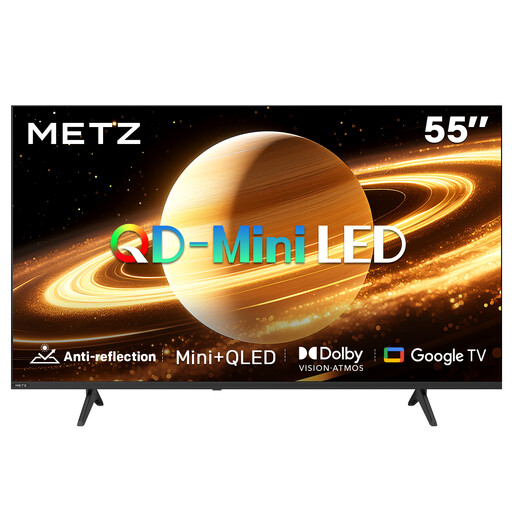 Image unavailable
Mini-LED LCD is an option to compare if you plan to watch with the lights on during your get-together; also check for halos around subtitles.
The product information lists a matte screen, Google TV and a 60 Hz refresh rate.
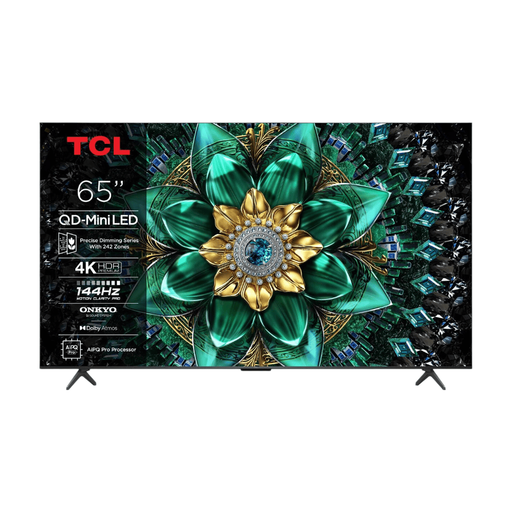 Image unavailable
This mini-LED LCD option is worth comparing for a viewing setup with the lights on; also check subtitles in a dark scene.
The product information lists full-array local dimming, 242 dimming zones and Google TV.
 Image unavailable
The product information mentions a wide viewing angle; assess the picture and subtitles for yourself from the seats at either end.
The title lists a 75-inch 4K Mini-LED screen and 144 Hz.
No, don’t assume that the setting is available on every TV and in every language. According to the Netflix Help Centre, size and style options can vary by language and connected device. Try the series and language you want to watch on the device you plan to use.
A different TV won’t guarantee that a language missing for a particular title will become available. Netflix lists your location, profile preferences, the title and the device as factors that can affect which languages are available.
Watch a dark scene with subtitles from the seats at either end, using the lighting you expect to have during your get-together. With LCD and local dimming, pay particular attention to halos around light text; for a wide seating arrangement, also check how the picture looks from an angle.
According to ACM ConsuWijzer, for a standard online product purchase you generally have a statutory 14-day cooling-off period, which ends 14 days after delivery; exceptions may apply. EU rules for electronic displays, including televisions, set requirements for energy labels and product information. This doesn’t mean you have to choose a particular energy class.