What should you look for when choosing?
Compare screens from your usual seat and in the daylight you typically watch in. Then check whether subtitles remain easy on the eye.
| What to consider |
What to look for |
Who should prioritise this? |
| Daylight and window reflections |
Watch a dark scene from your seat and compare reflections on the specific models. RTINGS.com notes that reflection handling depends on more than just whether the finish is matte or glossy. |
If I watch during the day and can see a window reflected in the screen, I want to know how distracting that reflection is. Around 36% of consumers in this viewing context consider daylight and reflections their main concern. |
| Subtitles in dark scenes |
On LCD TVs with local dimming, look for halos and changes in brightness around light-coloured text; if needed, try a lower dimming setting. RTINGS.com describes halos as a possible effect of local dimming. |
If I watch dramas with light subtitles on a dark background, I want to follow the text without distracting halos. Around 29% of consumers in this viewing context give easy-on-the-eye subtitles top priority. |
| Viewing distance and screen size |
Measure the distance from your seat to the TV and check that text and images are comfortable to view from there. The Consumers’ Association lists viewing distance as something to consider when choosing a size. |
If I watch from a regular seat, I want to choose a size that makes subtitles comfortable to read. Around 21% of consumers in this viewing context focus mainly on viewing distance and screen size. |
| Power consumption and streaming service |
Compare the EU energy labels for the exact models in SDR and HDR. Also check that your viewing source supports the series and subtitles you want. |
If I use my streaming service and take power consumption into account, I want to know in advance what information the label provides and whether subtitles are available. Around 14% of consumers in this viewing context consider running costs and access to their chosen series their main concern. |
Joybuy TVs for your viewing space
These TVs offer OLED and mini-LED options to compare for dramas with subtitles in daylight. Check reflections and readability at the viewing distance you have at home.
 No image available
LG OLED55G68LW 55-inch OLED evo TV
An OLED option for comparing dark scenes and reflections from your usual viewing position.
55 inches, 4K, 120 Hz native and VRR up to 165 Hz. The product information mentions Reflection Free Premium. A table stand isn’t included; the description mentions integrated wall mounting.
View at Joybuy
 No image available
Samsung QE55S99HATXXN 55-inch QD-OLED TV
A 55-inch QD-OLED option to compare if you’re taking dark scenes and window reflections into account.
QD-OLED, 4K and HDR10+. The product information mentions an anti-reflective surface; check how it affects dark scenes from your usual seat.
View at Joybuy
 No image available
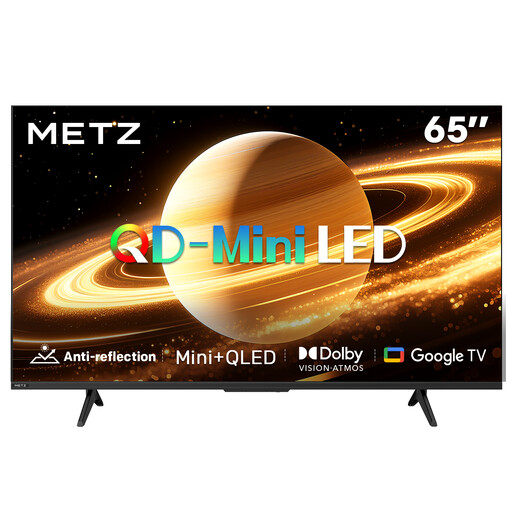
METZ 65MNH7000Z 65-inch QD mini-LED TV
A larger mini-LED option to assess alongside OLED in daylight and with dark subtitles.
65 inches, QD mini-LED and 60 Hz. The product title mentions Matte Screen Ultra; compare the picture from your usual viewing position.
View at Joybuy
 No image available
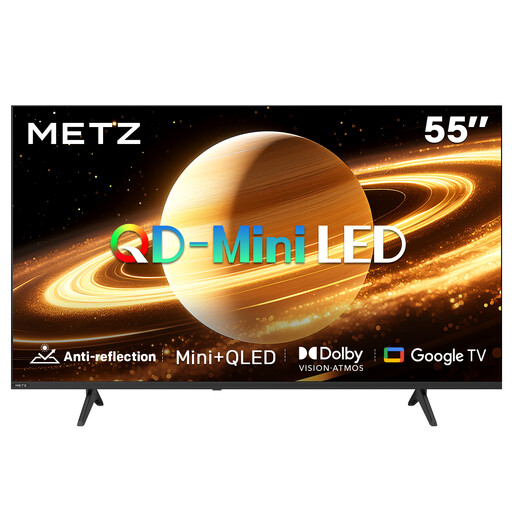
METZ 55MNH7000Z 55-inch QD mini-LED TV
A 55-inch mini-LED option to assess for subtitle readability and reflections.
55 inches, QD mini-LED and 60 Hz. The product title mentions Matte Screen Ultra; compare the picture from your usual viewing position.
View at Joybuy
 No image available
TCL 75Q7C 75-inch 4K mini-LED TV
A 75-inch LCD and mini-LED option to compare against your viewing distance.
75 inches, 4K, Mini-LED and 144 Hz. The product description mentions QD-Mini LED and Full Array Local Dimming; check whether the dimming suits your preferences when watching dark scenes with subtitles.
View at Joybuy
Frequently asked questions
How can I check whether subtitles cause halos?
Watch a dark scene with light subtitles in lighting similar to your living room. On LCD TVs with local dimming, look for halos and changes in brightness; if the model offers the setting, try a lower dimming level.
Does a matte screen always help with reflections from tall windows?
No, a matte finish alone doesn’t guarantee that reflections will disappear. RTINGS.com explains that some glossy screens can also reduce direct reflections, and that different finishes can affect how black appears in ambient light. Assess the specific screen from your usual viewing position.
What should I adjust first after installation for daytime dramas?
Use a scene with both light and dark areas in the lighting you usually have on. Adjust the picture so details remain visible in both areas, then check again with subtitles. The Consumers’ Association recommends assessing picture settings in your usual room lighting.
Can I work out my annual electricity costs from the energy rating?
No, the energy rating alone won’t tell you what your annual bill will be. The EU energy label includes energy information for SDR and HDR; to estimate your own costs, you’ll also need to factor in your viewing hours and electricity tariff. Compare the labels for the exact models.


