
Housemates who sit in different places
You want to follow the film comfortably from the sofa and from a chair to the side. Measure the viewing distance and check how the picture looks from each angle.


First, measure the distance from the seats and decide how you’ll play your film. Then choose a screen size that suits the room and the places you’ll watch from together. According to the Dutch Consumers’ Association, OLED TVs generally offer wider viewing angles and deeper blacks, while some LCD TVs can be brighter. So take the room’s lighting and the specific model into account too.
You want to follow the film comfortably from the sofa and from a chair to the side. Measure the viewing distance and check how the picture looks from each angle.
Your film is on a phone or laptop. Before relying on a particular playback method, check the app, network or HDMI connection you’ll need.
You want to weigh up screen size, picture quality and energy use before choosing a TV together.
Start with the viewing distance and how you’ll play your film. Then compare the picture from your seats and in the room’s lighting.
| What to consider | What to look for when buying | Who is this most important for? |
|---|---|---|
| A size that works for all seats | Measure the distance from the seats and check the TV’s width and height, including the stand. The Dutch Consumers’ Association’s viewing-distance table can be a useful starting point. | I want to follow the film from both the sofa and a chair to the side; around 31% of consumers say screen size for all viewing positions is their top priority. |
| Playing your own film | For casting, check that the app and TV or receiver support Google Cast and that the devices can use the same Wi-Fi network. Otherwise, check whether you can connect your laptop via HDMI. | If my film is on a phone or laptop, I want to know in advance how to get it onto the TV; around 25% of consumers say playing content from their own device is their main consideration. |
| Energy use | Compare the energy-label consumption in kWh per 1,000 hours. Energielabel.nl lists this as a point of comparison for televisions. | When watching together, I also want to know how much energy a TV uses; around 25% of consumers say energy use is their top priority. |
| Side viewing and daylight | Check the picture from the seats you’ll actually use, and look out for windows and reflections. The Dutch Consumers’ Association describes general differences between LCD and OLED TVs, but picture quality varies by model and room. | If housemates sit at an angle to the TV or watch during the day, I want the picture to be easy to follow from those seats; around 19% of consumers put side viewing and daylight first. |
The benefit of extra detail depends in part on the resolution of the source material. The Dutch Consumers’ Association notes that the difference from Full HD isn’t always visible.
Check the resolution of your own film, and assess screen size, viewing angle and playback method separately.
The Dutch Consumers’ Association points out that apps can disappear from a smart TV over time.
Check that the app you need is available, and consider HDMI as a possible alternative playback option.
QLED is an LCD technology. According to the Dutch Consumers’ Association, OLED TVs generally offer wider viewing angles and deeper blacks, while some LCD TVs can be brighter.
Choose based on the lighting and seating in your living room, and assess the specific TV rather than relying on the technology label alone.
The 50PUS8000/12 is a 50-inch 4K LED TV with Titan OS and Ambilight, making it a specific LCD option to compare.
The OLED48C56LB is a 48-inch 4K OLED model with webOS. The Dutch Consumers’ Association describes OLED TVs in general as an option to consider when viewing angles and dark scenes matter.
The 55C7K is a 55-inch QD Mini LED TV to consider if you’re looking at a larger screen.
The QE43Q7F2AUXXN is a 43-inch 4K QLED model to compare if a more compact screen would suit the room better.
This selection includes 43-, 50- and 55-inch 4K TVs to compare against your measured viewing distance. Casting is listed for several models, but always check that your app and playback method are supported.
 No image available
Compare the screen size with your measured viewing distance, and check that the listed casting options work with the app you’ll use to play your film.
 No image available
Compare the 55-inch screen size with your viewing distance, and check that the listed playback options work with your devices.
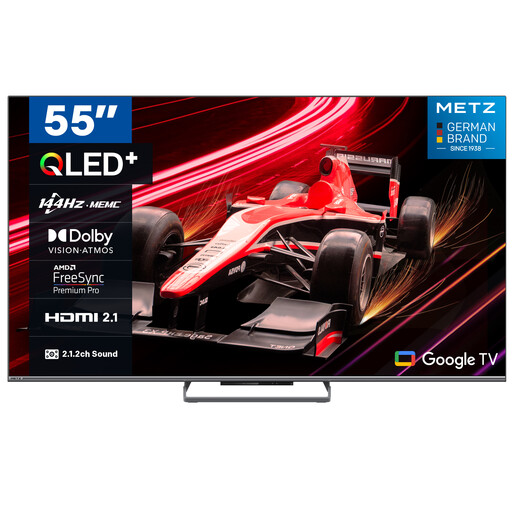 No image available
Measure your viewing distance and check that Google Cast works with the app and device your film is on.
 No image available
Compare the screen size with the distance from your seats, and check that casting is supported for your film and app.
 No image available
A 43-inch screen is one size to compare with the space available and the distance from your seats.
Not automatically: Google Cast requires a compatible app and a TV or receiver that supports it. According to Google, the devices must be on the same Wi-Fi network. Check that your chosen app and TV support this option.
An HDMI connection can provide an alternative via a laptop or a separate media player. Before buying, check that the TV has a suitable HDMI connection.
Compare the energy-label consumption in kWh per 1,000 hours. Energielabel.nl also provides separate information for HDR use.
For distance purchases from a business, the Dutch government generally gives you 14 days to change your mind. Products must also match the agreement; if a product is faulty, you can ask the seller to put things right. The Netherlands does not have a single statutory guarantee period that applies to all products.