
For screenings in a bright room
You’re showing the film during the day, and tall windows may be reflected on the screen. The TV’s position and reflections are therefore important considerations.


Start with the windows and seating: for a daytime student film screening, you need both good reflection handling and enough brightness for standard video. Extra brightness won’t prevent direct reflections from a window. A spread-out audience also makes viewing angle important, so compare the exact TV variant and test your film file, including subtitles and sound, before the screening.
You’re showing the film during the day, and tall windows may be reflected on the screen. The TV’s position and reflections are therefore important considerations.
Your audience may be sitting to the side or further away. Compare the viewing angle and screen size from the actual seating positions.
You want to use a laptop or local video file without playback problems, and may want to play the sound through external equipment.
A good fit when: visibility from the central seats in daylight is your priority; compare tests of the exact variant.
Trade-off: high brightness won’t automatically eliminate direct reflections from a window. RTINGS also recommends considering reflection handling.
A good fit when: a wide viewing angle and dark film scenes matter, especially if you can limit the light from windows or adjust the set-up.
Trade-off: according to the Dutch Consumers' Association, LCD TVs can often be very bright, which can be useful in a bright room. With OLED, check reflections on the specific model too.
| Consideration | What to look for when buying | Who is this most important for? |
|---|---|---|
| Visibility in daylight | Compare reflection handling and SDR brightness for the exact variant; assess the intended position in daylight. | If I’m showing a film during the day, I want it to remain visible without reflections from a window overpowering dark scenes. Around 36% of consumers prioritise visibility in daylight. |
| Viewing from multiple seats | Measure the viewing distance and available space, and compare the horizontal viewing angle from the outer seats. | If the group is spread out, I want people to be able to follow the details from the back and outer seats too. Around 29% of consumers give group viewing top priority. |
| Playing your own film | Test the full file, including subtitles and sound, using your intended connection; check the port for external audio if needed. | If I’m using my own file, I want to know in advance whether the picture, subtitles and sound will all work together. Around 21% of consumers prioritise playing their own film. |
| Overall cost and use | Check which cables or audio equipment you’ll need and compare the EU energy label for the exact variant. | If I’m choosing a TV for a student screening, I want to consider any extras as well as the TV itself, along with its energy use. Around 14% of consumers give overall cost top priority. |
A bright screen won’t completely eliminate direct reflections from a window. What’s more, peak HDR brightness is not the same as brightness for standard video.
Compare reflection handling and SDR brightness for the exact TV variant, and consider how the window’s position relates to where you plan to place the screen.
Picture quality can drop for people sitting to the side, even if the screen looks large enough from the back of the room.
Check the screen size and viewing angle separately from the outer seats.
Available apps and playing a local file are not the same thing. A USB port or app doesn’t guarantee that your file and subtitles will work.
Before the screening, test the full file, including subtitles and sound, using the connection you intend to use.
Playing from a laptop may require a suitable HDMI cable or adapter. For external sound, the connection needs to work with your audio equipment.
Sony lists the Dutch 65-inch BRAVIA 9 II variant as model K65XR95M2PB.CEI. RTINGS has tested the BRAVIA 9 II for use in bright rooms.
Philips lists the 65MLED910/12 as a 65-inch QD Mini LED screen with Ambilight.
The TCL 65Q6C is a 65-inch mini-LED variant.
LG’s published OLED range in 2023 included the G3, C3 and B3 models; this is historical range information.
The TVs below offer screen sizes of 65 inches and above, alongside a range of mini-LED technologies. Screen size and technology alone don’t tell you how well a model handles window reflections or viewing angles, so check the exact variant.
 No image available
The 86-inch screen may be worth considering if viewers need to see details from further away; measure the viewing distance first.
The product description lists an 86-inch 4K screen, QNED evo Mini LED and 2,040 dimming zones.
webOS 26 is also listed; check separately whether your intended method of playing film files works.
 No image available
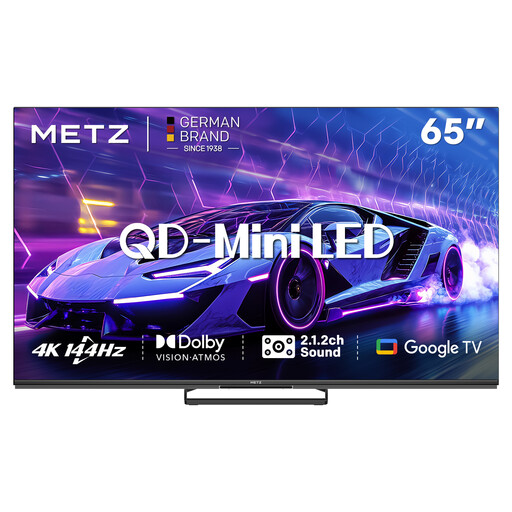
The 65-inch size gives you a specific option to assess in relation to the viewing distance and where the group will sit.
The product name lists 4K, 144 Hz, Dolby Vision and a 2.1.2 sound system.
Google Cast is mentioned in the product description; check in advance that it works with your source and film file.
 No image available
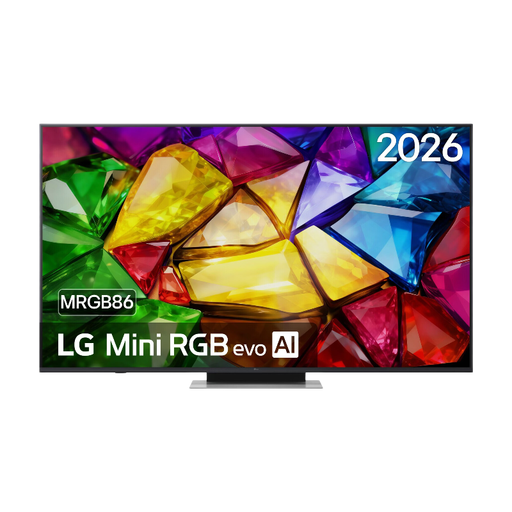
The listed 65-inch size can be compared with the viewing distance and the space available for the group.
The product description lists 4K and HDMI connections with eARC.
An optical audio output is also listed; check that it works with your existing audio equipment.
 No image available
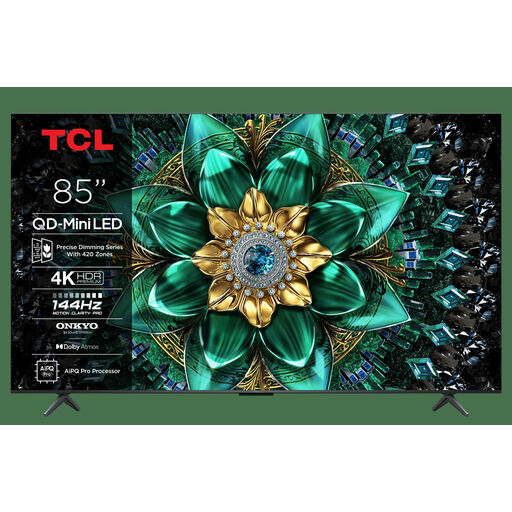
The 85-inch size may suit a greater viewing distance, but also check whether the TV is easy to see from the outer seats.
The product name lists 4K, QD-Mini LED, 144 Hz and Google TV.
Before the screening, check that your preferred playback method and the connections work with your film source.
 No image available
The 75-inch screen gives you a size to compare with the viewing distance and how spread out the group will be.
The product name lists 4K, Mini-LED and 144 Hz.
VIDAA U8.5 is mentioned in the product description; check that it works with your film source and playback method.
Measure the distance from the seats to the screen, and remember to account for the outer seats too. The Dutch Consumers' Association suggests starting with a comfortable viewing distance of around 2.4 times the screen diagonal. This isn’t a fixed rule for every group screening.
No. Having a USB port doesn’t prove that your file and subtitles are supported. Test the full file in advance; a laptop with a suitable HDMI connection is an alternative. Also check the sound through the TV or the audio system you plan to use.
Start with the home setting and view a familiar scene in the lighting you expect during the screening. The Dutch Consumers' Association recommends using the lighting you’d normally have while watching. Adjust the backlight without losing detail in bright or dark areas.
Check the EU energy label for the exact variant and allow for any cables, audio equipment or mounting you may need. According to ACM ConsuWijzer, the statutory guarantee doesn’t have a fixed term of just two years: what you can expect depends, among other things, on the product and normal use. The retailer is your point of contact.
According to the Government of the Netherlands, you generally need permission from the creator to use other people’s copyrighted work. Whether an exception or licence applies to a particular screening depends on the material used and the circumstances. Check this separately; it isn’t a feature of a TV model.