What should you look for when choosing?
First, check your existing screen from the seats where you watch films. Then choose the playback method that suits your services, and finally make sure the connections and cables will work with your setup.
| What to consider |
What to look for |
Who is this important for? |
| Picture from the side |
Check colour and brightness from your actual seats. Viewing angle is a feature of the screen, not the streamer. |
If I watch from the side, I want to know whether the picture on my existing TV will still look good. Around 40% of consumers give side viewing their top priority. |
| Access to films |
Check whether you can use the service you want directly on the TV or need to cast from a compatible device. Vimeo creators can disable casting for their videos. |
I want to open my short films directly on the TV, or know in advance when I’ll need my phone. Around 33% of consumers prioritise access to the films and playback method they want. |
| Connecting and setup |
Check for available HDMI ports, power and whether you want to use Wi-Fi or Ethernet. Also check which cables are included with the model you choose. |
If I add a device, I want to know whether it will work with my connections and network. Around 27% of consumers put setup and connectivity first. |
Joybuy products
This selection features TVs for anyone looking for a screen as well as a streaming device. The models listed have Google TV.
 No image available
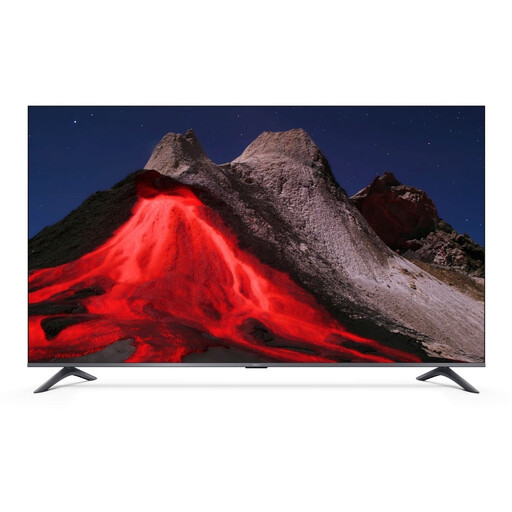
Xiaomi TV A Pro 55, 55-inch, 4K UHD QLED
A good option if you’re looking for a TV as well as a streaming device.
The product name lists 4K UHD, QLED, Google TV, Google Cast and Apple AirPlay.
View at Joybuy
 No image available
CHiQ L32QM10E, 32-inch, QLED Smart Google TV
A good option if you’re looking for a smart TV as well as a streaming device.
The product name lists QLED, Google TV, 90% DCI-P3 and HDR10.
View at Joybuy
Frequently asked questions
Will a 4K streamer improve the picture when viewed from the side?
Not if the TV itself loses colour or brightness when viewed at an angle. Check the screen from the seats where you watch; 4K output and viewing angle are two different things.
Can you open Vimeo short films directly on any streaming stick?
No. According to the Vimeo Help Centre, its own Android TV and Fire TV apps are no longer supported. Vimeo does describe an Apple TV app for tvOS 18 or later, as well as casting via compatible AirPlay or Chromecast devices. The creator can disable casting for a particular video.
What should you check before connecting a streaming device?
Check that you have a free HDMI port, a suitable power supply and a compatible network connection. Google Store Netherlands says a certified HDMI 2.1 cable for Google TV Streamer (4K) is sold separately; Apple Netherlands also says an HDMI cable is sold separately for Apple TV 4K (4th generation).
Do you need a new streamer if your TV apps already work?
Not just to improve the picture from the side: first assess the screen and seating for that. A separate player may be useful if your TV doesn’t have the app or playback method you want; if so, check support for the specific service.
What are your rights in the Netherlands if a streamer bought online isn’t suitable or breaks?
For a typical online purchase, you usually have a statutory 14-day cooling-off period from delivery, with some exceptions. This is separate from the statutory guarantee: according to ACM ConsuWijzer, the seller is responsible if the product doesn’t meet what you could reasonably expect from it.


