
Racers on a sofa set far back
You want to follow both split-screen views, maps and text without leaning forward. Measure the distance from your eyes before choosing a screen size.


Start with the distance between your seats and the screen. For general TV viewing, the Consumentenbond recommends a comfortable range of 55–77 inches at 4 metres; this is not a specific standard for split-screen racing. Then assess the picture from every seat, and only pay extra for 120 Hz or VRR features if both your console and the game you’ve chosen support them.
You want to follow both split-screen views, maps and text without leaning forward. Measure the distance from your eyes before choosing a screen size.
You play together on one TV and want a clear picture even from the seats at the sides. Nintendo confirms that Mario Kart 8 Deluxe can be played in TV mode with up to four players on a split screen.
You want to know whether a gaming TV offers any benefit for your console and racing game, rather than looking only at the stated refresh rate.
Start with your viewing distance and the size of the split-screen views. Then assess the picture from your seats, and compare screen technology and gaming features that suit your setup.
| Factor to consider | What to look for when buying | Who is this important to? |
|---|---|---|
| How easy the split-screen views are to see | Measure the distance from your eyes and compare screen sizes. Also check that the TV and its stand or wall mount will fit in the intended space. | I want to follow the split-screen views clearly from my seat without leaning forward. Around 36% of consumers say the size of the split-screen views is their top priority. |
| Picture quality from every seat | View the screen from the seats at the sides and in the lighting conditions you usually play in. | When we’re sitting in different places, I want to know whether everyone can follow the game clearly. Around 29% of consumers say visibility from multiple seats is their top priority. |
| Gaming features for your console and game | Check the exact HDMI port, 120 Hz and VRR support, and the output settings. Separately check what the racing game supports in split-screen mode. | I don’t want to pay extra for features my console or racing game won’t use. Around 21% of consumers say compatibility with console features is their top priority. |
| Running costs and screen care | Compare the energy label information for the exact models. For OLED, read the guidance on image retention and screen protection. | I want to consider energy use and maintenance as well as picture quality, especially for long gaming sessions. Around 14% of consumers say running costs and screen care are their top priority. |
A stated refresh rate doesn’t confirm that a particular racing game runs at that frame rate in split-screen. PlayStation Support says 120 Hz video output requires a TV and game that support it.
Check your console, the specific racing game, its split-screen mode and the HDMI port you’re using separately.
When you’re playing together, players may be looking at the screen from different angles. Viewing angles and reflections therefore matter for the whole seating arrangement.
Check the picture from every seat you plan to use, in similar ambient lighting.
The screen size isn’t the same as the TV’s overall dimensions, including its stand. The space required may affect whether it fits on a unit or on the wall.
Measure the available width and height, then compare the TV’s overall dimensions before choosing. Also compare the energy label information for the models you’re considering.
The TCL 75C7K is a 75-inch QD-mini-LED TV for anyone considering a large screen.
Philips says the Philips 75PML9009/12 combines a 75-inch QD-mini-LED screen with Ambilight.
The LG OLED65G55LW is a 65-inch 4K OLED option for anyone who values OLED contrast and finds this size suitable for their viewing distance.
The Samsung QE65QN90FATXXN is a 65-inch 4K mini-LED model to include in a comparison of screen sizes and connections.
The Sony BRAVIA 7 K-75XR70PAEP is a 75-inch mini-LED TV to compare if you also want to check the console settings.
These models are aimed at console gaming and split-screen racing on a large screen from a distance. Check the listed features for each model, and make sure the connections suit your console and game.
 Image unavailable
The 85-inch size may suit anyone looking for a large shared screen viewed from a distance; check the space available too.
4K resolution; 144 Hz; VRR; FreeSync Premium; ALLM; HDMI 2.1.
 Image unavailable
The 75-inch size is worth comparing if you want a large split-screen view from a distance; check that the TV will fit where you plan to put it.
4K resolution; 144 Hz VRR; ALLM; HDMI 2.1; FreeSync Premium.
 Image unavailable
This 86-inch model is for anyone considering a very large screen; measure the space for the TV first.
4K resolution; 144 Hz; HDMI 2.1; FreeSync Premium.
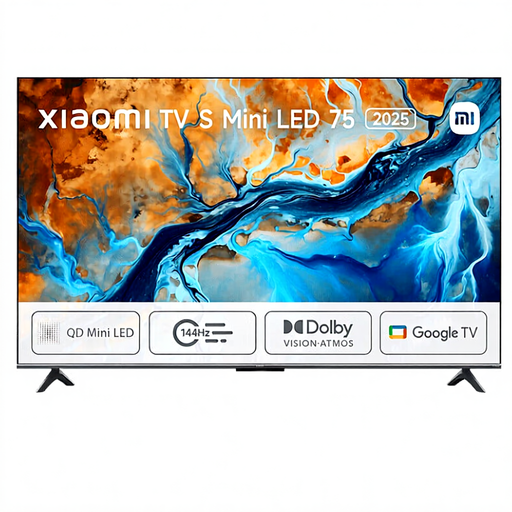 Image unavailable
The 75-inch size may suit anyone looking for large split-screen views from a distance; check the dimensions for your setup.
4K resolution; 144 Hz; HDR.
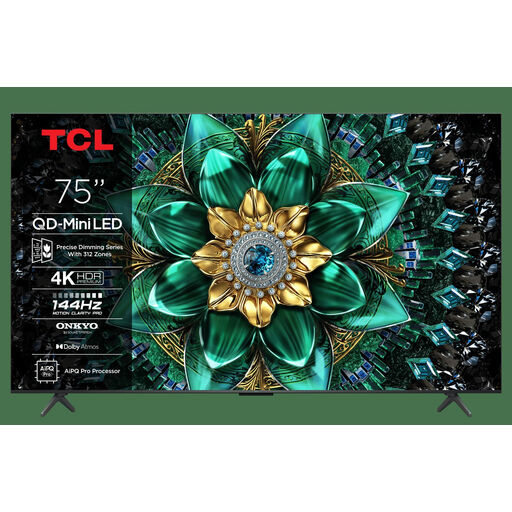 Image unavailable
The 75-inch size is an option for a large TV setup viewed from a distance; check the available space and seating.
4K resolution; HDMI 2.1 with 4K at 120 fps; VRR; ALLM; FreeSync Premium Pro.
Measure the distance from your eyes to where the screen will be. In its viewing-distance advice dated 5 May 2026, the Consumentenbond recommends around 2.4 times the screen diagonal as a general TV viewing guideline, and a range of 55–77 inches at 4 metres. For split-screen, also check that everyone can follow their view clearly from their seat; this isn’t a specific standard for racing games.
On your PS5, go to Settings, Screen and Video, then Video Output to check the information about the connected HDMI device. PlayStation Support says that 120 Hz output requires a TV and game that support it. Also check the settings for the TV port you’re using.
Sony says that displaying static images for long periods or repeatedly can cause image retention on OLED screens. Where possible, avoid leaving an unchanged image on screen for long periods, and follow the screen protection and care instructions for your exact model.
No. According to ACM ConsuWijzer, statutory rights apply alongside any commercial warranty. If a fault occurs too soon after normal use, contact the seller for an appropriate solution. The length of time you can expect the product to last also depends, in part, on what you could reasonably expect when you bought it.
EU energy labelling rules apply to televisions. According to the European Commission, the label shows information about energy efficiency and HDR use. Compare the details for the exact models rather than looking only at screen technology.