What should you look for when choosing?
Start by checking whether the presentation is readable from the furthest seat. Then assess the view from the seats at the sides, the playback method and the total cost.
| What to consider |
What should you check? |
Who is this important to? |
| Readability from the seats |
The Consumentenbond suggests a comfortable viewing distance of around 2.4 times the screen’s diagonal measurement. Also test the smallest real caption from the seat at the back. |
When I’m sitting at the back, I want to be able to read names and dates without moving closer. Around 33% of consumers put readability first. |
| Side-on viewing and light conditions |
View the specific TV from a seat at the side and check for reflections in the planned location. The Consumentenbond notes that OLED screens generally offer wider viewing angles, but this doesn’t tell you everything about every model or room. |
When visitors are sitting at an angle to the screen, I want to check that the images remain easy to see. Around 27% of consumers prioritise viewing from different angles or in bright conditions. |
| Playback and operation |
Check the manual for the exact model to see which USB files it supports and whether it has the right connection for the device you’ll use to operate the slides. Test the full presentation in advance. |
When I want to open and switch between photos during the presentation, I want to know that my files and controls will work. Around 27% of consumers prioritise ease of playback. |
| Total purchase and running costs |
Compare the energy label for the exact model and ask about any delivery and installation charges. The Dutch government lists additional costs as a consideration when entering into a purchase agreement. |
When I buy a TV for a small meeting room, I don’t want unnecessary equipment or additional costs. Around 13% of consumers put total cost first. |
Joybuy products for a presentation area
This selection from Joybuy includes 43- and 50-inch TVs for presentation areas, including models whose product details list image formats, USB ports or smart TV features. Before buying, check that the version you choose suits your seating arrangement and how you want to play the slides.
 No image available
LG 43NU800B6LC 43-inch 4K Nano UHD Smart TV
For anyone looking for a 43-inch TV for a compact presentation area.
The product information lists 4K UHD and anti-reflection technology; check how visible the screen is in your planned location.
Joybuy
 No image available
Philips 43PUS8001/12 43-inch 4K LED TV
An option to compare if you’re looking for a 43-inch screen and want to check whether the listed image formats work with your presentation.
The product information lists JPEG, PNG and HEIF, along with two USB ports. The stated energy class is F; check the display and controls in advance.
Joybuy
 No image available
Philips 43PUS7061/12 43-inch 4K LED TV
For anyone considering a 43-inch 4K TV and wanting to test their own image files via USB.
The product information lists JPEG, PNG and HEIF, as well as USB ports. Check that this version displays the files you want to use.
Joybuy
 No image available
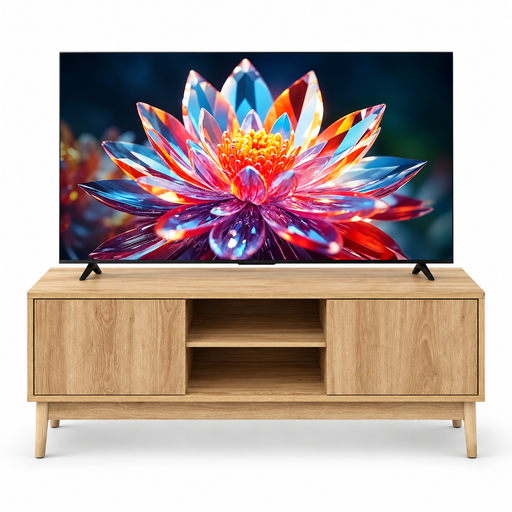
TCL 50T6C 50-inch 4K QLED Smart TV with 5five Abana TV stand
This bundle is worth considering if you want to include a 50-inch screen and a TV stand in your setup.
The stand measures 120 × 39 × 48 cm; check that it will fit in your room before buying.
Joybuy
 No image available
METZ 43MQF7500Z 43-inch QLED 4K UHD Google TV
A 43-inch model to compare if you’re considering a smart TV setup for your presentation.
The product information lists Google TV and built-in Chromecast. Check that the presentation controls you want to use will work with your setup.
Joybuy
Frequently asked questions
How do I choose a screen size for the seat at the back?
Measure the distance to the screen and use the Consumentenbond’s viewing-distance rule of thumb as a starting point only. Then test a real slide with the smallest caption from that seat; a general viewing distance won’t necessarily tell you whether historical text is readable.
Can I show photos directly from a USB stick?
Yes, if the TV you choose supports the files you’re using. LG Netherlands explains how to open USB files and notes that supported extensions and codecs can vary by model. Check the manual and test your files in advance.
What should I check after installation and if there’s a fault?
Check that the seats at the sides have a clear view and that daylight doesn’t cause distracting reflections on the screen. If there’s a fault, keep your proof of purchase and contact the seller. According to the Dutch government, there is no fixed statutory warranty period in the Netherlands, and the seller remains responsible for ensuring the product is of satisfactory quality.
Can I use old photos taken by others in a public local history slideshow?
Not automatically. According to the Dutch government, you can’t use copyright-protected photos taken by others without permission. Check the rights and permissions for each photo before showing it at the event.
What information will help me compare running costs?
Check the energy label for the exact TV version and ask about any delivery and installation charges. EU rules provide for energy labelling of electronic displays; the Dutch government lists additional costs as information that should be included in a purchase agreement.


