What should you look for?
Start with your viewing distance and the space available. Then check subtitles in your own app and assess the picture from where you normally sit.
| What to consider |
What should you look for? |
Who should pay extra attention? |
| Subtitles |
Watch a subtitled scene from your usual seat and check the size, style and language options available in your streaming app. |
If I often watch foreign-language series, I want to follow the text without straining. Around 42% of consumers put readability first. |
| Size and placement |
Measure your viewing distance and the width and depth of your furniture, then compare these with the TV’s dimensions, including its stand. |
With limited space, I want a TV that fits on my furniture and is practical to move. Around 33% of consumers prioritise placement and size. |
| Dark scenes |
Watch a familiar dark scene with light subtitles from your usual viewing position. Also look out for reflections and check the viewing angle. |
If I mainly watch dramas, I want to assess dark details and subtitles from my seat. Around 25% of consumers prioritise picture quality in dark scenes. |
Brands worth considering
The models mentioned here have a range of screen sizes and features. A brand name alone says nothing about subtitle readability or whether a particular model is available.
Philips
The product pages mentioned include a compact Full HD TV and a 43-inch 4K QLED model.
- Philips lists Titan OS for the 32PFS6000/12, and Ambilight and Titan OS for the 43PUS8500/12.
- These specifications don’t show whether subtitles will be comfortable to read from your seat. Check the apps and dimensions of the exact model.
LG
The 43UA74006LB.AEU is a 43-inch 4K model mentioned for anyone with space for a larger screen.
- LG lists webOS and 4K upscaling for this model.
- LG says the results of upscaling depend on the source resolution. This doesn’t tell you how readable the subtitles are.
Samsung
The QE43Q7F2AUXXN is a 43-inch 4K QLED model mentioned as an option to compare with other sizes.
- Samsung describes this model as a QLED 4K TV.
- The QLED label isn’t a model-specific test of contrast or text readability. Assess the picture from your own viewing position.
TCL
According to TCL, the P655 range includes a 43-inch model with 4K and Google TV.
- This product range gives you the option to factor in a larger screen and the smart TV platform you use.
- TCL warns that some apps or features may not be available in every country. So check the exact model and your own streaming app.
Compact TVs at Joybuy
This Joybuy selection includes compact 24- and 32-inch TVs, with a range of screen and smart TV options. Check the dimensions including the stand, and make sure your streaming app and preferred subtitle settings are available on the exact model.
 Image unavailable
KOORUI K32Q1FFQ-T8 32-inch Full HD QLED Smart TV
The 32-inch size suits a compact viewing set-up.
Full HD, QLED and Tizen OS. The product information lists access to Netflix, YouTube and Prime Video; check the subtitle options for your app and language.
View at Joybuy
 Image unavailable
CHiQ L32QM10E 32-inch QLED Smart Google TV
This 32-inch model is a compact option for a smaller viewing space.
Full HD and Google TV. The product information lists Netflix; check on the TV itself that your preferred subtitle settings are available.
View at Joybuy
 Image unavailable
METZ Lifestyle 32MQE7100Z 32-inch HD Smart TV
The product name describes this model as portable. Check that its placement and connection options suit your viewing set-up.
32-inch, HD, QLED+ and HDR10. The product information lists Google TV, a handle and USB-C power; the name also mentions Power-C, compatible with a power bank.
View at Joybuy
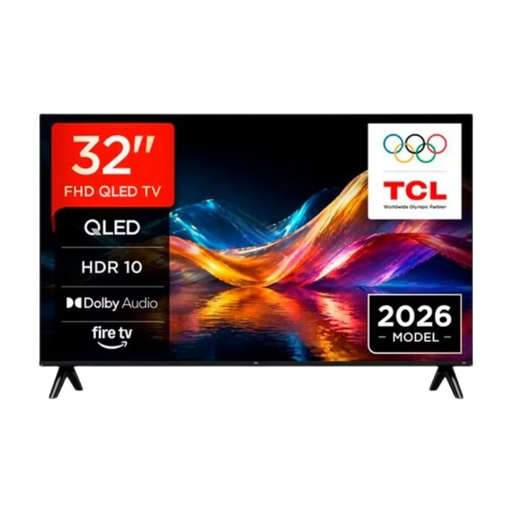 Image unavailable
TCL 32V5D 32-inch QLED Smart TV
The 32-inch size suits a compact TV set-up.
QLED and smart TV functionality. The product information lists access to Netflix, Prime Video and YouTube; check the subtitle options in your own app.
View at Joybuy
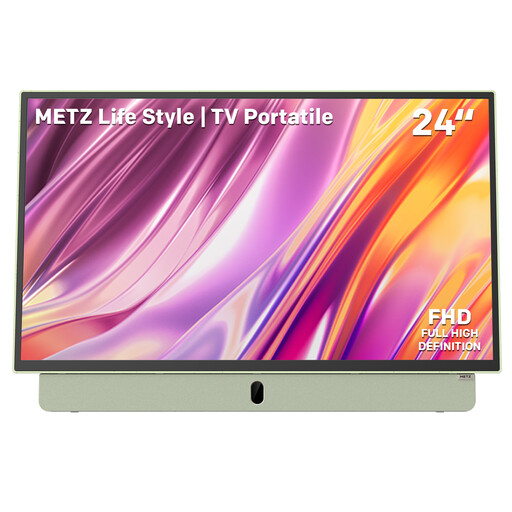 Image unavailable
Metz MPE7200Z 24-inch Full HD Smart TV
The 24-inch size and built-in battery suit anyone looking for a smaller, portable TV.
Full HD, Google TV and an anti-glare screen. The product name also mentions a 12V car charger and compatibility with a power bank.
View at Joybuy
Frequently asked questions
Can I make Netflix subtitles bigger on a smart TV?
Sometimes, but the options vary by device and language. The Netflix Help Centre says connected TVs may offer fewer display options than a browser, so try the title and language you use on the TV itself.
As a renter, do I need permission to mount a TV on the wall?
It depends on the work involved. According to the Government of the Netherlands, you don’t need permission for a minor alteration that can be reversed without much expense, such as filling holes, but you do for a renovation. If you’re unsure, discuss any work with your landlord. A suitable TV stand on a piece of furniture may make wall mounting unnecessary.
How can I compare TVs’ energy consumption?
Compare the EU energy labels for the exact models. The European Commission rates TVs on the label from A to G and also provides information about HDR use. Where possible, compare TVs of a similar size.
Who should help if my TV is faulty?
According to the Government of the Netherlands, the seller is responsible for dealing with a faulty product and cannot simply refer you to the manufacturer. Any additional service is separate from your statutory rights.
What should I do with my old TV when I buy a new one?
According to the Government of the Netherlands, when you buy a new, similar appliance, the seller must take back your old one free of charge. This also applies to online purchases; arrange the practical handover with the seller.


