What to consider when choosing
Compact LCD or QLED TV
A good fit when: available width and furniture space are your main priorities, and the seats at either end have a clear view.
The trade-off: viewing angles vary by model. A 43-inch screen is one size to compare, not a fixed standard for a small home.
OLED TV around 48 inches
A good fit when: several guests will be watching from an angle, and your viewing distance and available width can accommodate a larger screen.
The trade-off: according to the Dutch Consumers' Association, OLED TVs generally offer wider viewing angles and deeper blacks, but they need more space. Assess picture and sound quality for each model.
The Dutch Consumers' Association suggests using around 2.4 times the screen diagonal as a starting point for viewing distance. Also measure sightlines and the space available for the TV. These checks will help you work out whether a particular size will suit your room.
| What to consider |
What to look for when buying |
Who should prioritise this? |
| Screen size and viewing angles |
Measure the viewing distance and furniture width; check the view from the seats at either end. |
If I’m watching with guests from different seats, I want everyone to be able to follow the picture. Around 29% of consumers prioritise a clear view for the whole group. |
| Playing your own film |
Test the film file, sound and subtitles using your chosen HDMI, USB or streaming option. |
If I’m bringing my own file, I want to know which playback option works before the screening. Around 23% of consumers prioritise reliable playback. |
| Positioning the TV in a rented home |
Measure the TV with its stand and check that the furniture is stable. If you need to drill, consider whether the work can be undone. |
If space is limited and I’m renting, I want a suitable spot that I can restore if necessary. Around 18% of consumers prioritise placement and the ability to restore the property. |
| Clear dialogue |
Assess how clear dialogue sounds from the seats and, if adding extra audio equipment, check which connection you need. |
If everyone needs to hear the dialogue clearly, I want to assess the sound where we’ll be watching. Around 18% of consumers prioritise clear speech. |
| Energy use and extra equipment |
Compare energy use on the energy label and decide which extra equipment you actually need. |
If I’m weighing up energy use and any extra equipment together, I want to know in advance what my setup will require. Around 12% of consumers consider this first. |
TVs at Joybuy
This Joybuy selection includes 40- to 43-inch TVs to compare for a compact viewing space. Check the dimensions, connections you need and support for your film for each model.
 No image available
Philips 43PUS8001/12 43-inch 4K TV
An option to compare if you’re looking for a 43-inch TV with 4K resolution.
43 inches; 4K.
View at Joybuy
 No image available
Philips 43PUS7061/12 43-inch LED 4K TV
An option to compare if you’re looking for a 43-inch TV with 4K resolution.
43 inches; LED; 4K.
View at Joybuy
 No image available
Philips 43PQS7801 43-inch 4K QLED Smart TV
An option to compare if you’re looking for a 43-inch QLED TV with 4K resolution.
43 inches; 4K; QLED; Smart TV.
View at Joybuy
 No image available
Metz 43MQF7500Z 43-inch QLED 4K UHD TV
An option to compare if you’re looking for a 43-inch QLED TV with 4K UHD.
43 inches; 109 cm; QLED; 4K UHD.
View at Joybuy
 No image available
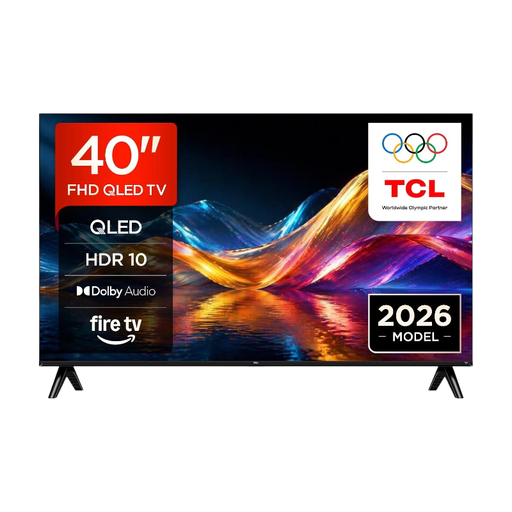
TCL 40V5D 40-inch FHD QLED Smart TV
An option to compare if you’re looking for a 40-inch TV for a compact viewing space.
40 inches; FHD; QLED; 60 Hz; Smart TV.
View at Joybuy
Frequently asked questions
What screen size should I choose if I don’t know my viewing distance yet?
First, measure the distance from your eyes to where the screen will be. The Dutch Consumers' Association suggests using around 2.4 times the screen diagonal as a starting point. For a viewing distance of 200 cm, it suggests 32–43 inches; for 250 cm, 40–50 inches. Also check the view from the seats and whether the TV will fit with its stand.
Is a USB port enough to show our own film?
No. A USB port alone doesn’t confirm that your file will play with sound and any subtitles. Test the file in advance; connecting a laptop via HDMI is another option. Wireless playback depends on the apps and devices you use.
Can I mount a TV on the wall in my rented home?
According to the Dutch government, you don’t need permission for a change that can be undone without too much expense; filling in small holes is one example. Whether this applies to your fixings depends on the wall and how easily you can restore it. A suitable stand avoids the need to drill.
How do I compare the energy use of TVs?
Compare the energy labels for the specific models on the same basis. According to the European Commission, the energy label shows consumption in kWh per 1,000 hours. This figure doesn’t calculate your personal annual energy use.
Should I choose a 4K TV for our own film?
Not just because it has a 4K label. The Dutch Consumers' Association notes that not every 4K TV has good picture quality, and the difference from Full HD isn’t always easy to see. First, check that your film will play and that the size, picture and sound suit your viewing setup.


