
Viewer with limited space for a screen
Choose your screen size based on your viewing distance and the space available on your cabinet or TV unit. The Consumentenbond recommends using viewing distance as a starting point when choosing a screen size.


Start by checking your viewing distance and the space available on your TV unit. The Consumentenbond recommends a viewing distance of around 2.4 times the screen’s diagonal as a guide, but you should also measure the TV, including its stand. Then compare speech clarity, viewing angles and reflections, and check that your preferred channel, app or receiver will work. Resolution alone won’t tell you how easy it is to follow quiz questions.
Choose your screen size based on your viewing distance and the space available on your cabinet or TV unit. The Consumentenbond recommends using viewing distance as a starting point when choosing a screen size.
Look for clear speech and questions or subtitles that are easy to follow, rather than focusing on resolution alone. The Consumentenbond assesses TV sound separately.
You want to be able to see quiz questions in daylight and from different seats. That’s why reflections and the viewing angle of the specific model matter.
| Buying priority | What to look for | Who should pay particular attention? |
|---|---|---|
| Screen size and placement | Measure your viewing distance and the available space. Check the TV’s width and height, including its stand. The Consumentenbond uses around 2.4 times the screen’s diagonal as a guide to viewing distance. | I want the TV to fit on my unit and quiz text to be easy to follow from my seat. Around 29% of consumers say screen size and placement are their main buying priority. |
| Clear speech and readable questions | Compare the sound and speech ratings for the exact model, and listen to spoken TV clips if possible. Also check whether subtitles are available through your viewing service. | I want to follow the presenters and questions clearly; a resolution label doesn’t tell me what the speech sounds like. Around 24% of consumers put clear sound and quiz text at the top of their buying priorities. |
| Reflections and viewing angle | Consider windows and seats that aren’t directly in front of the screen. Check reflections and viewing angles for the specific model, as technology labels alone won’t tell you how the picture will look in your room. | I watch during the day or don’t sit directly in front of the screen, and want to be able to read questions from my seat. Around 18% of consumers give the most weight to light levels or viewing angle. |
| Access to your preferred quiz show | Make a note of how you watch TV, then check which tuner, CI+ compatibility, HDMI connections or support for your preferred app you’ll need. The Consumentenbond points out that a built-in tuner isn’t suitable for every provider’s viewing setup. | I want to keep using my existing channel or preferred catch-up service without choosing a viewing setup that won’t work. For around 18% of consumers, reception or catch-up viewing is their main buying priority. |
| Power consumption and running costs | Compare the energy label and consumption per 1,000 hours for specific models. Check whether your viewing setup requires a receiver, module or paid subscription too; Milieu Centraal recommends using consumption per 1,000 hours as a point of comparison. | I want to know in advance how much energy the TV will use based on my viewing habits, and whether my viewing setup needs extra equipment. Around 11% of consumers prioritise ongoing energy use and additional viewing costs. |
The diagonal measurement doesn’t tell you how wide the TV is with its stand, or take into account the distance from your seat.
Measure your viewing distance and available space, then compare them with the exact model’s dimensions, including its stand.
Full HD, 4K or a technology name won’t tell you how presenters sound on a specific TV. The Consumentenbond assesses sound separately and notes that smaller TVs in its tests don’t always sound good.
Compare speech quality for the specific model, and treat resolution and sound as separate features.
If speech isn’t easy for you to follow, you may need additional audio equipment.
Not every app is available on every smart TV, and app support can change.
Check that the app you want is available for the exact model and, if necessary, keep an HDMI connection free for another way of watching.
A separate media player takes up space and needs a free connection.
The energy label and consumption per 1,000 hours can help you compare power use. Your viewing setup may also require a receiver, module or paid service package.
Compare the stated energy consumption of specific models and check which equipment and services your viewing setup requires.
The TCL 32S49K is a 32-inch LCD LED TV with HD-ready resolution. According to its specifications, this model has Android TV and two HDMI inputs.
The Samsung UE32F6000F is a 32-inch LCD LED model with Full HD resolution, included in a Dutch Consumentenbond test list.
The Hisense 43A6S is an LCD LED model with a 4K screen. The Consumentenbond lists its width, including the stand, as 96 cm.
The LG 43NU900B6LA is a 43-inch LCD LED model with a 4K screen; LG calls this model NanoCell.
The Philips 43PUS8001/12 is a model in the 40–43-inch category described by the Consumentenbond.
This selection includes 32- and 43-inch TVs for limited space or a larger screen, if your viewing distance and TV unit allow.
 No image available
Consider this 43-inch model if your viewing distance and available space allow for a larger TV.
43 inch; 4K.
 No image available
Consider this 43-inch model if your viewing distance and available space allow for a larger screen.
43 inch; 4K UHD; Google TV; built-in DVB-T/T2/C/S/S2 tuner.
 No image available
This 43-inch model is an option if your viewing distance and available space are suitable for a larger screen.
43 inch; FHD; QLED; 120Hz; Smart TV.
 No image available
Consider this 43-inch model if your viewing distance and available TV unit width allow for a larger screen.
43 inch; 4K; QLED; 120Hz; Smart TV.
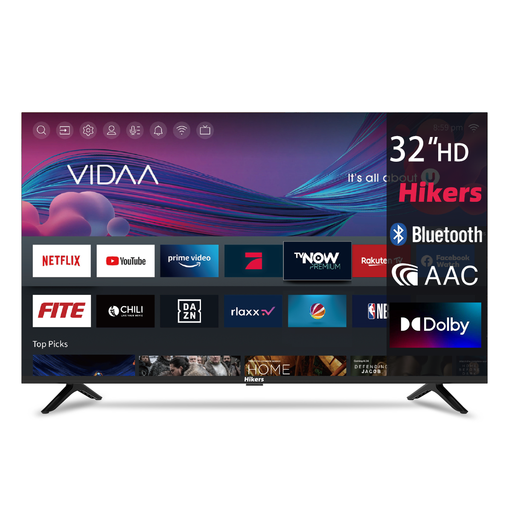 No image available
A 32-inch model to consider if you have limited space or sit relatively close to the screen. Check that speech is easy to follow, too.
32 inch; HD; DVB-T2/S2; CI; 3 HDMI connections; 2 USB connections; Wi-Fi; Bluetooth.
Not necessarily; your viewing distance and the space available on your TV unit will determine whether it fits. The Consumentenbond recommends a viewing distance of around 2.4 times the screen’s diagonal as a guide. Also measure the exact model’s width and height, including its stand.
According to the Dutch Public Broadcasting organisation, you can watch live streams and usually catch up on programmes for at least a week without an account. Check whether NPO Start is available on your TV model, or choose another supported way to watch. Availability may vary by programme because of rights restrictions.
That depends on your provider and reception technology. According to the Consumentenbond, a suitable built-in tuner, with a compatible CI+ module if needed, can work for some viewing setups. If your provider delivers the TV signal over the internet, the built-in tuner won’t replace that provider’s receiver.
Choose home settings rather than shop mode, then check the brightness, contrast and colour in the lighting you usually watch in. Milieu Centraal recommends positioning the TV so that it doesn’t get too much daylight on the screen.
No. ACM ConsuWijzer explains that there’s no fixed term for the statutory guarantee in the Netherlands. What you can reasonably expect from the product, the fault and normal use all matter. If a product is faulty, the seller is responsible for providing an appropriate remedy at no cost.