
Viewer with a narrow shelf
You want to put a TV on an existing shelf and check that the set, including its stand, will fit while leaving enough room for ventilation.


First, measure the usable shelf space and viewing distance. A 24-inch TV generally takes up less room, while a 32-inch TV is worth considering if you have enough space and also watch from other parts of the kitchen. Then check the dimensions, including the stand, the view from where you cook, access to your programmes and the placement instructions for the model you choose.
You want to put a TV on an existing shelf and check that the set, including its stand, will fit while leaving enough room for ventilation.
You watch programmes from different worktops and want to assess the screen from an angle and in the available light, too.
You want to catch up on cookery programmes or watch them live, so you need to check that your app, receiver and connections are compatible with the set you choose.
Best suited to: a space where shelf room is the priority and you usually watch from nearby.
Bear in mind: a smaller picture can be harder to follow from further away.
Best suited to: a space that can accommodate the whole TV and stand, where you also watch from other parts of the kitchen.
Bear in mind: the larger casing and the space needed for ventilation.
Best suited to: a shelf that is too shallow, provided there is a suitable mounting position that can be used in accordance with the instructions.
Bear in mind: the right bracket, fixings and any installation work required.
| What to consider | What should you check? | Who should pay extra attention? |
|---|---|---|
| Space and placement | Measure the available width, height and depth, then compare them with the dimensions including the stand. Follow the model’s placement and ventilation instructions. | If I want to put the TV on an existing shelf, the whole set needs to fit without blocking ventilation. Around 33% of consumers prioritise finding a suitable spot for their TV. |
| View from where you cook | Measure the viewing distance from your usual work areas and, if possible, assess the screen from different angles and in similar lighting. | If I’m not always standing directly in front of the screen while cooking, I want to know how easy it is to follow the picture from those spots. Around 27% of consumers prioritise being able to see the screen while cooking. |
| Access to programmes | Check whether the app you want is available on the exact model. If you use a separate receiver, check that there is a suitable HDMI input, too. | If I want to catch up on specific cookery programmes or watch them live, I want to know in advance whether my app or viewing method will work. Around 20% of consumers prioritise access to programmes. |
| Speech and energy use | Assess the speech sound on the specific model and compare energy label information on a like-for-like basis. | If I mainly listen while cooking, clear voices matter; if I use the TV regularly, I also want to compare its energy use. Around 20% of consumers prioritise speech and energy use. |
The casing and stand take up space, too. So a spot that looks big enough based on the screen size alone may not actually be suitable.
Measure the available width, height and depth and compare them with the dimensions of the whole set. Also follow the ventilation instructions for the model you choose.
If the TV doesn’t fit, you may need to find another spot or use a suitable bracket and arrange installation.
The product specifications for the Philips 24PHS6000/12 state a panel resolution of 1366 × 768 pixels. A term such as ‘2K’ or general Full HD wording doesn’t automatically confirm the resolution of this particular variant.
Compare the full model number and the stated panel resolution.
LG says that services may vary by country and that some may require a subscription. A separate receiver also needs a suitable connection.
Check that the app you want is available on the exact model, and make sure your viewing method and any receiver will connect.
Some services may require a subscription or a separate receiver.
ACM ConsuWijzer explains that your statutory guarantee depends on what you could reasonably expect from the product under normal use; the stated length of a manufacturer’s warranty does not automatically set the limit.
Consider any additional warranty offered separately from your statutory rights.
The Philips 24PHS6000/12 is a compact 24-inch TV to consider when shelf space is a priority.
The Dutch UE32F6000FUXXN is a 32-inch Full HD smart TV with Tizen, worth comparing if a 32-inch set will fit in your space.
According to LG, the 32-inch LG 32LQ63006LA combines a Full HD screen with webOS.
Sharp lists the 32GF3265E as a 32-inch Full HD QLED TV with Google TV and two HDMI inputs.
This Joybuy selection features 24- and 32-inch TVs to compare for a limited space and access to cookery programmes.
 No image available
An option if a 32-inch set fits in your available space and you want to watch programmes through a smart TV platform.
The product title lists Full HD, QLED and Tizen OS.
 No image available
An option if you’re looking for a 32-inch TV and want to watch your chosen programmes through apps.
The product title lists QLED and Google TV.
 No image available
An option if you’re considering a 32-inch TV with built-in reception and smart TV features. First check that its size and placement instructions suit your space.
The product title lists HD, QLED+ and DVB-T/T2/C/S/S2. The product information lists Google TV and USB-C power, compatible with a power bank.
 No image available
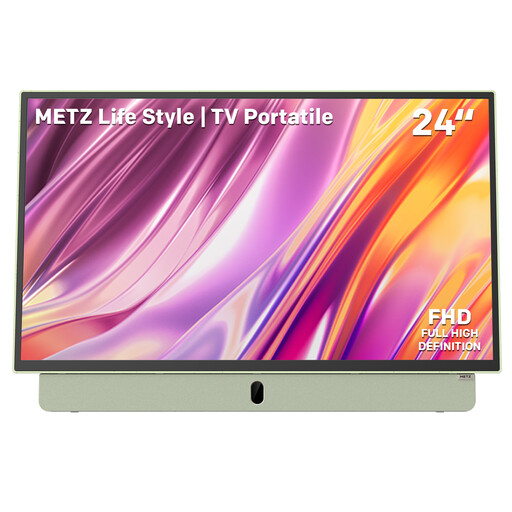
A compact option to compare when shelf space is a priority and you want to watch programmes through apps.
The product title lists Full HD, Google TV, HDMI, anti-glare and a built-in battery. According to the product information, battery life is up to 3 hours.
 No image available
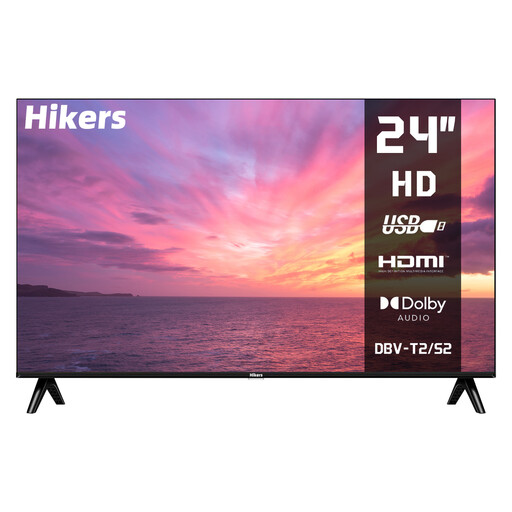
A compact option if you want to receive live TV via a compatible signal and don’t need built-in streaming apps.
The product information lists an HD panel, HDMI, USB and DVB-S2/T2/C tuners. This is explicitly a non-smart TV; you’ll need a separate device to use streaming apps.
Measure from the spots where you actually cook and check that the TV, including the stand, fits there. The Consumentenbond suggests about 2.4 times the screen diagonal as a starting point for viewing distance; it isn’t a fixed rule.
It depends on the space and the instructions for the exact model. Keep ventilation openings clear, follow the manual and check that the TV won’t be exposed to heat or moisture in that position.
It depends on the programme and the service you use. Check that the app you want is available on the specific smart TV model. If you use a separate receiver, also make sure there is a suitable HDMI input and check what your provider requires.
For a distance purchase from a business as a consumer, you generally have 14 days to change your mind in the Netherlands, according to the Rijksoverheid. Statutory guarantee also applies if, under normal use, the product doesn’t meet what you could reasonably expect from it. ACM ConsuWijzer explains that a manufacturer’s warranty doesn’t automatically set the limit of this right.
Yes. The Rijksoverheid states that TVs are among the appliances that must have an energy label. Compare the information for the specific model you’re considering; the European product registration distinguishes between SDR and HDR energy use, among other things.